
Auto Repair Marketing That Keeps Your Bays Busier
WinChilla helps local repair shops capture more service inquiries, respond fast, book appointments, stay in touch, and bring customers back when it is time for their next visit.



One Place for Leads, Messages, Bookings, and Reviews
WinChilla brings your CRM records, calls, texts, email, appointment calendars, follow-up, and review requests together. Your team can spend less time switching tools and more time helping customers.
Built for Shops Where Everyone Wears More Than One Hat
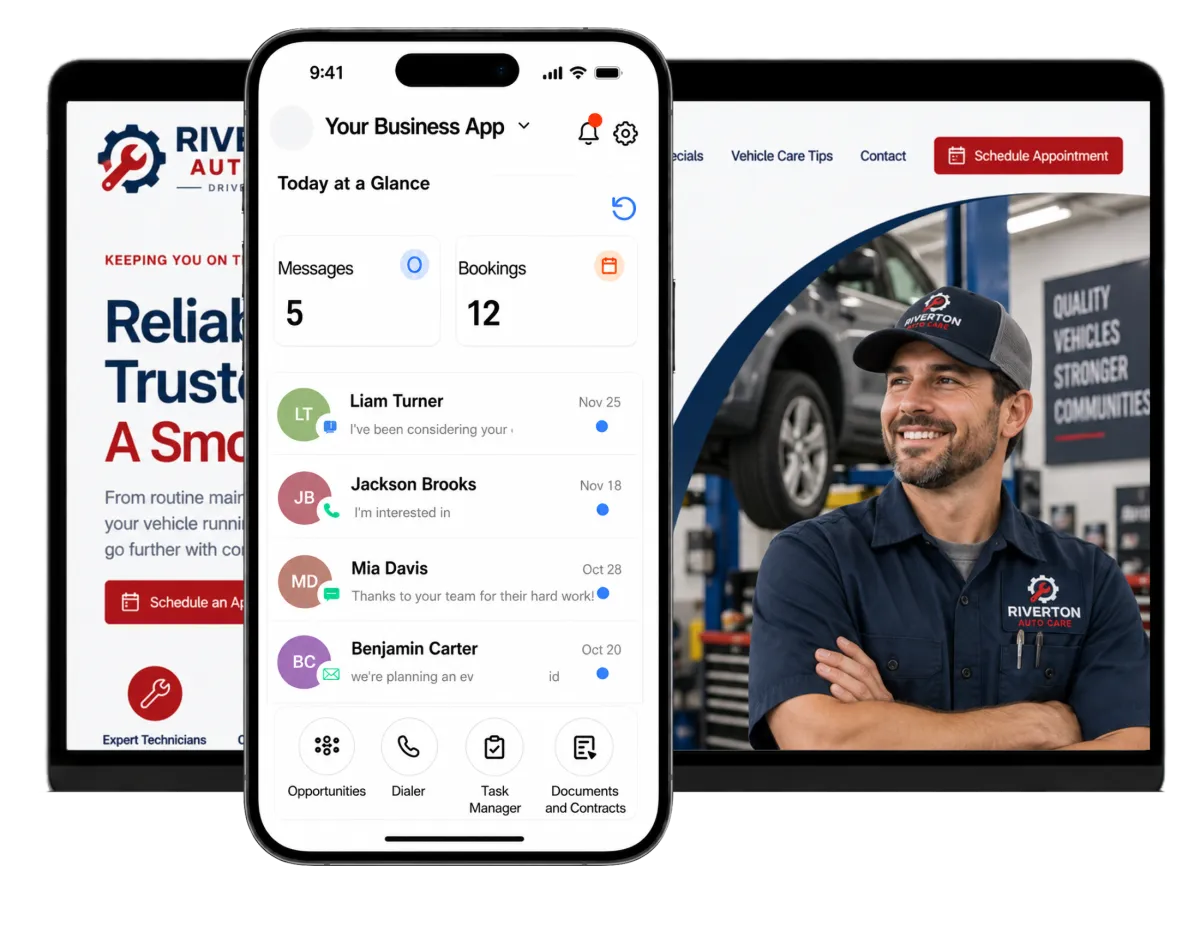
Like many local businesses, auto repair shops handle calls, bookings, updates, estimate follow-up, review requests, and work tracking every day. WinChilla helps owners and small front-office teams manage that work from one place.
of tire replacement and quick oil change customers preferred text messages for work updates.
Source: J.D. Power, 2025 U.S. Aftermarket Service Index Study
of auto repair shops say access to repair and maintenance data is a top issue
Source: Auto Care
of drivers have found a shop they trust.
Source: AAA
Does this sound familiar?
The phone rings while everyone is helping customers, an estimate inquiry sits unanswered, and a web lead arrives after closing. By the time someone follows up, the driver may have booked with another shop. Your team needs a simple way to capture each inquiry and keep the next step clear.
Don't worry, we can help!
Opportunities & Pipelines
Track new inquiries, estimate follow-up, booked work, and other service opportunities through stages that fit your shop’s process.
Workflows and Automation
Send a quick reply, assign a task, update a lead stage, or start follow-up when a customer fills out a form, books an appointment, or calls your shop.
Conversations
Bring texts, emails, calls, live chat, and supported social messages into one inbox, with each customer’s history close at hand.

Turn More Local Searches Into Service Inquiries
Good auto repair marketing should make it easy for a driver to find and contact your shop. Marketing for auto repair shops often starts with search engine optimization, a complete Google Business Profile, and strong reviews. When your shop appears in local search results, WinChilla gives drivers a clear next step: call, chat, or request an appointment. It then helps shop owners follow up and attract new customers without adding more desk work.
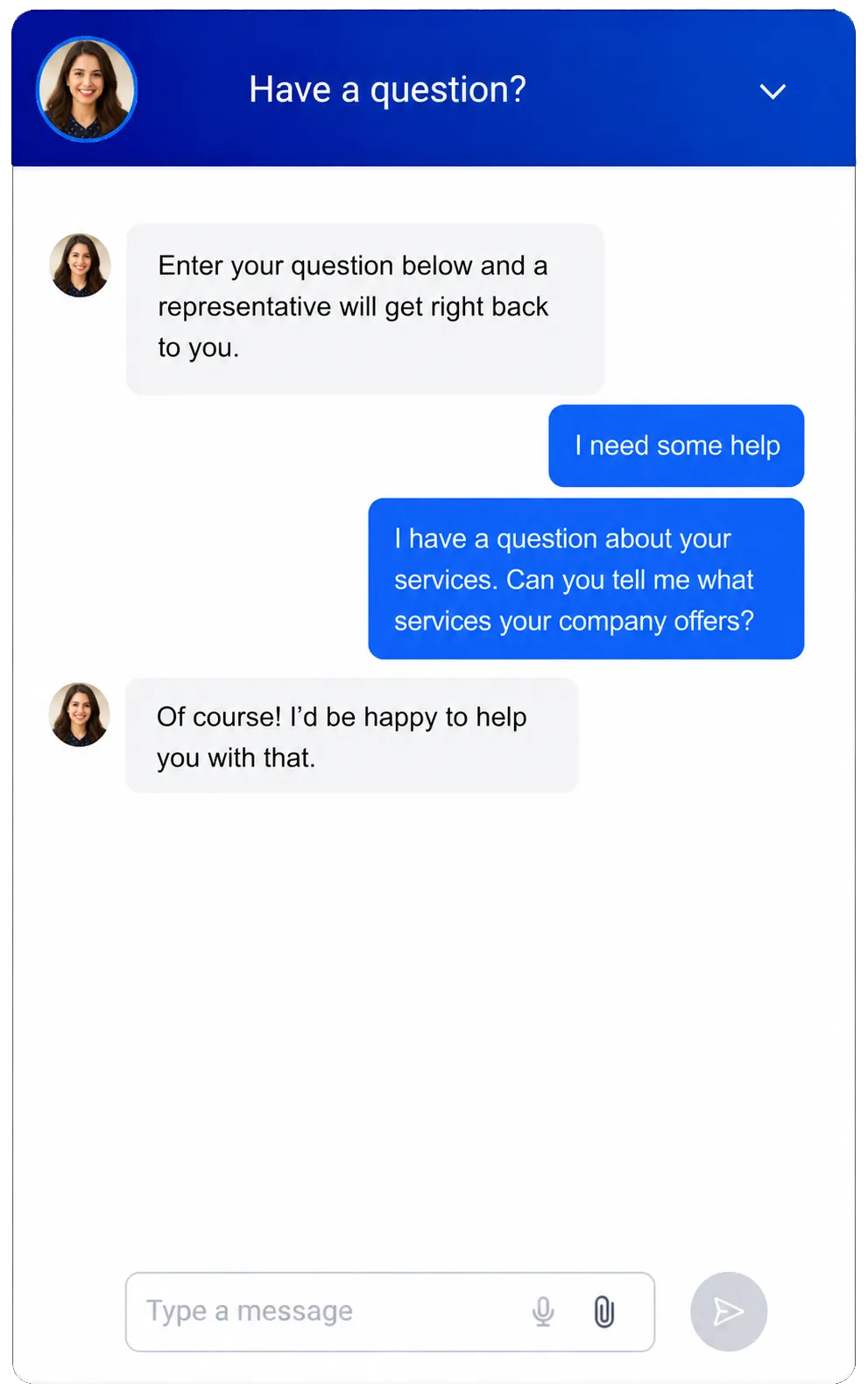
Web Chat
Give new and repeat customers an easy place to start on your website.
Capture a customer’s name, contact details, vehicle concern, and preferred way to hear back
Let site visitors choose live chat, email or SMS, WhatsApp, or another supported channel
Show an after-hours message and collect inquiries when the front desk is closed
Route new chats to the shared inbox, a workflow, or the right team member
Use AI to answer common questions, collect details, and help customers book a service request after hours

Forms
Collect the details your team needs before it contacts the customer.
Create a service-request form for your website or landing page
Ask for car details, the work needed, warning signs, and the preferred date
Send each form reply to the CRM record and start a follow-up workflow
Use rules to show the right fields for maintenance, tires, or repair inquiries
Business Phone System
Keep shop calls and the next steps connected to the customer record.
Make and receive supported shop calls from the web or mobile app
Set working-hour routes, team rings, call forwarding, transfers, and voicemail
Review call logs, notes, recordings, or transcripts where supported and permitted
Use a call outcome to create a task, send a message, or update a pipeline stage


Make Auto Repair Marketing Work After the First Click
Getting an inquiry is just the start. WinChilla helps your team book the next step, confirm the time, and follow up when a customer does not reply.

Calendars and Appointments
Offer online booking for the appointment types and availability you choose.
Create calendars for service requests, checks, tire changes, or calls
Set staff hours, appointment length, booking windows, and calendar conflicts
Collect key details when a customer asks for a time
Keep appointments linked to contacts, notes, workflows, and reports
Workflows & Automation
Handle routine follow-up while your staff stays in charge of each case.
Send a quick note after a web form or chat request
Send automated appointment confirmations and reminders through supported channels
Describe a follow-up goal to the AI builder to create your workflow automatically
Follow up when an estimate inquiry has not received a reply
Create a staff task when a customer replies, cancels, or needs personal attention


SMS, MMS, and WhatsApp Messaging
Give customers a fast, convenient way to hear from and reply to your shop.
Confirm appointment details and send text reminders with proper consent
Let customers reply when they need to change a booking or ask a question
Share supported attachments or images through MMS when useful
Keep message status, opt-outs, and chat history tied to the CRM record

Keep Each Message and Next Step in One Place
An auto repair CRM gives your shop practical customer relationship management tools. It shows who reached your shop, what was said, and what comes next. WinChilla gives small teams one shared view without turning follow-up into a full-time job.
Contacts and CRM
Keep customer details, notes, files, tags, custom fields, and activity in one record.
Store contact details and key service notes in one place
Add custom fields for vehicle details or customer preferences when useful
Tag contacts by service interest, shop site, fleet status, or follow-up need
Build smart lists for seasonal campaigns, consent-based reminders, or contacts in a loyalty program or referral program

Conversations
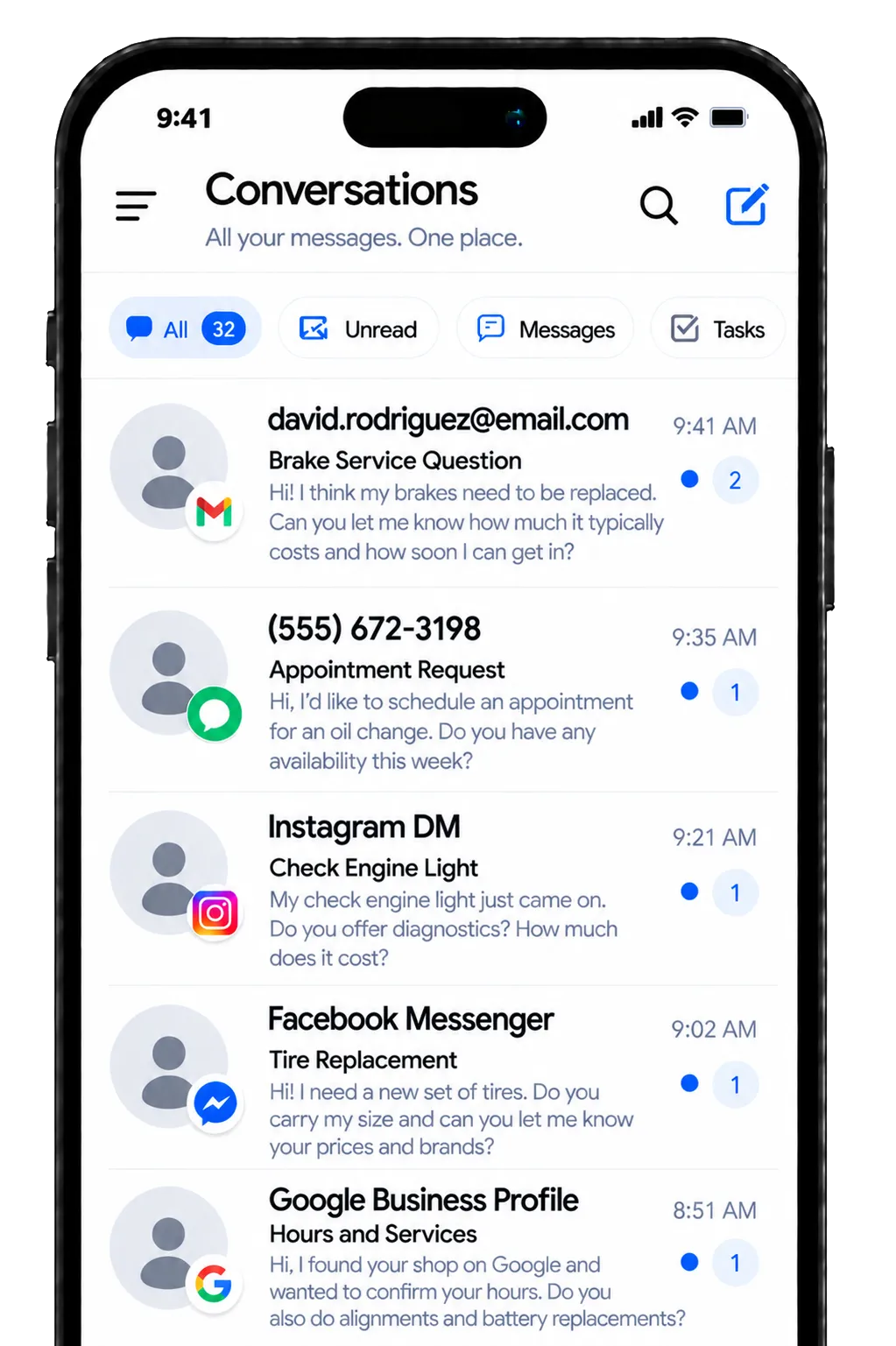
Give staff one inbox for supported calls, texts, email, chat, and social messages.
Review past messages before you reply to a repair or maintenance question
Filter chats so the team can find open requests and unread replies
Keep communication visible when another staff member takes over the front desk
Use manual actions and team workflows to move urgent requests forward
Opportunities and Pipelines
Track customer opportunities through clear stages built around your follow-up steps.
Split new inquiries, contacted leads, estimate follow-up, booked visits, and closed opportunities
Record an estimated value, status, notes, and assigned team member
Filter opportunities by stage, owner, source, or date
Move opportunities or start follow-up with supported workflow actions

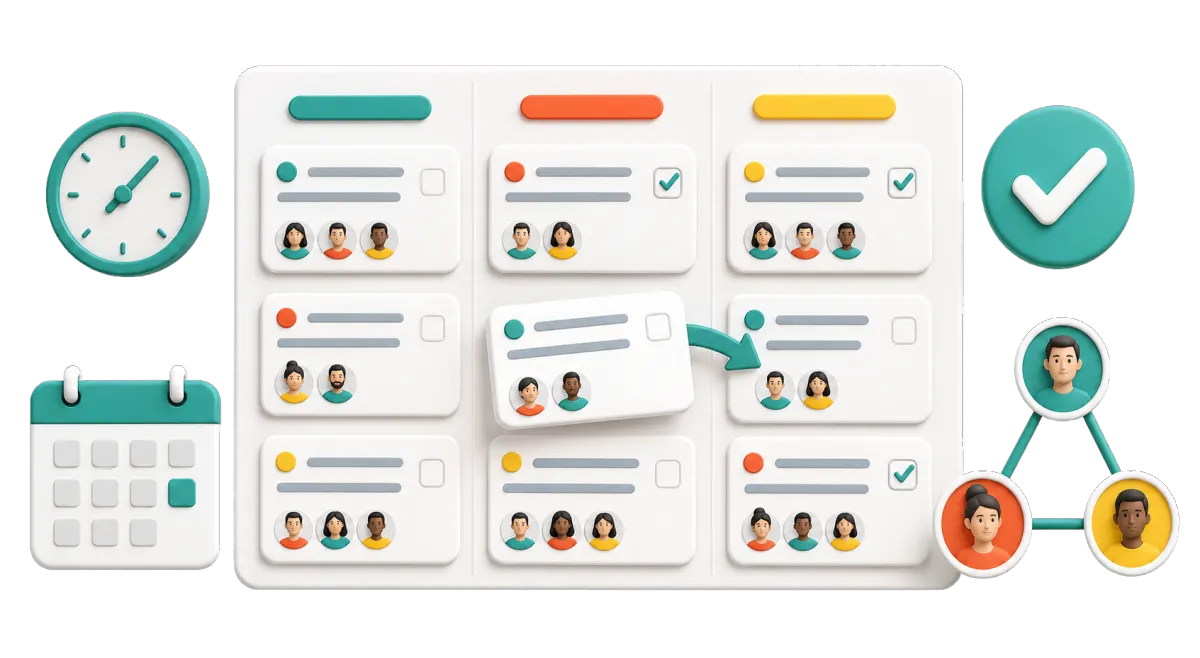
Tasks and Teamwork Management
Make follow-up work clear, assigned, and easy to finish on time.
Assign a call-back after a missed call or unanswered estimate inquiry
Create a task when a customer asks for a manager or needs a personal response
View overdue, current, and upcoming work in list or board views
Link tasks to the right contact, conversation, appointment, or opportunity

Build Trust and Bring Good Customers Back
Effective auto repair marketing does more than attract new customers. It helps your shop stay in touch, earn new reviews, and bring past clients back. That steady follow-up gives you more chances to keep your bays full throughout the year.
Reputation Management
Make review requests and replies a steady part of your service process.
Send a review request through supported channels after a completed visit
Track ratings, new feedback, review volume, and common themes
Draft or publish supported Google and Facebook review responses with AI assistance
Display selected reviews on your website with a customizable widget

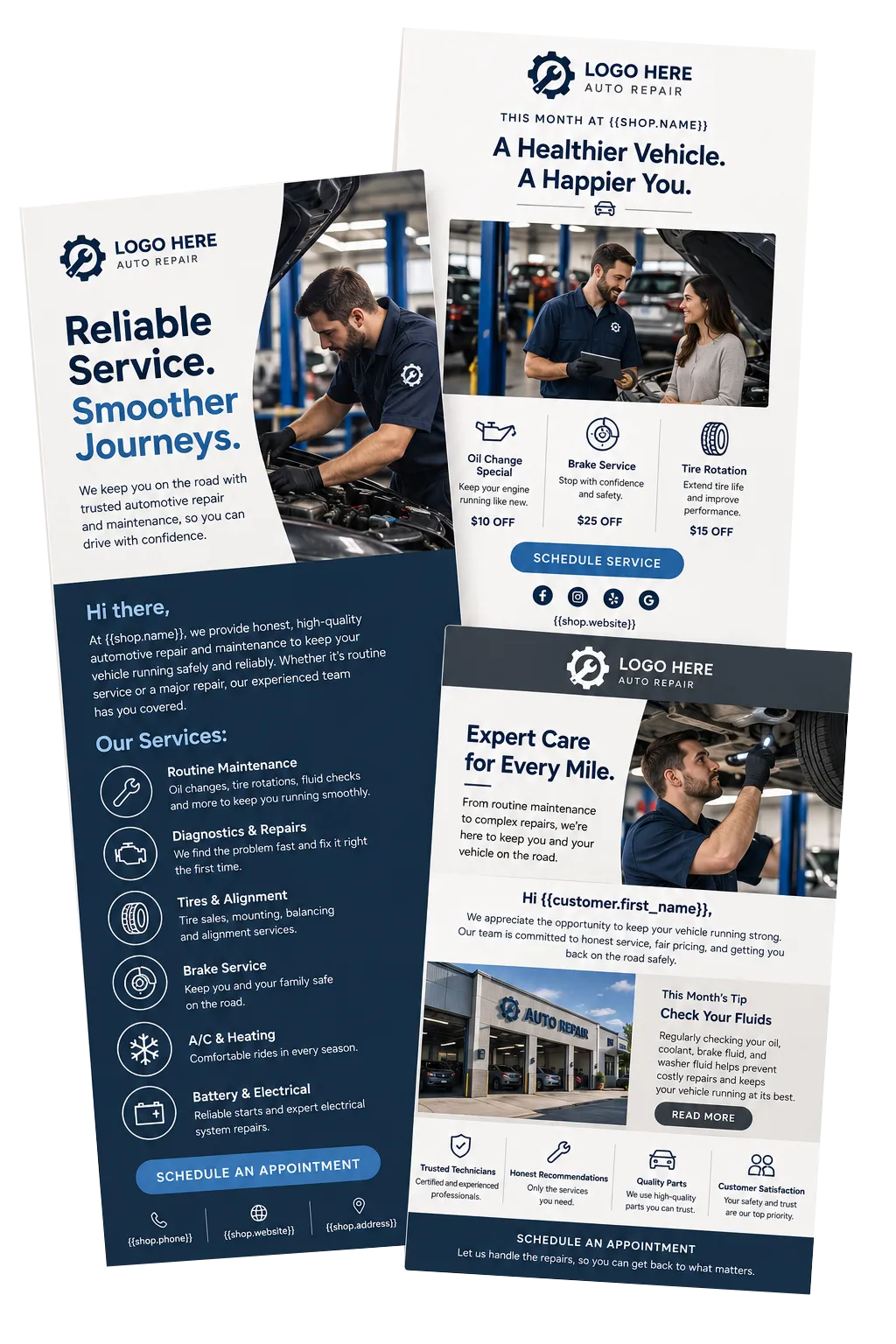
Email Marketing
Use auto repair email marketing to send useful, targeted messages instead of treating every customer the same.
Share car-care tips before winter, summer trips, or tire-change season
Build segments based on tags, service interests, location, or other CRM details
Personalize emails with supported contact and custom-field values
Use AI to draft or refine subject lines, campaign copy, and images before sending
Track deliveries, opens, clicks, failures, and unsubscribes
Social Planner
Plan and schedule social media content without posting to each network one at a time.
Schedule maintenance tips, shop updates, team spotlights, and seasonal offers
Publish to supported platforms such as Facebook, Instagram, and Google Business Profile
Use AI to draft captions, post ideas, and images
Adjust the message, format, and hashtags for each channel
Review engagement and post performance over a selected date range

More Tools for a Smoother Front Office
Start with the tools your shop needs now, then add more as you grow.
Websites
Build a responsive shop website with connected forms, calendars, chat, tracking, and follow-up.
Surveys
Ask customers for private feedback, gather intake details, or trigger an internal follow-up after a response.
Mobile App
Check messages, contacts, appointments, opportunities, tasks, and notifications when you step away from the service desk.
AI Receptionist
Answer supported inbound calls, collect caller details, handle common questions, book appointments, and transfer urgent calls based on your setup.
Payments
Send payment links or text-to-pay links and collect supported online or in-person payments where available.
Invoices and Estimates
Create and send general branded estimates or invoices, schedule reminders, and track payment activity; specialized repair orders and labor or parts estimating may require shop-management software.
Auto Repair Marketing and CRM FAQs
Is WinChilla a complete auto repair shop management system?
WinChilla can serve as a CRM for auto repair shops, with tools for marketing, customer records, communication, appointment booking, lead follow-up, reviews, and front-office tasks. It does not replace specialized tools for repair orders, VIN decoding, parts inventory, labor guides, technician time, digital vehicle inspections, or accounting. A shop can use WinChilla with its shop software and connect the tools through supported integrations where available.
Can customers book repair appointments online?
Yes. You can create calendars for selected appointment or service-request types, set availability, collect customer details, and send confirmations and reminders. WinChilla can serve as auto repair scheduling software for online bookings. Bay capacity, technician dispatch, parts availability, and repair-order scheduling may still belong in a dedicated shop system.
Can WinChilla send maintenance reminders to past customers?
Yes. You can sort contacts with tags, filters, smart lists, dates, or custom fields, then send consent-based email or text follow-up. The timing and rules should match the data your shop keeps and the work you do. Your team is still in charge of consent, message accuracy, and all email and text laws that apply.
How does WinChilla help with missed calls and after-hours inquiries?
WinChilla can log supported calls, route them during shop hours, use voicemail, capture website inquiries after hours, and start follow-up tasks or messages. An optional Voice AI receptionist can answer common questions, collect caller details, book appointments, and transfer calls in supported setups. Your shop sets the routes, hours, and handoff rules.
Can I use WinChilla for auto repair reputation management?
Yes. WinChilla can send review requests through supported channels, monitor connected review profiles, help draft responses, and show reviews on your website. Your team should ask for honest feedback without incentives that break a review platform’s rules. Private surveys can also help you spot concerns that need a direct response.
Will WinChilla work for a small independent repair shop?
Yes. An auto shop CRM can help an owner, manager, or service advisor carry out practical auto repair shop marketing strategies with limited admin help. Start with a shared inbox, contact records, a calendar, and a few key workflows. Add campaigns, reports, review tools, or AI when they solve a clear need.
What others are saying:
"Love everything so far"
"I've never set up a website before but I love managing my new site and leads. The WinChilla team has been really helpful whenever I got stuck."
- Laura P

"Simplifies my sales"
"I've been able to help my son promote his candy business which has been great because I am not good with computers at all."
- Robert T
"Highly recommend"
"It's exciting to see my visions come to life and WinChilla helps me manage everything in one place so I can be anywhere in the world and my business just runs."
- Jaret H
WinChilla works with platforms you already use such as


















What you can expect from us
Money Back Guarantee
We're confident you'll love saving money by switching from existing software providers with your business tools to one place.
Plus, we believe you'll save a ton of time with marketing automation.
Within 30 days, if we're not the right fit, we'll give you your money back.
View Terms of Service
24/7 Support
We're here to help. You'll get a one-on-one onboarding call with our team.
Then, you'll get another tech call with us to make sure your account is configured exactly as you want it.
Plus, you can expect 24/7 chat support from our team with any questions you have along the way.
30+ Years of Experience
We've been helping small businesses since 2010!
The WinChilla brand is new, but our experience is not. The founders of WinChilla have over 30 years of experience combined in digital software and customer incentive programs - helping businesses like yours - worldwide since 2010. Now, we're excited to bring our expertise to launch these new super tools to help all of our clients grow.

Keep More Service Opportunities From Slipping Away

© 2024-2026 Loyalty Gator Inc. All rights reserved.
WinChilla CRM | A Loyalty Gator Company | Trusted Since 2010
The information provided by Loyalty Gator Inc. (DBA: WinChilla) ('we', 'us', or 'our') on https://www.winchilla.com (the 'Site') and our mobile application is for general informational purposes only. All information on the Site and our mobile application is provided in good faith, however we make no representation or warranty of any kind, express or implied, regarding the accuracy, adequacy, validity, reliability, availability, or completeness of any information on the Site or our mobile application. UNDER NO CIRCUMSTANCE SHALL WE HAVE ANY LIABILITY TO YOU FOR ANY LOSS OR DAMAGE OF ANY KIND INCURRED AS A RESULT OF THE USE OF THE SITE OR OUR MOBILE APPLICATION OR RELIANCE ON ANY INFORMATION PROVIDED ON THE SITE AND OUR MOBILE APPLICATION. YOUR USE OF THE SITE AND OUR MOBILE APPLICATION AND YOUR RELIANCE ON ANY INFORMATION ON THE SITE AND OUR MOBILE APPLICATION IS SOLELY AT YOUR OWN RISK.