
Airline CRM System for Stronger Passenger Relationships
WinChilla keeps passenger contacts, sales opportunities, conversations, campaigns, and follow-up in one place. Give marketing, sales, and customer experience teams a clear view of each relationship from first inquiry to future travel.




One Airline CRM System for Each Passenger Touchpoint
WinChilla brings CRM records, email, conversations, forms, sales pipelines, surveys, tasks, and reporting into one platform. Your team can run airline marketing, manage charter or group inquiries, and follow up with passengers without jumping between apps.
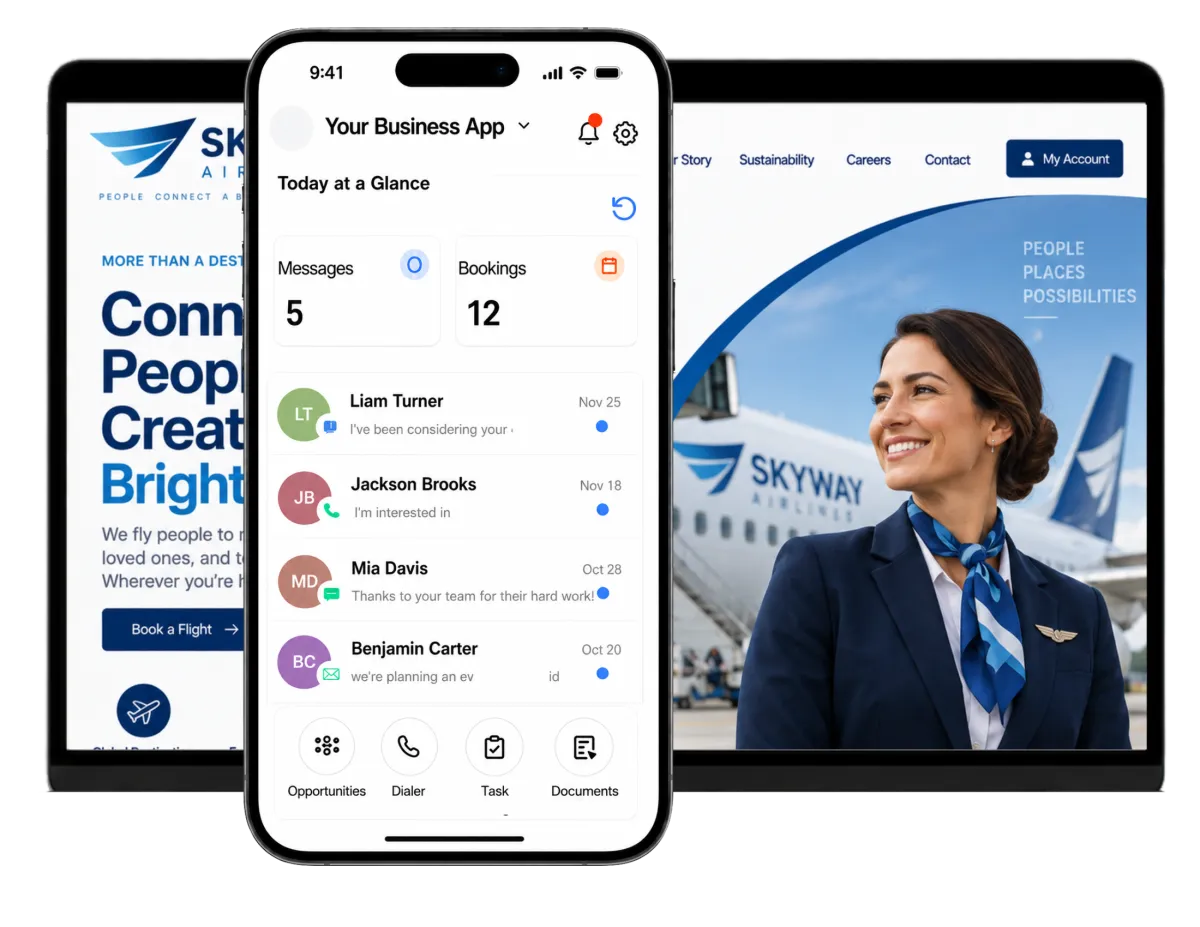
One Clear View for Teams That Serve Flyers
Regional and charter airlines often ask lean teams to run campaigns, work sales leads, gather feedback, support partners, and reply to guests at once. WinChilla helps them track the work around each trip. The airline's core systems still handle booking and flight tasks.
of airlines expect overall IT spend to increase over the next two years.
Source: SITA
of leisure flyers in 2025 say social media influenced their destination selection.
Source: Airlines for America and Ipsos
of disrupted passengers say more detailed airline communication would have improved their experience.
Source: Yonder Consulting
Does this sound familiar?
A passenger starts in web chat, replies by email, then calls for help. A group-travel inquiry sits in a shared inbox while a charter lead waits for a quote update. Without a connected record and clear ownership, context gets lost and no one knows who should act next.
Don't worry, we can help!
Tasks & Teamwork Management
Assign the next action to the right person and link it to the passenger, company, or sales opportunity.
Workflows and Automation
Start follow-up, team alerts, task creation, and pipeline updates when a passenger submits a form or a CRM event occurs.
Conversations
Bring supported email, SMS, WhatsApp, phone, live chat, and social conversations into one inbox, with the contact history beside each reply.

Turn More Travel Interest Into Trackable Leads
Give prospective passengers, travel planners, and charter clients a clear way to reach your team. Then move each qualified inquiry through a visible sales process instead of inbox folders or spreadsheets.
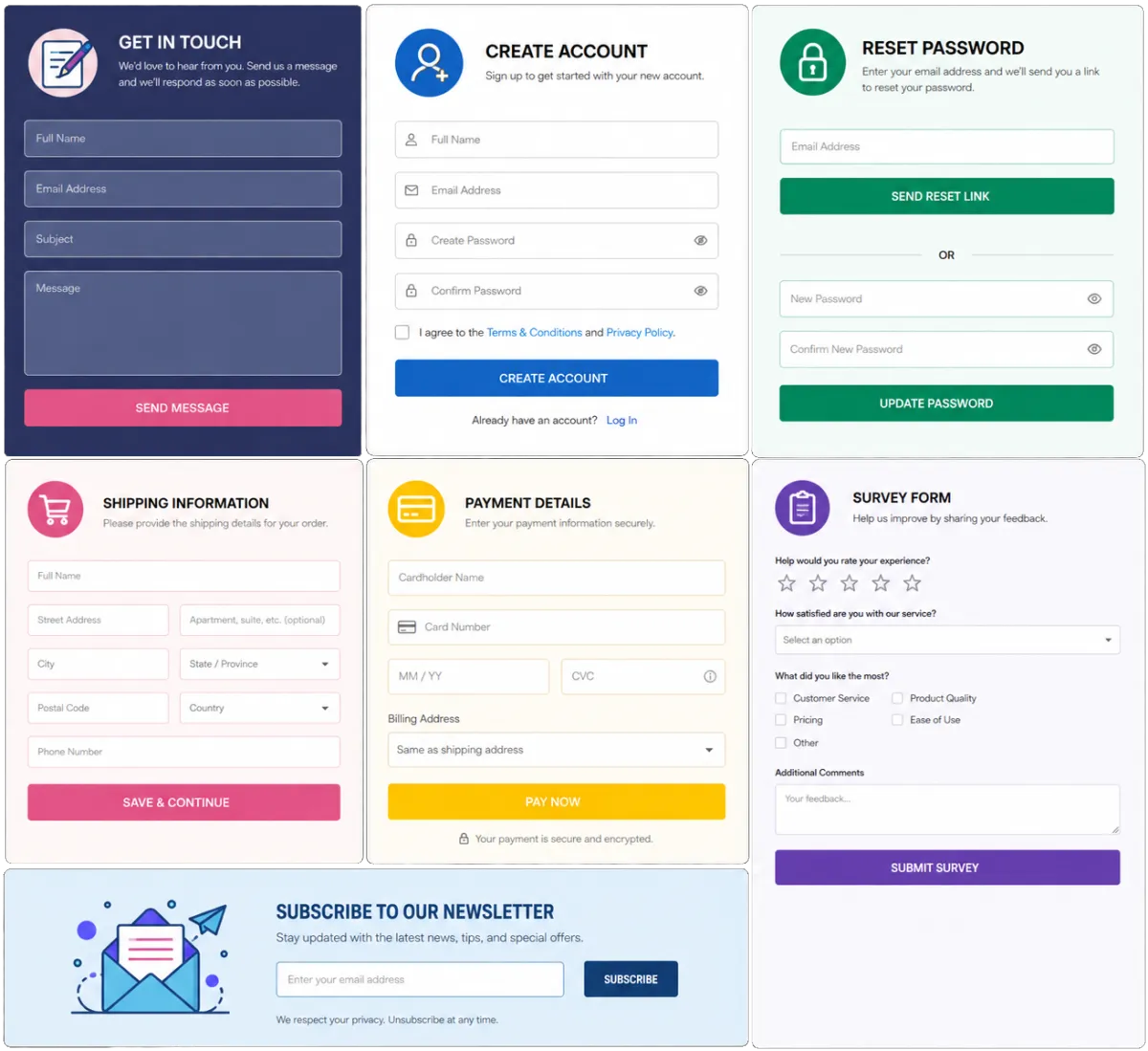
Forms
Capture inquiry details and send each form to the CRM and the right follow-up workflow.
Collect charter dates, estimated passenger counts, and preferred departure points
Capture group-travel or corporate account inquiries from the airline website
Ask about route interest before a new service starts
Use conditional fields to show relevant questions based on the request type
Web Chat
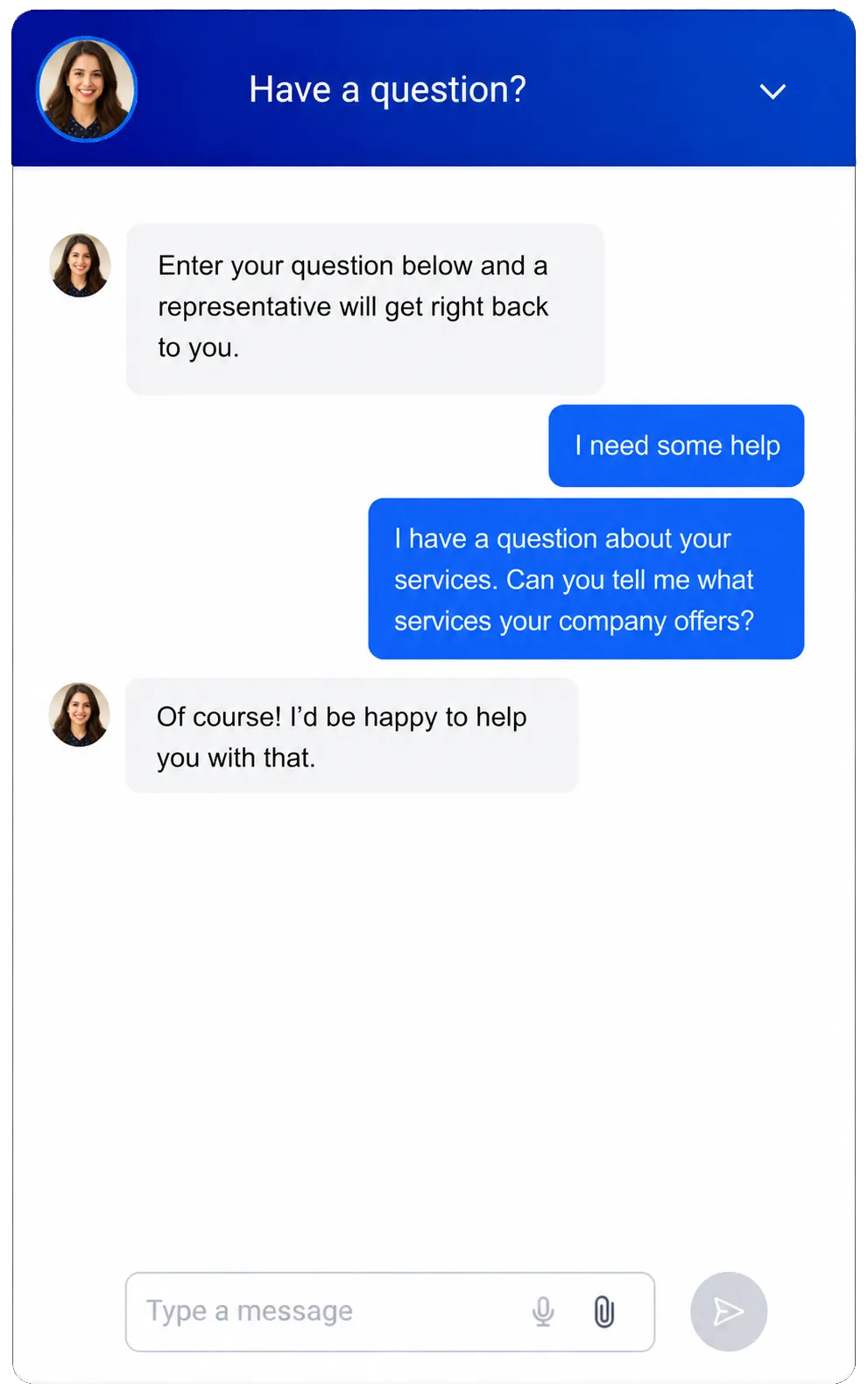
Turn website visits into conversations through branded live chat and supported messaging channels.
Answer sales questions about routes, service, or charter plans
Capture contact details after hours so the commercial team can respond later
Let visitors choose from the contact channels you offer
Route new chats to the central inbox and the right team workflow
Use AI chat to answer common questions, capture inquiry details, and hand chats to staff, with a supported AI voice option for visitors who prefer speaking
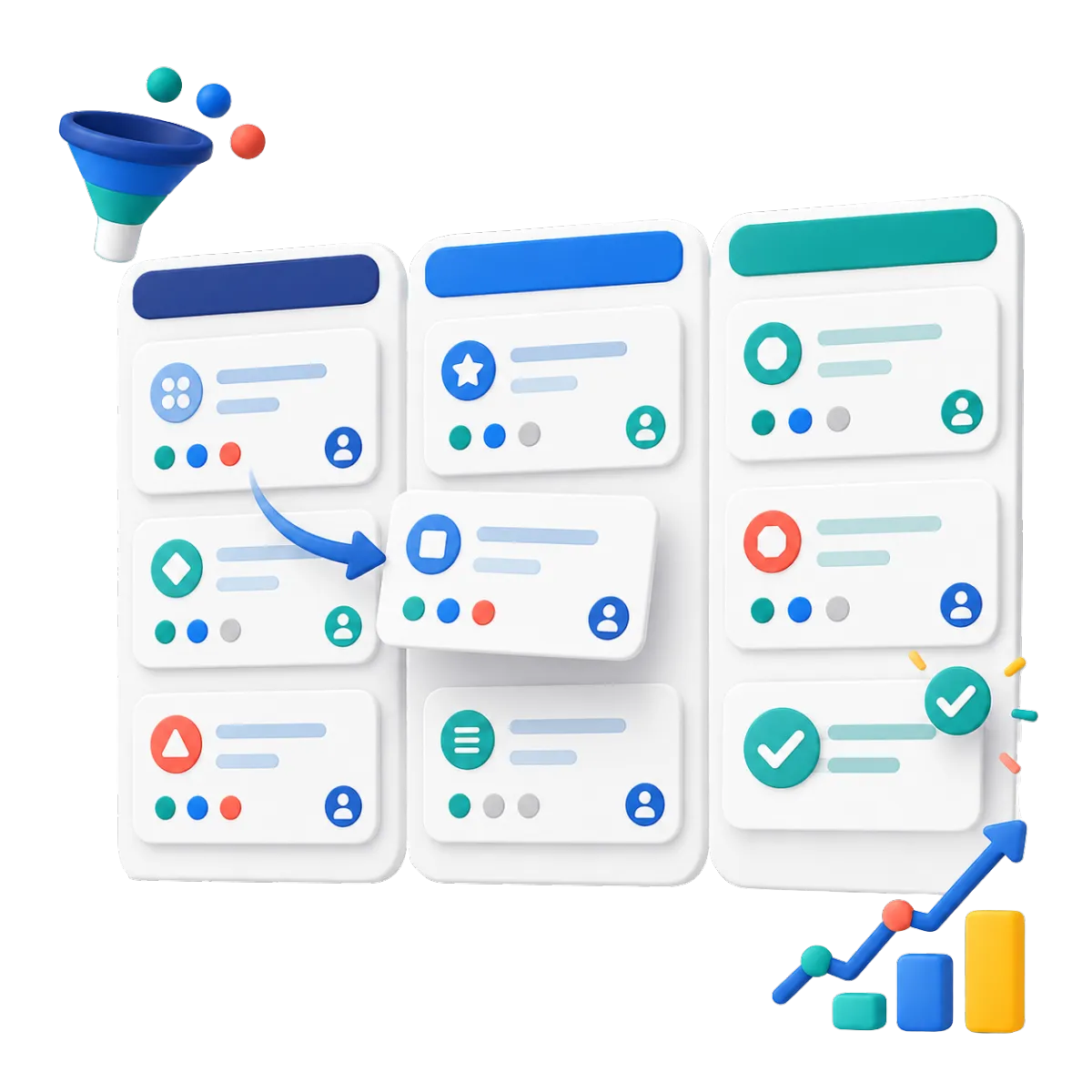
Opportunities & Pipelines
Track charter, group, corporate, and partnership opportunities through clear stages, values, and owners.
Move charter requests from new inquiry to qualified, quoted, and won or lost
Track corporate travel account discussions and agreed next steps
Show sales leads all open group deals and their value
Start follow-up automatically when an opportunity changes stage

An Airline CRM System to Know Every Relationship
Build a useful record of the people and organizations your teams serve. Staff can review prior messages, notes, files, tags, and activity before they reply. This helps each interaction feel informed and consistent.
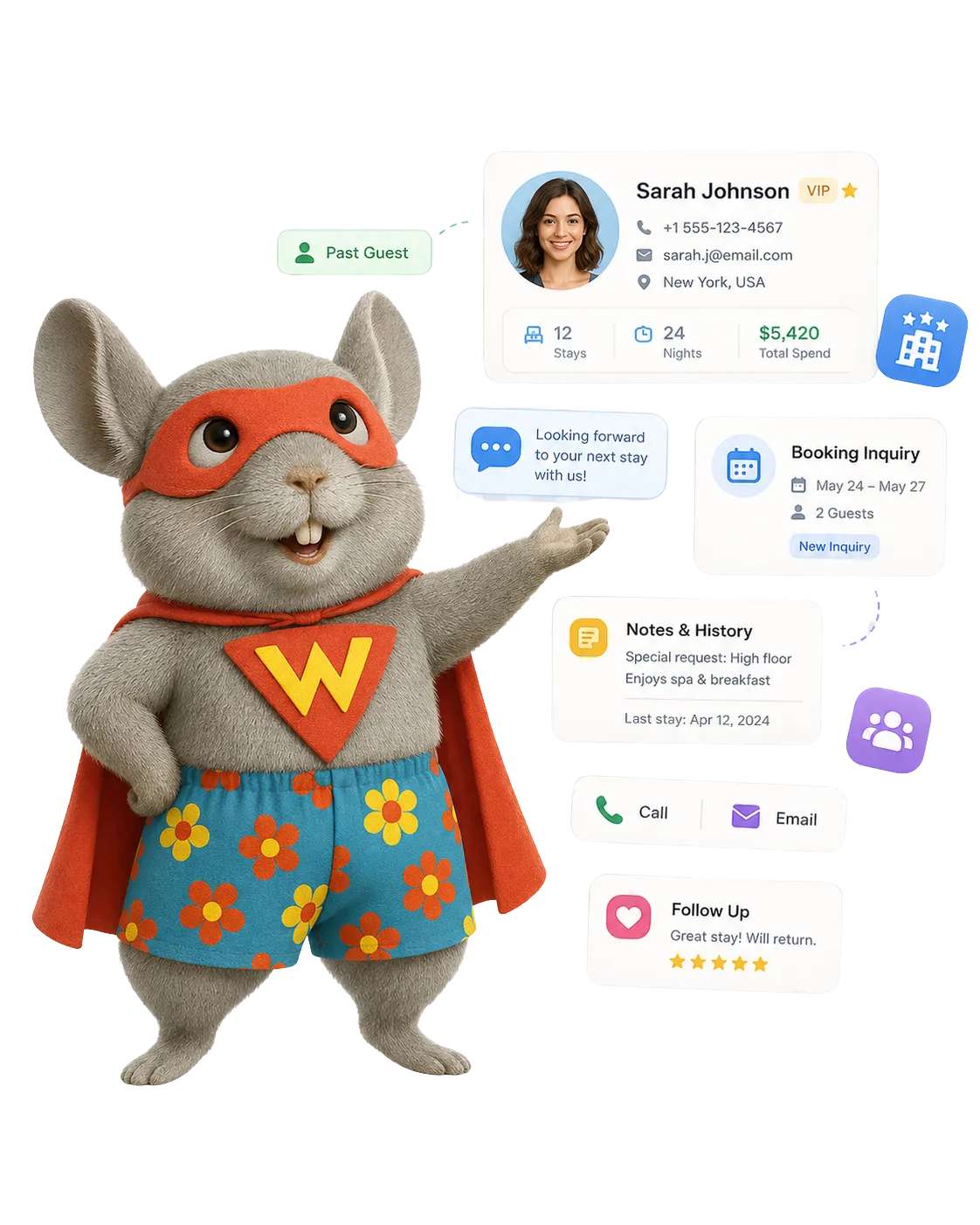
Contacts & CRM
Keep passenger and prospect details, notes, files, custom fields, tags, and activity history in one record.
Segment contacts by route interest, home market, or traveler type
Record service preferences and relevant notes
Import approved contact lists and update records in bulk
Build smart lists for past passengers, charter prospects, or loyalty campaigns
Companies / B2B CRM
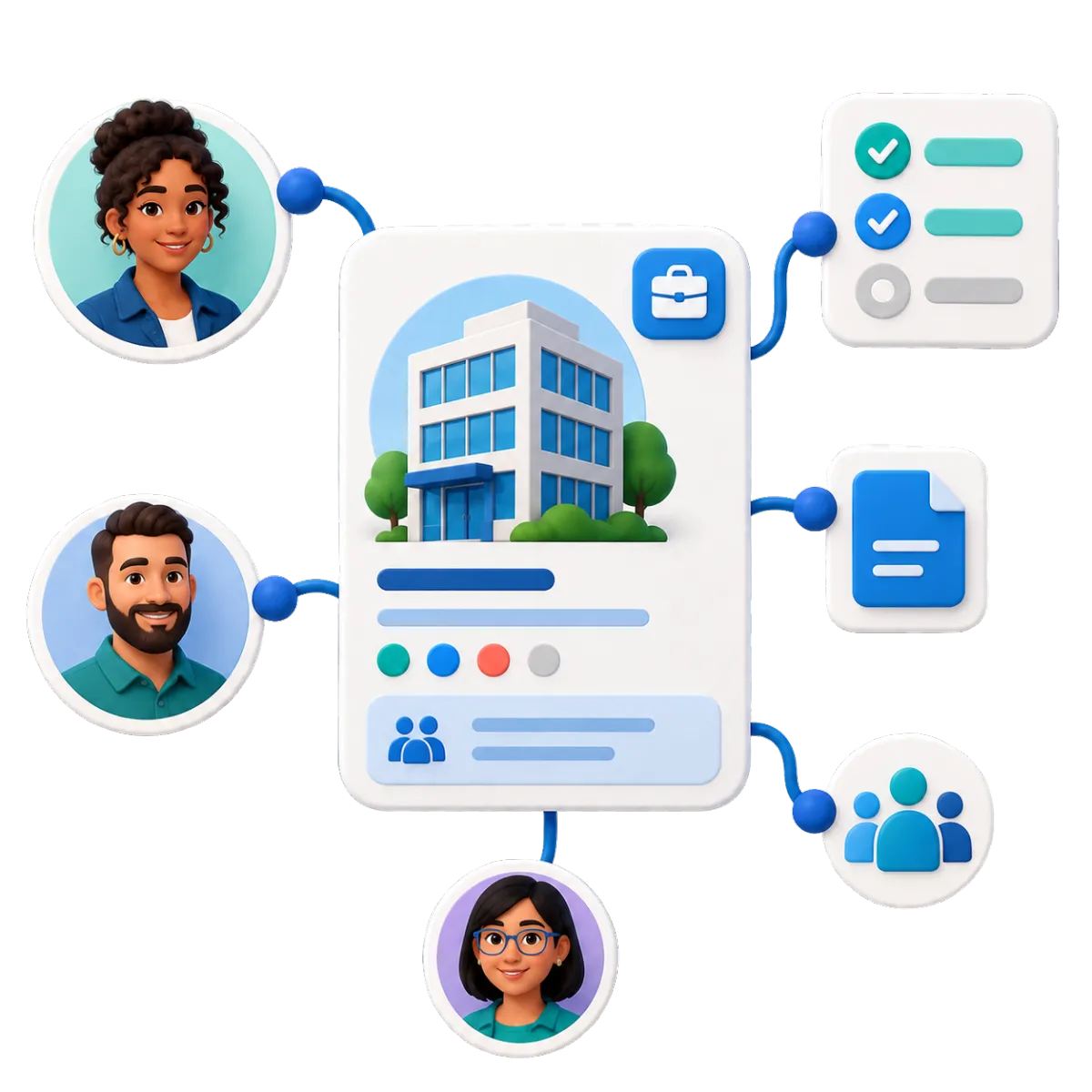
Connect multiple people, tasks, notes, and opportunities to one business or partner account.
Organize contacts from corporate travel accounts and tour operators
Keep airport, tourism, and destination-marketing partners connected to their organizations
Track open opportunities and assigned tasks for each company
Support structured onboarding and renewal workflows for business accounts
Tasks & Team Work Management
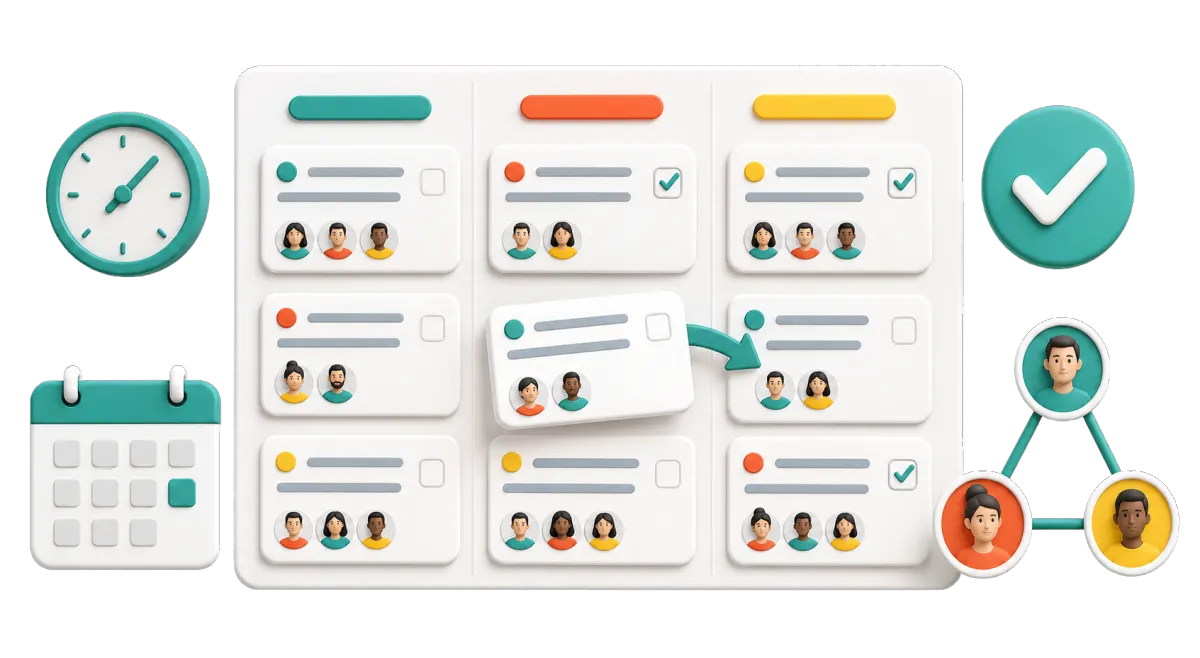
Create, assign, prioritize, and repeat tasks while each action stays tied to the right CRM record.
Assign a sales representative to follow up on a charter request
Remind a manager to review a corporate proposal before it is due
Create a task when a form, call, or CRM event needs a person to act
View overdue, current, and upcoming work on the web or mobile app

Keep Passenger Messages Clear Across Channels
Passengers may switch channels as their needs change. WinChilla helps authorized teams see the full conversation and respond with context. Consent, opt-outs, and airline policies still guide how each channel is used.
Conversations
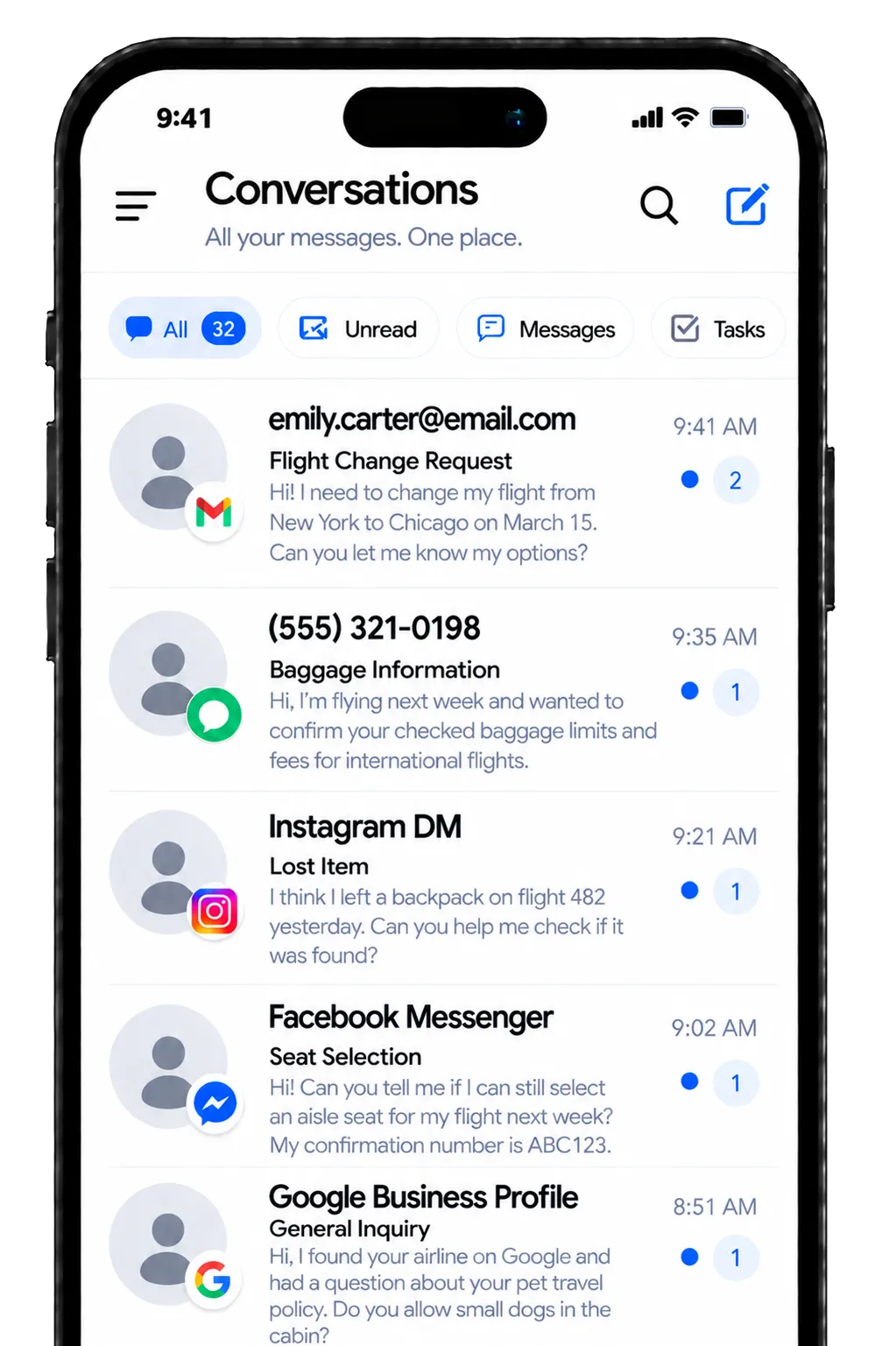
Give customer-facing teams one inbox for supported messages, calls, chat, and social conversations.
Review earlier messages before you reply to a passenger
Filter conversations by status, channel, user, or assigned team
Keep replies consistent when an inquiry moves from marketing to sales
Use contact history to reduce repeat questions and handoff gaps
Use AI-assisted replies to help staff answer faster with passenger context already in view
Email Marketing
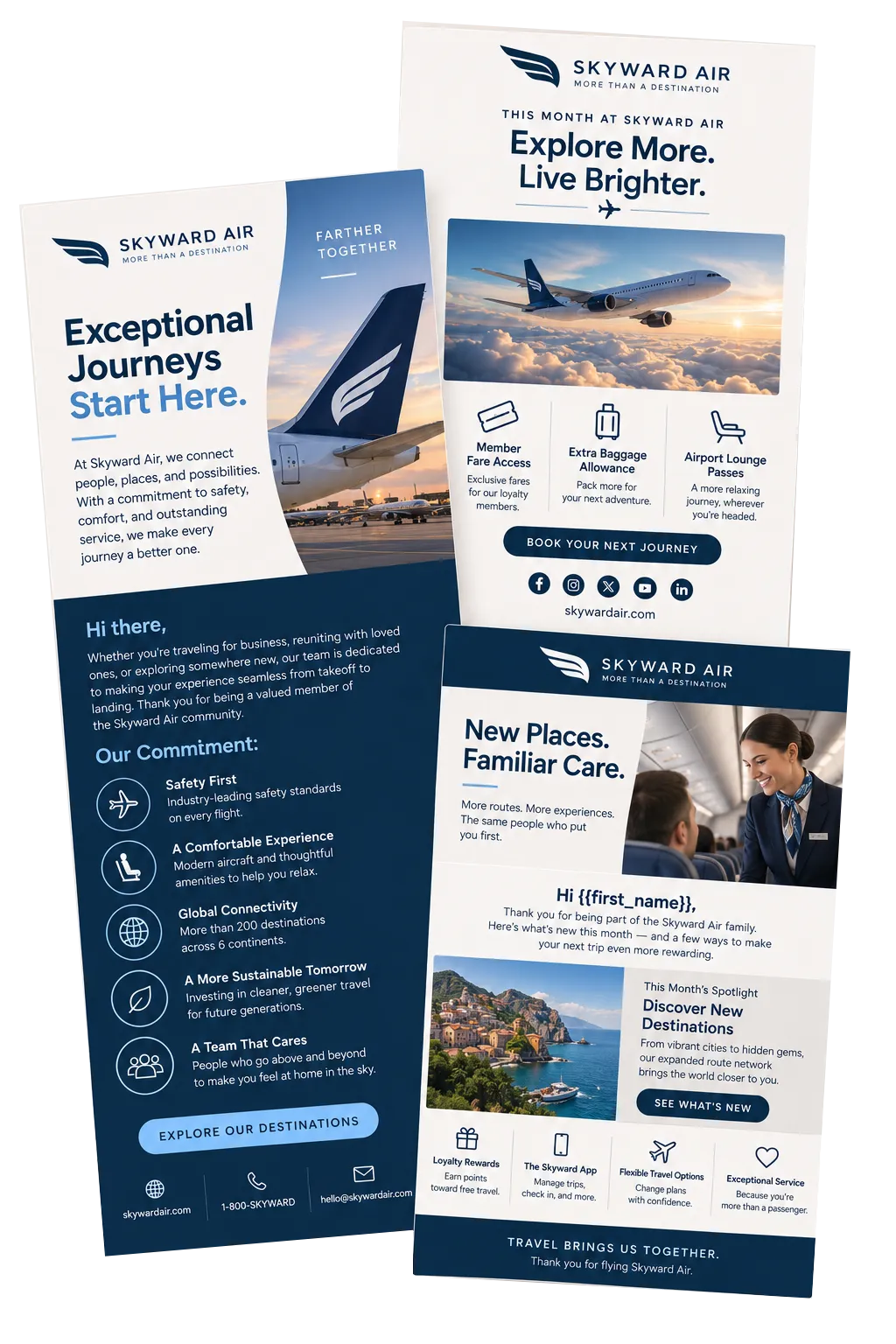
Create targeted, branded campaigns with CRM segments, templates, and approved contact data.
Promote new routes or seasonal service to relevant segments
Share destination content with travelers interested in a specific region
Re-engage past charter clients with timely planning reminders
Track deliveries, clicks, failures, and unsubscribes for each campaign
SMS, MMS & WhatsApp Messaging
Send personal, scheduled, or automated messages through supported channels and keep the history in the CRM.
Follow up with a charter prospect who requested a call
Send reminders for a sales appointment or consultation
Use templates and custom fields to personalize routine outreach
Monitor delivery failures, opt-outs, and do-not-disturb settings


Build Smarter Airline Marketing and Passenger Loyalty
In the airline industry, trust and timely communication shape the customer experience. For teams across the aviation industry, WinChilla brings practical airline customer relationship management (CRM) tools into one place to help improve customer service, support airline marketing strategies, and manage campaigns, feedback, reviews, and follow-up.
Workflows & Automation
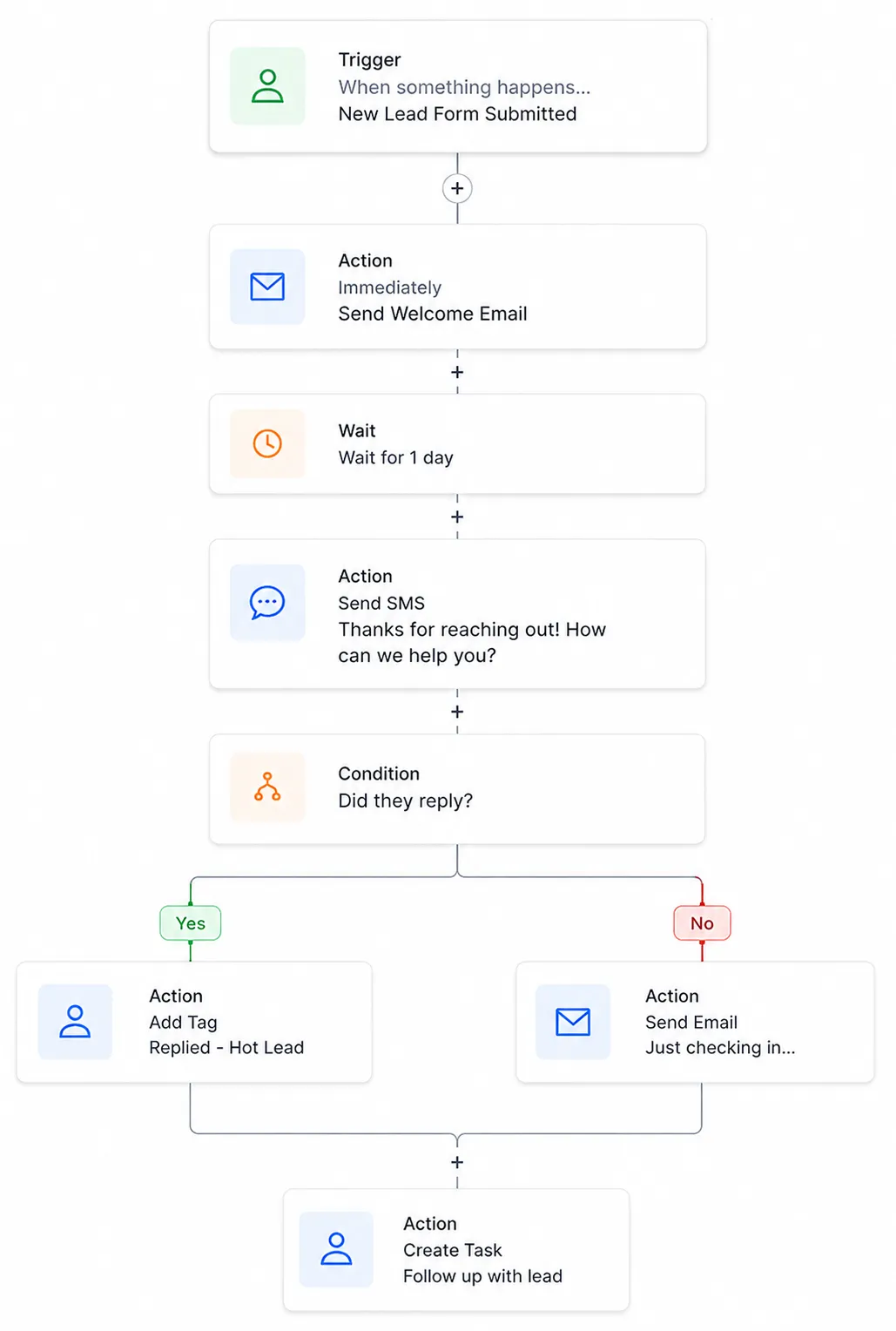
Automate approved follow-up, record updates, task creation, and team alerts from CRM activity.
Send a thank-you or feedback request after an eligible journey event reaches WinChilla
Notify a team member when a high-value charter form is submitted
Update a pipeline and schedule follow-up after a sales call outcome
Branch campaigns based on tags, responses, or other supported CRM details
Describe a follow-up goal in plain language to build a workflow with AI
Surveys
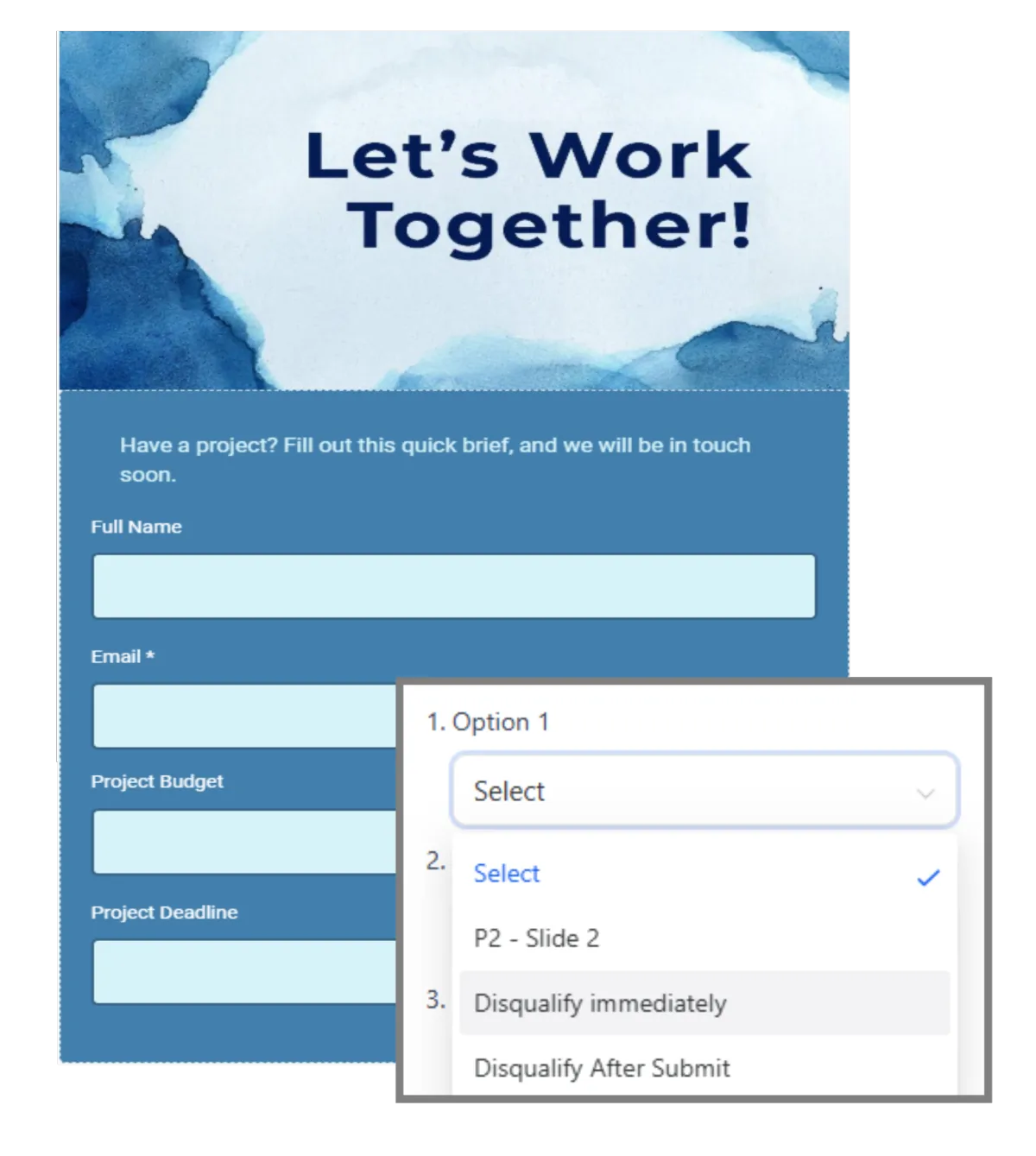
Collect structured feedback and trigger the right next step after a response.
Ask passengers about booking, service, or communication experiences
Gather feedback from charter organizers after a completed trip
Use conditional questions to explore a poor rating in more detail
Alert a customer experience manager when a response needs attention
Social Planner
Plan, approve, publish, and measure content across supported social networks.
Schedule destination guides, route announcements, and seasonal promotions
Tailor copy and creative for each supported social channel
Use AI to draft or refine captions, campaign ideas, hashtags, and images before scheduling
Let managers approve posts
Compare engagement across campaigns and date ranges


Reputation Management
Ask for, track, and respond to reviews on supported profiles. Keep passenger feedback in one place.
Send a review request after a completed flight or service case
Track ratings, review volume, sentiment, and new feedback across supported profiles
Use AI to suggest replies or automatically publish them for supported Google and Facebook reviews
Display selected reviews or passenger testimonials on airline and charter landing pages
More Tools for Airline Sales, Marketing, and Service Teams
Support the work around each flyer and partner with tools your team can use each day.
Websites
Build responsive airline or charter websites with forms, chat, analytics, and CRM-connected lead capture.
Ad Manager
Create and track supported campaigns across Facebook, Instagram, Google Ads, and LinkedIn Ads from one dashboard.
Mobile App
Review contacts, conversations, opportunities, tasks, and notifications while working away from a desk.
Funnels & Landing Pages
Create focused pages for new routes, charter requests, corporate travel offers, or seasonal campaigns.
Integrations
Link other tools through built-in integrations, APIs, webhooks, and apps when a workflow needs outside data.
Documents & Contracts
Send proposals or agreements for e-signature when working with charters, corporate accounts, or partners.
Airline CRM System Questions, Answered
Is WinChilla a passenger reservation or airline operations system?
No. WinChilla supports CRM work, sales, marketing, messages, feedback, and follow-up. It does not replace a passenger service system, booking engine, flight control tool, crew tool, or safety system. Airlines can link other systems when a fit integration, API, or webhook is in place.
Can WinChilla help both scheduled and charter airlines?
Yes, when the goal is to manage client work. An airline can group contacts, run campaigns, get feedback, and track messages. A charter firm can also capture trip requests, track quotes through sales steps, assign follow-up, and link key people to company accounts.
Can we send flight disruption or schedule-change messages through WinChilla?
WinChilla can send email, SMS, WhatsApp, and other linked messages, but it does not find flight changes on its own. Urgent messages need correct data from the airline's core system through a sound link or webhook. Airlines should keep safety and flight alerts in tools made for that work.
How does WinChilla support airline marketing strategies across different audiences?
Teams can use CRM fields, tags, filters, smart lists, and click data to build useful groups. They can then run campaigns for route interests, past charter clients, firm accounts, or opted-in flyers in a home market. Each airline is still in charge of consent, privacy, do-not-send rules, and data quality.
Can multiple airline departments work from the same customer history?
Approved users can share contact records, messages, tasks, deals, and company accounts. Teams can use clear owners, filters, and reports to keep work on track. Access and data use should match the airline's own rules and legal duties.
What others are saying:
"Love everything so far"
"I've never set up a website before but I love managing my new site and leads. The WinChilla team has been really helpful whenever I got stuck."
- Laura P

"Simplifies my sales"
"I've been able to help my son promote his candy business which has been great because I am not good with computers at all."
- Robert T
"Highly recommend"
"It's exciting to see my visions come to life and WinChilla helps me manage everything in one place so I can be anywhere in the world and my business just runs."
- Jaret H
WinChilla works with platforms you already use such as


















What you can expect from us
Money Back Guarantee
We're confident you'll love saving money by switching from existing software providers with your business tools to one place.
Plus, we believe you'll save a ton of time with marketing automation.
Within 30 days, if we're not the right fit, we'll give you your money back.
View Terms of Service
24/7 Support
We're here to help. You'll get a one-on-one onboarding call with our team.
Then, you'll get another tech call with us to make sure your account is configured exactly as you want it.
Plus, you can expect 24/7 chat support from our team with any questions you have along the way.
30+ Years of Experience
We've been helping small businesses since 2010!
The WinChilla brand is new, but our experience is not. The founders of WinChilla have over 30 years of experience combined in digital software and customer incentive programs - helping businesses like yours - worldwide since 2010. Now, we're excited to bring our expertise to launch these new super tools to help all of our clients grow.

Ready for a Clearer Airline CRM System?

© 2024-2026 Loyalty Gator Inc. All rights reserved.
WinChilla CRM | A Loyalty Gator Company | Trusted Since 2010
The information provided by Loyalty Gator Inc. (DBA: WinChilla) ('we', 'us', or 'our') on https://www.winchilla.com (the 'Site') and our mobile application is for general informational purposes only. All information on the Site and our mobile application is provided in good faith, however we make no representation or warranty of any kind, express or implied, regarding the accuracy, adequacy, validity, reliability, availability, or completeness of any information on the Site or our mobile application. UNDER NO CIRCUMSTANCE SHALL WE HAVE ANY LIABILITY TO YOU FOR ANY LOSS OR DAMAGE OF ANY KIND INCURRED AS A RESULT OF THE USE OF THE SITE OR OUR MOBILE APPLICATION OR RELIANCE ON ANY INFORMATION PROVIDED ON THE SITE AND OUR MOBILE APPLICATION. YOUR USE OF THE SITE AND OUR MOBILE APPLICATION AND YOUR RELIANCE ON ANY INFORMATION ON THE SITE AND OUR MOBILE APPLICATION IS SOLELY AT YOUR OWN RISK.