
Best Dance Studio Software to Turn Interest Into Enrollment
WinChilla helps your dance studio capture leads and book trial classes. It follows up with families and keeps each talk moving toward enrollment.




The Best Dance Studio Software for Growth in One Place
Keep leads, trial bookings, parent messages, emails, pipelines, reviews, and marketing tools in one place. WinChilla gives your team a clear view of each new dancer.
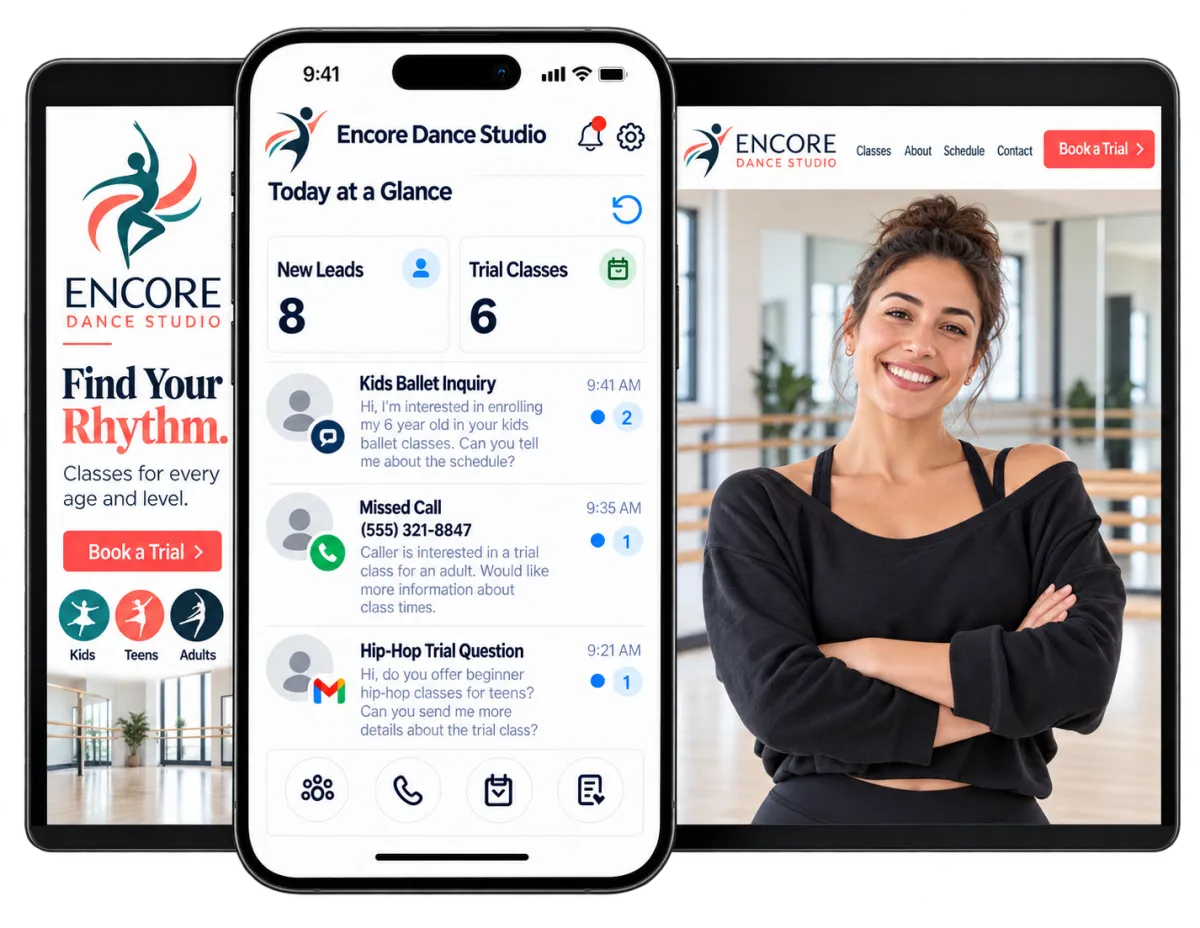
Run Enrollment While You Run the Studio
Studio owners teach, lead staff, answer parents, and promote new sessions. They also follow up with trial students. WinChilla helps a growing dance studio reply fast and keep studio operations on track while classes run.
Share of U.S. adults who participated in social dancing in 2022.
Source: National Endowment for the Arts
Share of respondents who first learned about an arts event they later attended through social media.
Source: National Endowment for the Arts
Consumers who consult at least two websites when researching reviews for a local business.
Source: BrightLocal
Does this sound familiar?
A parent asks about classes while you are teaching. The message sits in one inbox, while the trial booking lives somewhere else. No one knows if the family got a reply. By the time your team responds, that dancer may have called another studio.
Don't worry, we can help!
Enrollment Pipelines
Track each inquiry through clear stages: new lead, contacted, trial booked, trial done, and enrolled.
Automated Follow-Up
Send timely messages and create staff tasks when a family asks about classes or books a trial.
Unified Conversations
Keep supported email, text, phone, chat, and social messages together. Your team can see what has already been said.

Turn More Dance Inquiries Into Trial Students
Make it easy for families to ask for help and share what they need. Give each new lead a fast reply and a clear next step.
Forms
Collect key details before your team suggests a class or trial.
Capture the dancer’s age group, experience, preferred style, and availability
Add new inquiries to the CRM without manual copying
Route form submissions into the right follow-up workflow
Create forms for rec dance, team programs, camps, or adult classes


Opportunities / Pipelines
Give every new dancer a clear place in your enrollment process.
See which families still need a first response
Track who booked, attended, missed, or completed a trial
Assign enrollment opportunities to an administrator or studio manager
Trigger follow-up when a lead moves to a new stage
Workflows & Automation
Follow up on time without asking staff to recall every step.
Reply at once after an inquiry
Remind a parent before a booked trial class
Create a task when a family needs a personal call
Start a post-trial sequence for dancers who have not enrolled
Tell the supported AI workflow builder your goal in plain words to create an automation for you


Make Trial Booking Easier for Busy Families
Parents may look for studios after work or late at night. Let them ask questions and take the next step without waiting for office hours.

Calendars and Appointments
Offer online booking for trials, private lessons, auditions, or other eligible visits.
Set staff availability and appointment capacity
Use class scheduling for class, group, recurring, or one-to-one bookings where they fit
Send booking notes and reminders through supported channels
Connect booking activity with contact records and workflows
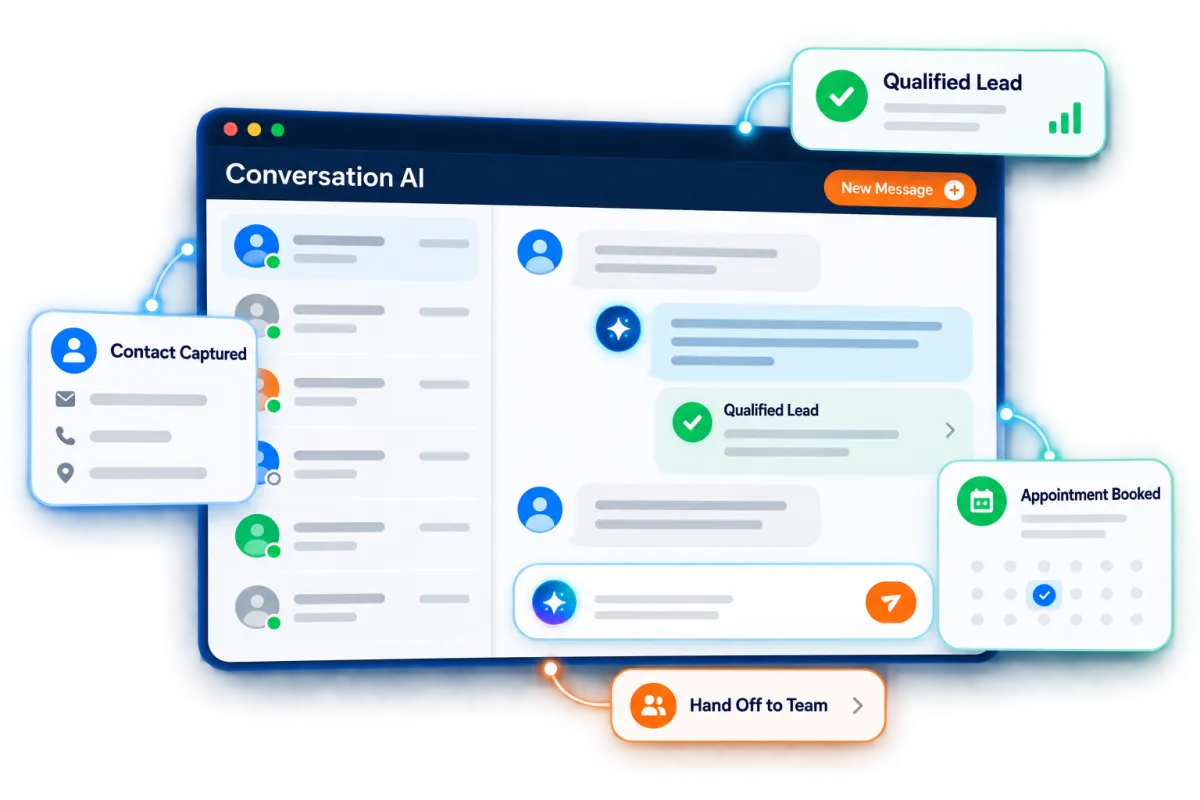
Conversation AI
Use a trained AI agent to answer common questions. It can help the right families book through supported message channels.
Answer questions about age ranges, dance styles, dress expectations, and trial options using approved studio information
Collect the parent’s name and contact details
Ask basic questions so staff can suggest the right next step
Pause or transfer the conversation when a staff member takes over

Voice AI Receptionists
Answer supported calls while staff teach, help families, or work away from the desk.
Respond to common questions using your studio’s knowledge base
Collect the caller’s details and reason for calling
Help callers book an eligible visit or trial
Transfer urgent or qualified calls to the right person
Review call logs, recordings, text records, notes, and results

Keep Every Parent Conversation Organized
Families should not need to repeat the same details. Keep messages and context linked so staff can review the same history and reply in real time.
Conversations
Manage supported messages and calls in one inbox. Keep the contact history close at hand.
Review earlier questions before replying to a parent
Handle email, text, phone, chat, and supported social messages together
Filter conversations that need action from an administrator
Use AI-assisted replies as a starting point, then review them before sending


Contacts / CRM
Keep useful lead and student details in clear contact records.
Store contact details, notes, files, tags, custom fields, and activity history
Group contacts by class interest, age, location, or enrollment stage
Build smart lists for trial follow-up or seasonal campaigns
Discover how WinChilla simplifies your day, saves time, and helps your business grow.
Email Marketing
Send useful studio news and offers to the right groups.
Promote fall sign-up, summer intensives, camps, workshops, or adult programs
Follow up with families interested in a specific dance style
Personalize supported fields with contact details
Track deliveries, opens, clicks, failures, and unsubscribes
Use AI help to refine subject lines, copy, calls to action, or images


Use the Best Dance Studio Software to Build Local Demand
Strong enrollment starts before a parent fills out a form. Build a clear web presence, promote the right programs, and make your good name easy to see.
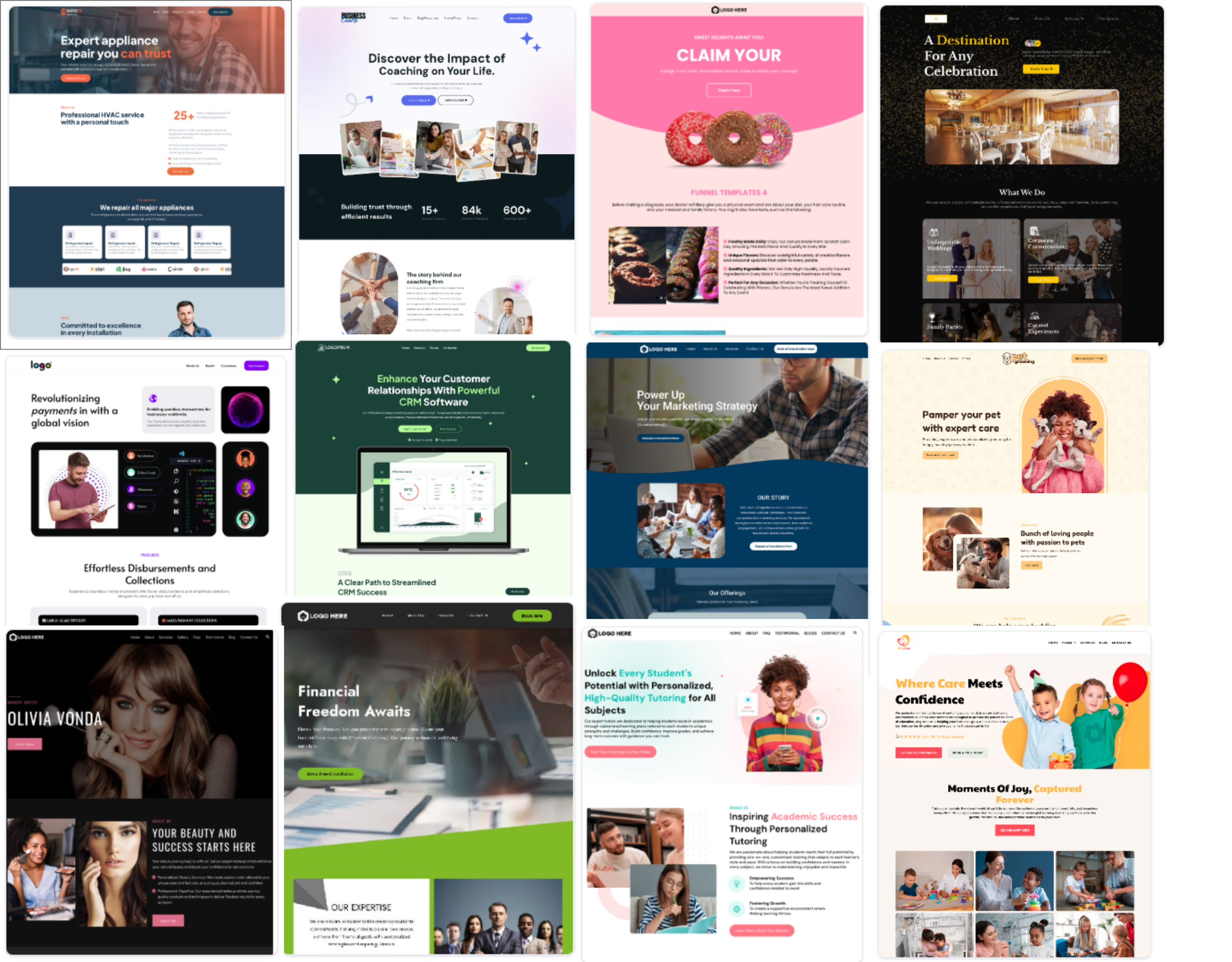
Websites and Landing Pages
Build pages that work on any screen and link to forms, booking, and follow-up.
Build pages for preschool dance, recreational classes, adult programs, camps, or competitive auditions
Add forms, calendars, chat widgets, testimonials, and other supported elements
Create landing pages for each sign-up season
Track visitor and conversion activity across supported pages
Use AI tools to build a first pass of the layout, copy, and images

Social Planner
Plan and post studio content on supported social channels from one place.
Schedule recital notes, class highlights, sign-up dates, and studio news
Tailor posts for each supported channel
Share drafts through links when a manager needs to review them
Track engagement and post performance
Use AI assistance to generate or refine captions, ideas, hashtags, and images
Reputation Management
Ask for and reply to reviews that help local families judge your studio.
Send review requests through supported channels
Track ratings, review count, mood, and recent feedback
Display selected reviews with customizable widgets
Use AI to suggest or automatically publish responses for supported Google and Facebook reviews
Sum up common themes to learn what families value

More Tools for a Better-Organized Studio
Support enrollment and marketing with tools that work together.
Web Chat
Let site visitors choose supported chat, email, text, social, WhatsApp, or Voice AI from a branded widget.
Phone System & Calling
Keep supported calls, recordings, notes, and follow-up linked to contact records.
Mobile App
Check new leads, reply to parents, manage appointments, and update enrollment opportunities while away from the front desk.
Payments
Use supported payment processing for one-time or recurring payments on trials, private lessons, workshops, camps, and other studio offers.
Surveys
Gather parent feedback, measure student satisfaction, and learn which new classes or programs families want.
Documents & Contracts
Send registration agreements, policies, waivers, and other studio documents for electronic signatures.
affordable pricing plans built for small businesses
How much does this cost?
WinChilla offers affordable plans for small businesses. Compare current pricing models on the pricing page and choose the right plan for your business.
Questions About the Best Dance Studio Software
Is WinChilla a complete dance studio management system?
WinChilla is CRM, marketing, messaging, workflow, and booking software for studios. It can capture leads, book trials, nurture families, and track enrollment leads. It is not a dedicated class management or attendance tracking system. Studios that need rosters, costumes, recitals, complex family billing, or full attendance records may use dance studio management software or another studio management platform alongside WinChilla.
Can families use WinChilla to register for dance classes?
WinChilla can collect sign-up interest through forms. It can also book trials, private lessons, auditions, classes, or group sessions when the calendar setup fits. Forms can save details and start follow-up at once. Complex class placement, family accounts, attendance, or recital needs may call for dance studio registration software alongside WinChilla.
Can WinChilla follow up after a trial class?
Yes. A studio can start follow-up from booking data, pipeline stages, and other supported CRM events. WinChilla can send email or text messages. It can also create staff tasks, update a lead, and keep in touch with a family that has not enrolled.
Can AI answer common questions from parents?
Supported Conversation AI and Voice AI agents can answer common questions. Their answers can use your site, FAQs, studio details, and knowledge bases. They can collect details, qualify a lead, help book an eligible visit, and hand the chat or call to staff. Review the facts, routes, and actions before you turn on auto modes.
Can WinChilla support more than one studio location?
WinChilla can sort contacts with tags and custom fields. It can use separate calendars or pipelines, send leads to team members, and tailor campaigns by location. The right setup depends on how your sites share staff, phone numbers, web pages, and contact records. A planned setup keeps work clear as the studio grows.
What others are saying:
"Love everything so far"
"I've never set up a website before but I love managing my new site and leads. The WinChilla team has been really helpful whenever I got stuck."
- Laura P

"Simplifies my sales"
"I've been able to help my son promote his candy business which has been great because I am not good with computers at all."
- Robert T
"Highly recommend"
"It's exciting to see my visions come to life and WinChilla helps me manage everything in one place so I can be anywhere in the world and my business just runs."
- Jaret H
WinChilla works with platforms you already use such as


















What you can expect from us
Money Back Guarantee
We're confident you'll love saving money by switching from existing software providers with your business tools to one place.
Plus, we believe you'll save a ton of time with marketing automation.
Within 30 days, if we're not the right fit, we'll give you your money back.
View Terms of Service
24/7 Support
We're here to help. You'll get a one-on-one onboarding call with our team.
Then, you'll get another tech call with us to make sure your account is configured exactly as you want it.
Plus, you can expect 24/7 chat support from our team with any questions you have along the way.
30+ Years of Experience
We've been helping small businesses since 2010!
The WinChilla brand is new, but our experience is not. The founders of WinChilla have over 30 years of experience combined in digital software and customer incentive programs - helping businesses like yours - worldwide since 2010. Now, we're excited to bring our expertise to launch these new super tools to help all of our clients grow.

Fill More Classes Without Losing Track of Families

© 2024-2026 Loyalty Gator Inc. All rights reserved.
WinChilla CRM | A Loyalty Gator Company | Trusted Since 2010
The information provided by Loyalty Gator Inc. (DBA: WinChilla) ('we', 'us', or 'our') on https://www.winchilla.com (the 'Site') and our mobile application is for general informational purposes only. All information on the Site and our mobile application is provided in good faith, however we make no representation or warranty of any kind, express or implied, regarding the accuracy, adequacy, validity, reliability, availability, or completeness of any information on the Site or our mobile application. UNDER NO CIRCUMSTANCE SHALL WE HAVE ANY LIABILITY TO YOU FOR ANY LOSS OR DAMAGE OF ANY KIND INCURRED AS A RESULT OF THE USE OF THE SITE OR OUR MOBILE APPLICATION OR RELIANCE ON ANY INFORMATION PROVIDED ON THE SITE AND OUR MOBILE APPLICATION. YOUR USE OF THE SITE AND OUR MOBILE APPLICATION AND YOUR RELIANCE ON ANY INFORMATION ON THE SITE AND OUR MOBILE APPLICATION IS SOLELY AT YOUR OWN RISK.