
CRM for accountants who want less chasing and more client time
Keep client follow-up moving when tax season fills your day. WinChilla brings inquiries, messages, consultation booking, and reminders together so your team can spend more time serving clients.




One Place for Client Relationships and Firm Growth
WinChilla brings customer relationship management, messages, booking, and marketing into one place. Use it as client management software for accountants to keep a centralized client record for each relationship. Keep client data and follow-up together, from a prospect’s first question to their next tax-planning meeting.
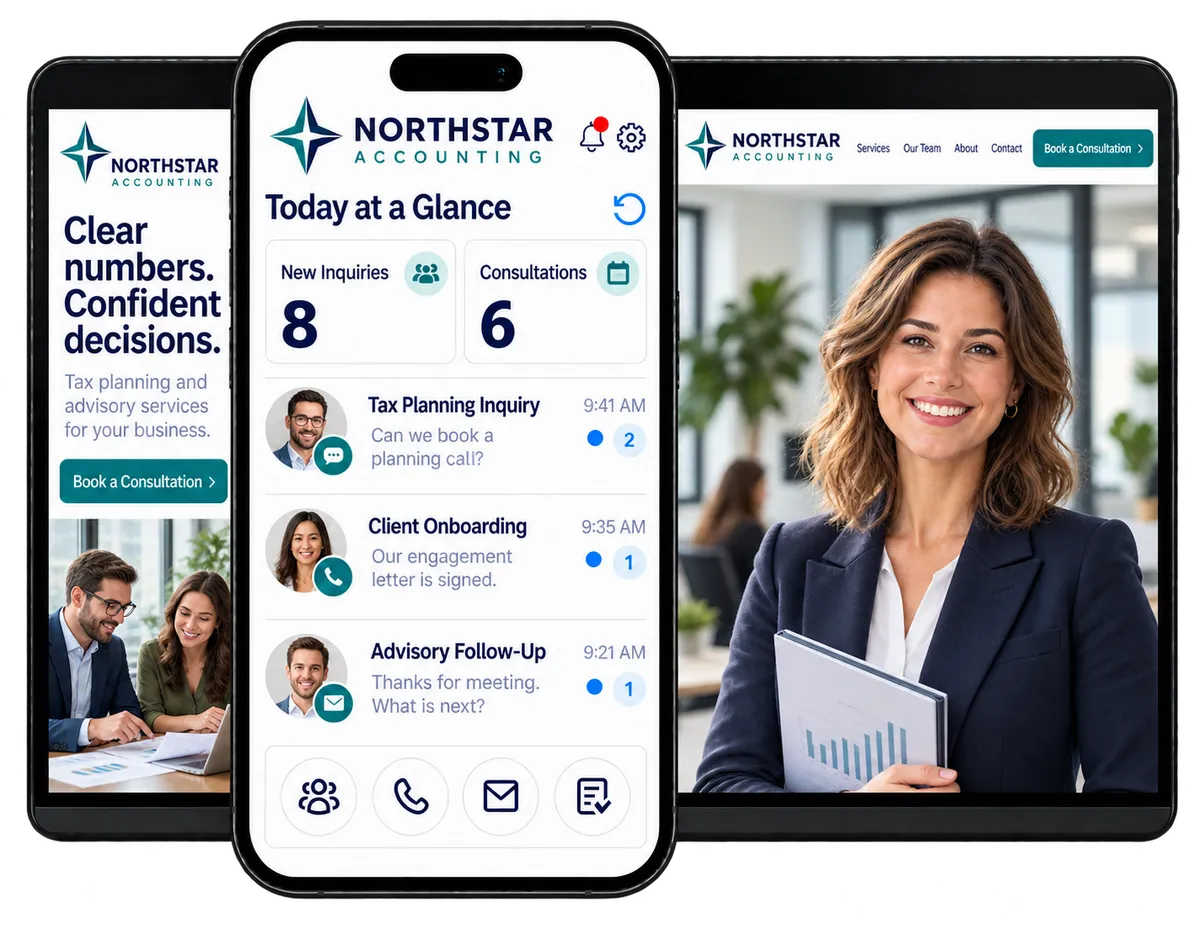
Your Firm Runs on More Than Tax Returns
You answer questions, meet prospects, send engagement letters, and keep clients informed. Then busy season arrives. A CRM for accountants helps you keep that daily relationship work on track while you focus on the advice clients came for.
hours per week is reported lost moving, re-entering, or reconciling information across tools.
Source: Intuit, 2026 Accountant Technology Survey
said their technology setup works but remains fragmented.
Source: Intuit, 2026 Accountant Technology Survey
identified excessive time on low-value, low-margin work as their top barrier to better profitability.
Source: Thomson Reuters Institute
Does this sound familiar?
An engagement letter is still unsigned. A client has not answered your question, and a referral is waiting for a call back. Your team checks old email threads to work out who should follow up. The client work waits while the chasing takes over.
Don't worry, we can help!
Contacts / CRM
Keep each client’s details, notes, service interests, and activity history together so the next call starts with context.
Conversations
Find supported client emails, texts, calls, and chats in one inbox instead of searching across separate channels.
Workflows & Automation
Set routine reminders and staff follow-up tasks so an unanswered request has a clear next step.

A CRM for accountants that keeps new inquiries moving
A referral should lead to a clear next step. Capture the request, find out what the prospect needs, and give someone ownership. WinChilla supports lead generation for accountants by connecting inquiry capture with an organized follow-up process.
Forms
Turn service inquiries into contact records and follow-up steps.
Ask prospects whether they need personal tax, corporate tax, tax planning, or advisory services
Capture business type, preferred contact method, and the reason for a consultation
Send form responses into contacts and workflows to reduce manual data entry

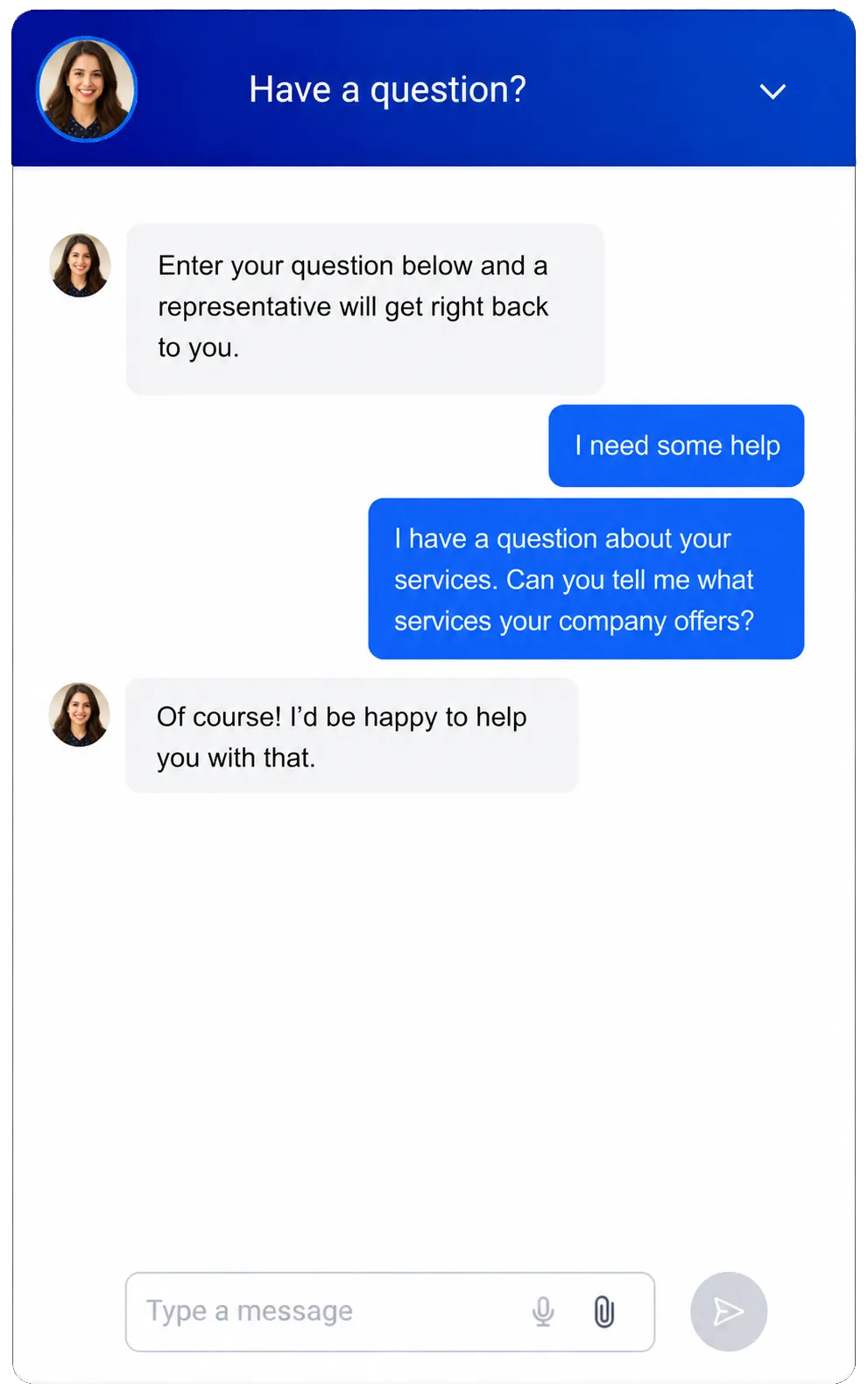
Web Chat
Give website visitors an easy way to ask about your firm and book a conversation.
Capture contact details from visitors who arrive after office hours
Use AI-powered chat to answer approved questions about services, office hours, and how to book
Hand questions that need an accountant’s judgment to your team
Offer a Voice AI widget in supported setups for visitors who prefer to speak
Opportunities & Pipelines
Track each potential engagement in a sales pipeline with stages your firm defines.
Use stages such as New Inquiry, Consultation Booked, Proposal Sent, and Engagement Won
Assign each prospect to the partner or team member handling the next step
Track the value and status of corporate tax or advisory opportunities
Filter open proposals before your weekly business development review
See how WinChilla helps your accounting firm save time, reduce admin, and book more appointments!


Spend Less Time Chasing the Next Client Response
Client follow-up should have an owner, a record, and a next step. Use WinChilla as accounting client management software to organize the relationship work around each engagement. Keep reminders and replies connected as clients move from inquiry to onboarding and ongoing service.

Contacts / CRM
Build client profiles that serve as a single source of truth for contact details, notes, and follow-up history.
Store service interests, assigned partner, contact preferences, and client notes in suitable fields
Tag contacts for personal tax, corporate tax, advisory, or another useful group
Review past activity before returning a call about an upcoming planning meeting
Conversations
Keep supported emails, texts, calls, chats, and social messages in one inbox.
See a client’s earlier messages before replying to a question about their next meeting
Filter conversations so staff can work through incoming client requests
Use AI-assisted replies to prepare routine scheduling or onboarding messages for review
Keep replies linked to the client record when another staff member takes over

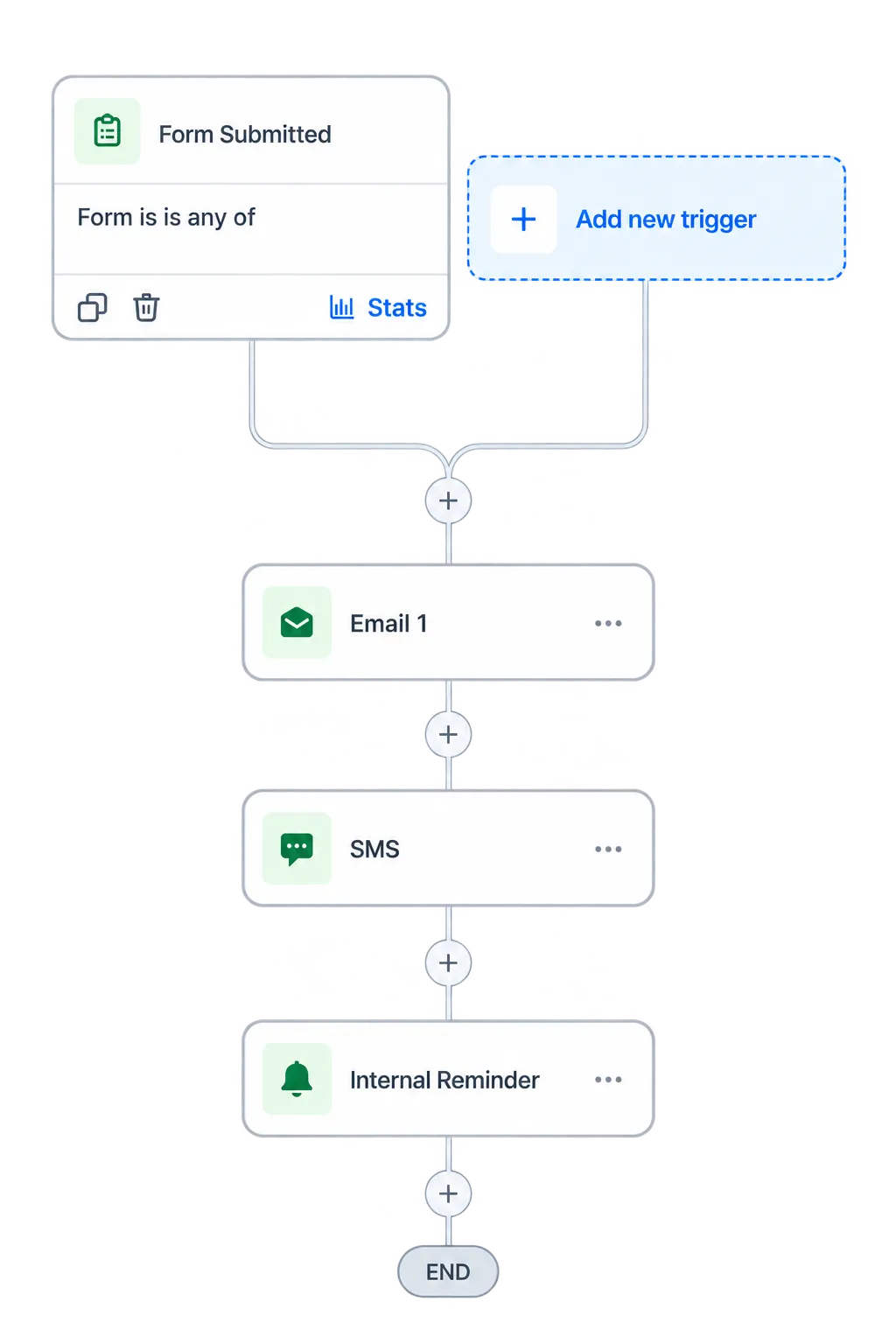
Workflows & Automation
Set repeatable follow-up steps around CRM activity and client events.
Send a welcome sequence after your team marks a new engagement as won
Remind clients to respond to an open request, with timing and stop rules your team sets
Create a staff task when a client needs a personal call rather than another reminder
Send a seasonal planning invitation to the right client segment
Use the AI workflow builder to draft a sequence for you

Make Room for Tax-Planning and Advisory Conversations
Help prospects and clients book time without a string of emails. WinChilla gives your firm booking and call tools that fit around partner availability, client meetings, and busy-season demands.
Calendars & Appointments
Let clients book consultations within the availability your team sets.
Create separate booking options for discovery calls, tax-planning sessions, and advisory reviews
Use individual or round-robin calendars where they fit your intake process
Send booking confirmations and reminders by email or text
Connect booked meetings with client records and follow-up workflows


Business Phone System & Calling
Keep business calls and call activity connected to your client records.
Route calls to the right person or team during your chosen office hours
Use a Voice AI receptionist to collect caller details and the reason for a call when staff are busy
Let the receptionist help book a consultation or transfer a caller to staff
Review call notes and outcomes before returning a missed call about a new engagement
Discover how WinChilla simplifies your day, saves time, and helps your accounting firm grow.

Build Client Relationships Beyond Tax Season
Stay in touch when clients are ready to plan ahead. WinChilla supports marketing for accounting firms with targeted emails and review tools that help your team maintain a useful, consistent presence.
Email Marketing
Send relevant messages based on each client’s interests and relationship with your firm.
Invite business clients to book a year-end tax-planning meeting
Follow up with past prospects who asked about advisory services
Share firm-reviewed updates with the client groups they concern
Use AI to draft subject lines and campaign copy
Track deliveries, clicks, unsubscribes, and campaign results


Reputation Management
Request reviews and keep your firm’s public feedback in view.
Ask clients for a review after a suitable service milestone
Monitor ratings and recent feedback on supported review profiles
Use AI-suggested replies for supported Google and Facebook reviews
Display selected client reviews on your firm’s website
More Tools for a Well-Run Accounting Firm
Extend your accounting firm CRM with tools that support the way your team works.
Documents & Contracts
Send engagement letters for electronic signature and track activity for timely follow-up.
Companies / B2B CRM
Link a business client’s owner, finance lead, and other contacts to the right company record.
Mobile App
Check client notes, handle calls, and manage follow-up tasks when you are away from your desk.
Invoices & Estimates
Send branded invoices for tax preparation, planning, and advisory services. Set up recurring invoices and automate reminders for unpaid balances.
Integrations
Connect supported tools such as QuickBooks, calendars, and conferencing apps, or extend workflows through APIs and webhooks.
Funnels & Landing Pages
Create focused pages for corporate tax, year-end planning, or advisory campaigns, with clear inquiry forms and consultation booking.
affordable pricing plans built for small businesses
How much does this cost?
We're glad you asked! WinChilla is pleased to offer affordable pricing plans to suit your growing business.
Frequently asked questions about CRM for accountants
How do CRM and practice management software fit together?
Use a CRM for accountants to manage prospects, messages, booking, marketing, and follow-up. When comparing CRM platforms, check how each fits with the tools that run your tax work. WinChilla is a CRM for accounting firms; returns, workpapers, filing, and technical production still need suitable professional software.
Can WinChilla work as a CRM for CPA firms with several partners?
Yes. Your firm can assign opportunities and tasks to team members, link contacts to company records, and use calendars that fit your booking process. Agree on ownership rules so a referral or client request reaches the right person. Review access needs and the available account settings as part of that setup.
Can it tell us exactly which tax documents are still missing?
Your team can record request status in suitable fields and use it to guide reminders and tasks. WinChilla does not independently verify that a tax file is complete. Detailed tax-document checklists, secure document exchange, and automatic checks against submitted records may need a dedicated system or a supported integration.
How can we promote advisory services to existing tax clients?
Group clients by the services they use or the needs your team has recorded. Send a relevant invitation, link to a consultation calendar, and track each interested client’s next step in a pipeline. WinChilla accounting CRM software supports that process while your firm decides which service is right for each client.
Can AI handle reception without giving tax advice?
Train the agent on approved firm details, such as services, hours, and booking steps. Use it to collect basic inquiry details and help arrange a call. Set clear handoff rules for tax questions, sensitive matters, or requests that need professional judgment, and test those paths before launch. Qualified staff remain responsible for advice.
What others are saying:
"Love everything so far"
"I've never set up a website before but I love managing my new site and leads. The WinChilla team has been really helpful whenever I got stuck."
- Laura P

"Simplifies my sales"
"I've been able to help my son promote his candy business which has been great because I am not good with computers at all."
- Robert T
"Highly recommend"
"It's exciting to see my visions come to life and WinChilla helps me manage everything in one place so I can be anywhere in the world and my business just runs."
- Jaret H
WinChilla works with platforms you already use such as


















What you can expect from us
Money Back Guarantee
We're confident you'll love saving money by switching from existing software providers with your business tools to one place.
Plus, we believe you'll save a ton of time with marketing automation.
Within 30 days, if we're not the right fit, we'll give you your money back.
View Terms of Service
24/7 Support
We're here to help. You'll get a one-on-one onboarding call with our team.
Then, you'll get another tech call with us to make sure your account is configured exactly as you want it.
Plus, you can expect 24/7 chat support from our team with any questions you have along the way.
30+ Years of Experience
We've been helping small businesses since 2010!
The WinChilla brand is new, but our experience is not. The founders of WinChilla have over 30 years of experience combined in digital software and customer incentive programs - helping businesses like yours - worldwide since 2010. Now, we're excited to bring our expertise to launch these new super tools to help all of our clients grow.

Give Client Follow-Up a Clear Next Step

© 2024-2026 Loyalty Gator Inc. All rights reserved.
WinChilla CRM | A Loyalty Gator Company | Trusted Since 2010
The information provided by Loyalty Gator Inc. (DBA: WinChilla) ('we', 'us', or 'our') on https://www.winchilla.com (the 'Site') and our mobile application is for general informational purposes only. All information on the Site and our mobile application is provided in good faith, however we make no representation or warranty of any kind, express or implied, regarding the accuracy, adequacy, validity, reliability, availability, or completeness of any information on the Site or our mobile application. UNDER NO CIRCUMSTANCE SHALL WE HAVE ANY LIABILITY TO YOU FOR ANY LOSS OR DAMAGE OF ANY KIND INCURRED AS A RESULT OF THE USE OF THE SITE OR OUR MOBILE APPLICATION OR RELIANCE ON ANY INFORMATION PROVIDED ON THE SITE AND OUR MOBILE APPLICATION. YOUR USE OF THE SITE AND OUR MOBILE APPLICATION AND YOUR RELIANCE ON ANY INFORMATION ON THE SITE AND OUR MOBILE APPLICATION IS SOLELY AT YOUR OWN RISK.