
CRM for Photographers That Turns Inquiries Into Bookings
WinChilla brings inquiries, client conversations, booking calendars, contracts, invoices, payments, and reviews into one platform. Respond faster and keep every client on track.




Run the Business Behind Every Great Shoot
A CRM for photographers brings inquiries, client messages, booking calendars, follow-up, contracts, invoices, payments, email campaigns, and reviews into one place. Spend less time chasing details and more time serving clients and creating memorable work.
You Are a Photographer, Marketer, Salesperson, and Office Manager
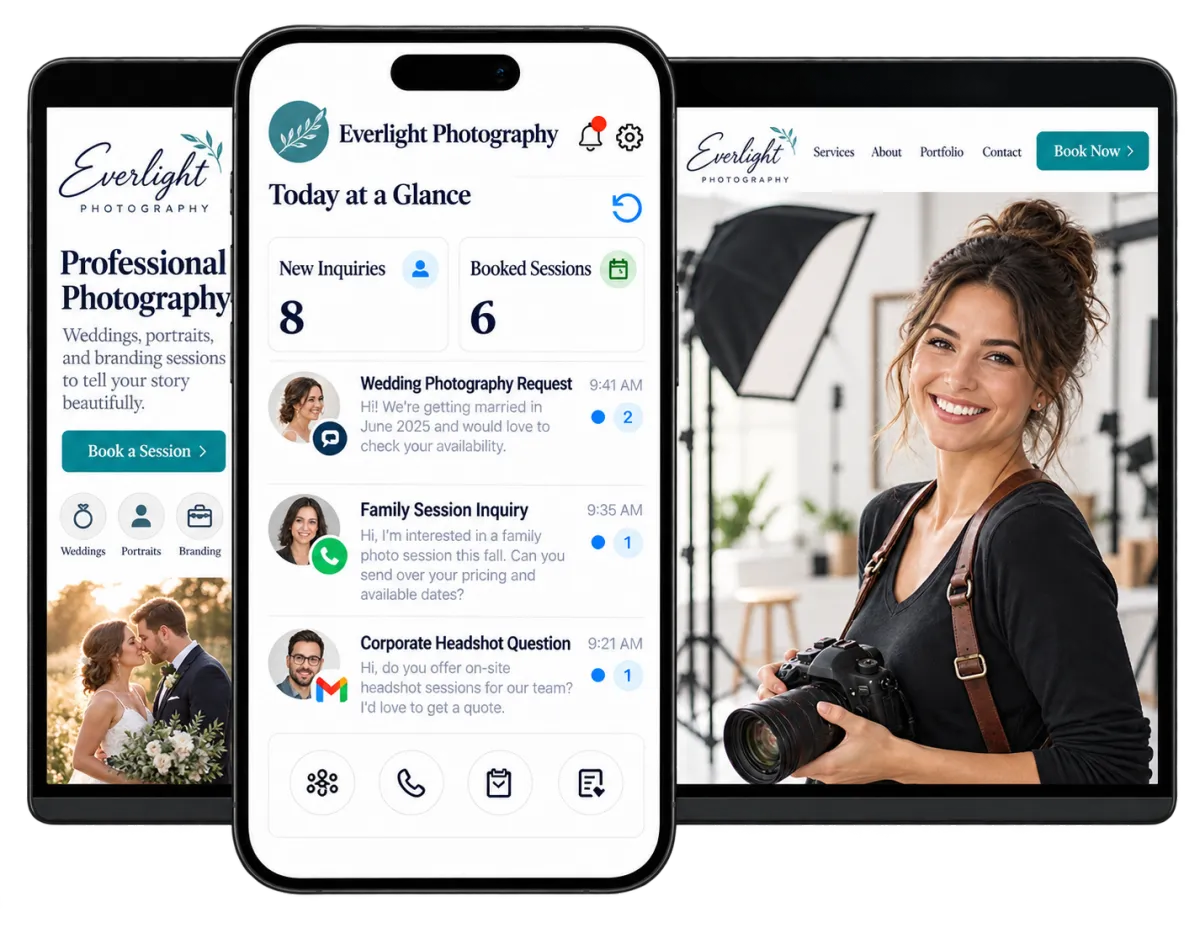
Your work does not end when you put down the camera. You answer inquiries, explain packages, schedule consultations, send contracts, collect deposits, market your services, and request reviews. WinChilla gives you a clear system for the work before and after each session.
to 77% of photographers reported higher business costs in 2024, while price increases had not kept pace.
Source: Zenfolio
increase in revenue may be achieved by photographers who offer in-person viewing appointments after sessions.
Source: Zenfolio
of professionals who had hired a headshot photographer said photography style and strong client reviews mattered more than cost alone.
Source: Professional Photographers of America
Does this sound familiar?
A promising inquiry comes in while you are photographing a wedding, editing a gallery, or travelling between locations. By the time you respond, that person may have booked someone else. Other leads remain scattered across email, forms, texts, and social messages with no clear next step.
Don't worry, we can help!
Central Conversations
Bring supported email, text, web chat, phone, and social conversations into one inbox, with the client’s history close at hand.
Automated Lead Follow-Up
Use automated workflows to acknowledge new inquiries, send useful next steps, and notify you when a prospect needs personal attention.
Visual Booking Pipelines
Track each opportunity from the first inquiry through consultation, proposal, deposit, booked session, and follow-up.

Turn More Photography Inquiries Into Booked Sessions
The best CRM for photographers should help you reply while a lead is keen to book. WinChilla saves each new lead, starts follow-up, and shows you who still needs a reply.
Forms
Capture lead details and send each reply to the right contact and workflow.
Ask about the shoot type, date, place, guest count, or brand needs
Send wedding, portrait, brand, real estate, and event leads down the right path
Add your own questions so you are ready for the first call
Send a quick note as soon as a lead fills out the form

Web Chat and Conversation AI
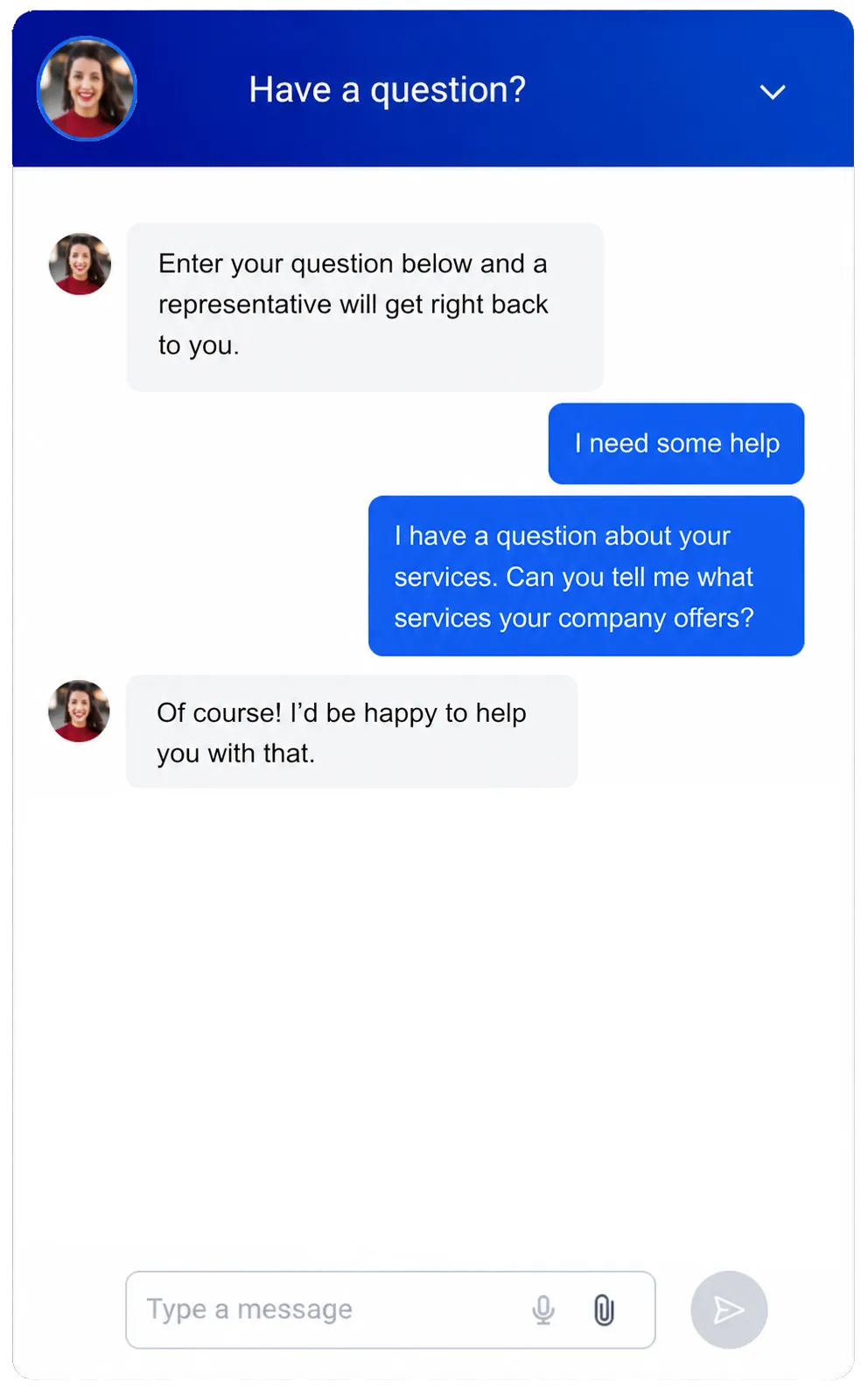
Let site guests ask a question, share their details, or book a call, even after hours.
Answer common questions about where you work, what you shoot, and how clients book.
Ask for the lead’s name, contact details, date, and photo needs.
Help a good lead book a call on a linked calendar.
Pass the chat to you or your staff when a lead needs personal help.
Opportunities and Pipelines
Keep each sales lead in view with clear stages, value, notes, and an owner.
Use one sales path for weddings and another for portraits, brands, or real estate
See who needs a reply, call, signed deal, or deposit
Track the value and stage of each lead
Move booked clients to the next stage when a set event takes place
See how WinChilla helps your photography business save time, reduce admin, and book more appointments!


CRM for Photographers That Keeps Every Session Moving
From the first call to the last note, WinChilla keeps chats and dates in order. You do not have to trust loose notes or your memory.

Calendars and Appointments
Let leads and clients choose from the times you set for calls, shoots, or photo viewings.
Offer online booking for intro calls, studio shots, headshots, or photo viewings
Set hours by staff member, shoot type, place, room, or other supported need
Take a deposit or payment at booking when the setup allows it
Send notes and alerts so clients do not forget the date
Conversations
Keep client chats and contact history together, so each reply starts with the right facts.
Check past chats before you answer a question about time, place, or price
Manage supported email, text, phone, web, and social chats in one inbox
Assign a chat when more than one person helps your clients
Let AI draft a reply, then send when it's ready


Workflows and Automation
Put simple steps on autopilot while you keep key client moments personal.
Send call alerts, shoot prep notes, and follow-up after the job
Create a task when a client signs or a bill is late
Update the sales path after a booking, payment, or other supported event
Tell the AI workflow tool what you want and watch it build it for you

Move From Agreement to Deposit With Less Back-and-Forth
A CRM for photographers should make the business side of booking feel as polished as your portfolio. Send the right documents, explain the cost clearly, and give clients a convenient way to pay.
Documents and Contracts
Create and send proposals, agreements, quotes, and contracts for electronic signature.
Reuse agreements for weddings, portraits, events, or commercial assignments
Set the signing order when a couple, company contact, or other party must sign
Track when a document is viewed, signed, declined, or completed
Start reminders, invoices, or follow-up when supported document events occur


Invoices and Estimates
Send branded estimates and invoices with due dates, deposits, payment schedules, and reminders.
List session fees, retainers, travel charges, add-ons, or approved package options
Collect deposits and schedule later balance payments where supported
Send automatic reminders for unpaid or overdue invoices
Keep payment activity connected with the client record
Discover how WinChilla simplifies your day, saves time, and helps your photography business grow.
Payments
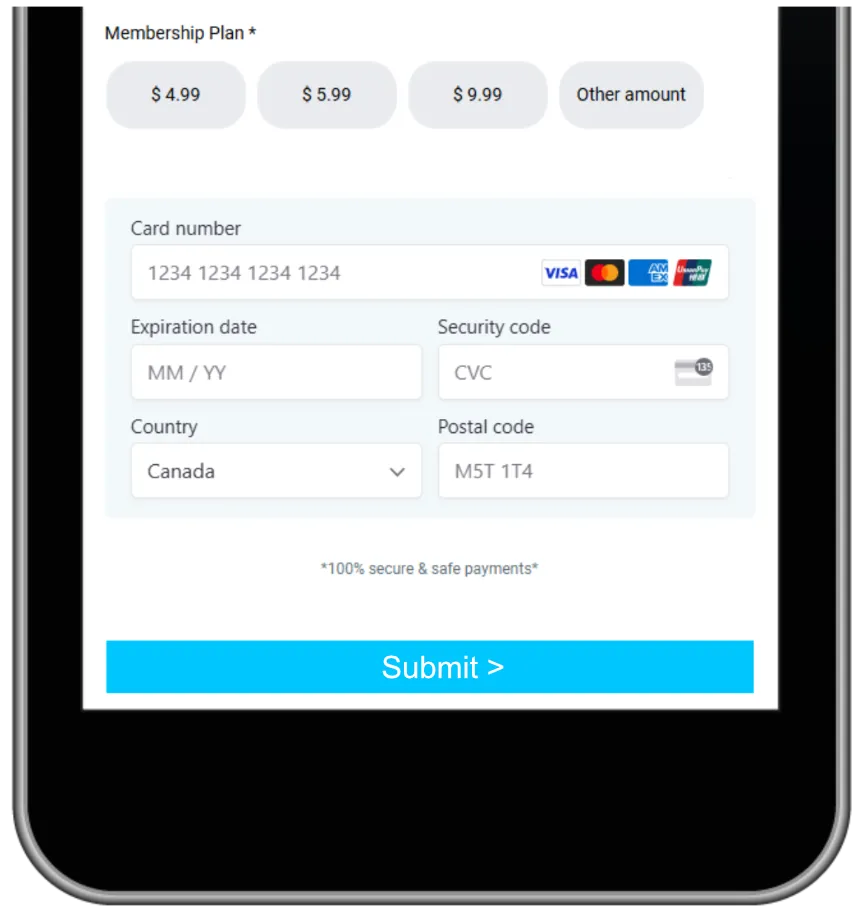
Give clients convenient ways to pay through supported online, mobile, or in-person methods.
Create branded payment links for retainers, session fees, or balances
Accept supported cards, digital wallets, or bank-payment methods where available
Review transactions and refunds within the connected system
Take eligible in-person payments through a supported mobile setup

Keep Your Photography Marketing Consistent
Great photography still needs consistent visibility. WinChilla helps you stay in touch, share recent projects, request reviews, and bring past clients back for another milestone.
Email Marketing
Create targeted, branded campaigns with contact details, tags, segments, and supported engagement triggers.
Promote seasonal mini-sessions, graduation portraits, corporate headshot days, or holiday availability
Send useful planning content to wedding or family photography leads
Reconnect with past clients before an anniversary, birthday, or annual branding update
Use AI to refine subject lines, email copy, calls to action, and supported campaign images


Social Planner
Plan and publish social content across supported channels from one calendar.
Schedule portfolio highlights, behind-the-scenes posts, client tips, and availability updates
Adapt a campaign for Instagram, Facebook, Pinterest, LinkedIn, TikTok, or another supported channel
Use AI to develop caption ideas, hashtags, images, and channel-specific versions
Review engagement and compare post performance over time
Reputation Management
Request, monitor, display, and respond to client reviews from one place.
Request a review after a completed session or another suitable point in the client journey
Monitor ratings, recent feedback, review volume, and sentiment
Display selected reviews through a customizable website widget
Let AI draft or publish supported Google and Facebook responses based on your chosen setup

More Tools for a Better-Organized Photography Business
Shape your CRM for photographers around the way your studio attracts, books, and serves clients.
Landing Pages
Create focused pages for mini sessions, wedding packages, seasonal promotions, headshots, or commercial photography campaigns.
Websites
Build pages with forms, calendars, chat, reviews, SEO tools, and follow-up. AI can make a first pass at the layout, text, and images for you to check.
Mobile App
Check chats, leads, dates, tasks, bills, contracts, and supported payments while away from the studio.
Ad Manager
Create, manage, and monitor supported Facebook and Instagram ad campaigns from one platform while tracking incoming leads.
Surveys
Collect preferences and feedback before or after a session with customizable surveys that keep responses connected to each client.
Integrations
Link supported tools or use APIs, webhooks, and apps when your photo workflow needs a niche system.
affordable pricing plans built for small businesses
How much does this cost?
We're glad you asked! WinChilla is pleased to offer affordable pricing plans to suit your growing business.
Questions Photographers Ask About WinChilla
What does a CRM for photographers help manage?
A CRM for photographers is a customer relationship management system for the business side of each shoot. As a photography CRM, WinChilla keeps important information in one place. This includes leads, contact details, messages, bookings, sales stages, contracts, bills, payments, campaigns, and reviews. Your team can manage each client relationship and provide better customer service. The result is a smoother client experience.
Can WinChilla replace my photography gallery or editing software?
No. WinChilla does not replace niche tools for culling, editing, proofing, print sales, or full-size gallery delivery. It runs the leads, sales, chats, dates, forms, and pay steps around that work. Keep your photo tools and link them where a supported app or flow fits.
Can clients book and pay for photography sessions online?
Yes. Set a calendar for calls or set types of shoots, choose your hours, send alerts, and take a deposit or payment at booking when supported. For a custom wedding or brand job, start with a call. Then send the right quote, contract, bill, and pay link.
How can WinChilla help when I cannot answer an inquiry right away?
WinChilla can acknowledge a lead from a form, chat, or supported message and begin your follow-up plan. Conversation AI can answer common questions, collect details, qualify the inquiry, and help book a consultation using approved business information. Step in when the prospect needs advice, custom pricing, or a personal conversation.
What should I look for when comparing CRMs for photographers?
When you compare CRM platforms, check how each one handles leads, bookings, follow-up, contracts, payments, and reviews. Useful CRMs offer fields, tags, calendars, forms, sales paths, and workflows that can fit different types of photography. WinChilla can adapt these tools for weddings, portraits, newborns, events, brand work, and real estate. The setup should also feel user friendly to your team and support a smooth client experience.
Does WinChilla support photography marketing after a session is complete?
Yes. Request reviews, schedule social posts, send targeted email campaigns, and contact past clients at the right time. A family photographer could promote annual portrait dates. A commercial photographer could remind a branding client when it may be time to update team photos.
What others are saying:
"Love everything so far"
"I've never set up a website before but I love managing my new site and leads. The WinChilla team has been really helpful whenever I got stuck."
- Laura P

"Simplifies my sales"
"I've been able to help my son promote his candy business which has been great because I am not good with computers at all."
- Robert T
"Highly recommend"
"It's exciting to see my visions come to life and WinChilla helps me manage everything in one place so I can be anywhere in the world and my business just runs."
- Jaret H
WinChilla works with platforms you already use such as


















What you can expect from us
Money Back Guarantee
We're confident you'll love saving money by switching from existing software providers with your business tools to one place.
Plus, we believe you'll save a ton of time with marketing automation.
Within 30 days, if we're not the right fit, we'll give you your money back.
View Terms of Service
24/7 Support
We're here to help. You'll get a one-on-one onboarding call with our team.
Then, you'll get another tech call with us to make sure your account is configured exactly as you want it.
Plus, you can expect 24/7 chat support from our team with any questions you have along the way.
30+ Years of Experience
We've been helping small businesses since 2010!
The WinChilla brand is new, but our experience is not. The founders of WinChilla have over 30 years of experience combined in digital software and customer incentive programs - helping businesses like yours - worldwide since 2010. Now, we're excited to bring our expertise to launch these new super tools to help all of our clients grow.

Spend Less Time Chasing and More Time Creating

© 2024-2026 Loyalty Gator Inc. All rights reserved.
WinChilla CRM | A Loyalty Gator Company | Trusted Since 2010
The information provided by Loyalty Gator Inc. (DBA: WinChilla) ('we', 'us', or 'our') on https://www.winchilla.com (the 'Site') and our mobile application is for general informational purposes only. All information on the Site and our mobile application is provided in good faith, however we make no representation or warranty of any kind, express or implied, regarding the accuracy, adequacy, validity, reliability, availability, or completeness of any information on the Site or our mobile application. UNDER NO CIRCUMSTANCE SHALL WE HAVE ANY LIABILITY TO YOU FOR ANY LOSS OR DAMAGE OF ANY KIND INCURRED AS A RESULT OF THE USE OF THE SITE OR OUR MOBILE APPLICATION OR RELIANCE ON ANY INFORMATION PROVIDED ON THE SITE AND OUR MOBILE APPLICATION. YOUR USE OF THE SITE AND OUR MOBILE APPLICATION AND YOUR RELIANCE ON ANY INFORMATION ON THE SITE AND OUR MOBILE APPLICATION IS SOLELY AT YOUR OWN RISK.