
Landscaping Business Software That Keeps Growth Moving
WinChilla helps landscaping and lawn care teams capture leads and book estimates. Follow up on quotes, organize client details, send invoices, and manage chats in one place. Keep office work moving while crews are in the field.




One System From First Call to Final Payment
Replace scattered inboxes, paper notes, and hand-made reminders. Use landscaping business software that links your CRM, calls, messages, estimate visits, sales pipeline, invoices, payments, and review requests.
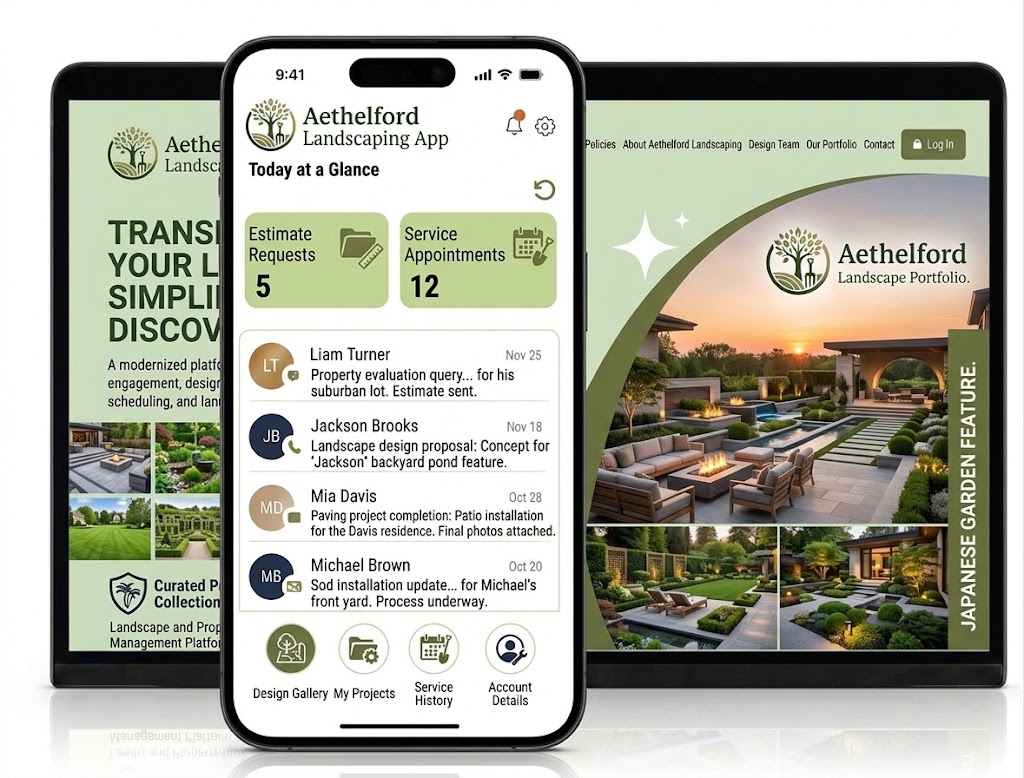
Run the Office While the Work Happens Outside
Landscaping owners and managers sell work, answer clients, plan estimates, guide crews, chase approvals, and watch cash flow. They may do it all in one day. WinChilla keeps the client side organized, so fewer details depend on memory or late nights.
of home service calls from digital marketing were leads, and 46% of those leads converted during the call.
Source: Invoca, The 2025 Call Conversion Benchmarks Report
of homeowners consider online booking when deciding which home-service professional to hire.
Source: Housecall Pro
of thriving home-service businesses that follow up on unsold estimates report gaining 1% to 15% in additional revenue.
Source: ServiceTitan
Does this sound familiar?
The phone rings while you are unloading equipment. A website lead arrives during a site visit, and an approved estimate still needs a start date. By evening, the hottest opportunities are mixed with routine messages, crew questions, and notes you meant to enter later.
Don't worry, we can help!
Phone System & Calling
Keep business calls, recordings, notes, outcomes, and follow-up tied to the right customer instead of a personal call log.
Workflows & Automation
Trigger timely replies, reminders, tasks, and pipeline updates when a lead arrives, an estimate is booked, or a payment becomes due.
Conversations
Bring email, text, calls, web chat, WhatsApp, and supported social messages into one inbox with the customer's history in view.

Turn More Inquiries Into Scheduled Estimates
Landscaping business software should help you respond before a homeowner or property manager calls the next contractor. WinChilla gives leads clear ways to reach you. It also helps your team move each request ahead.
Web Chat
Capture questions and contact details from your website, then route each conversation into WinChilla.
Let visitors ask about lawn care, cleanups, irrigation, tree care, design work, or hardscaping
Show office-hours and after-hours messages when your team is unavailable
Give prospects a choice of live chat, text, email, WhatsApp, social channels, or a Voice AI widget in supported setups
Send new conversations to the central inbox, an assigned team member, or a follow-up workflow


Voice AI Receptionists
Use a trained AI voice agent to answer inbound calls, collect details, and take the next supported action.
Answer common questions about service areas, business hours, and the types of landscaping work you offer
Ask if the caller needs lawn care, a landscape estimate, storm cleanup, irrigation service, or other work
Book an estimate appointment or transfer an urgent or qualified caller to the right person
Save call logs, recordings, transcripts, summaries, outcomes, and captured details for staff review
Conversation AI
Help answer supported messages, qualify inquiries, collect details, and move qualified prospects toward an appointment.
Reply to common after-hours questions using your approved business details and knowledge sources
Collect a prospect's address, contact details, service interest, and preferred timing
Help qualified leads schedule an estimate through a connected calendar
Pause or hand the conversation to staff when a person needs to review scope, pricing, or site conditions
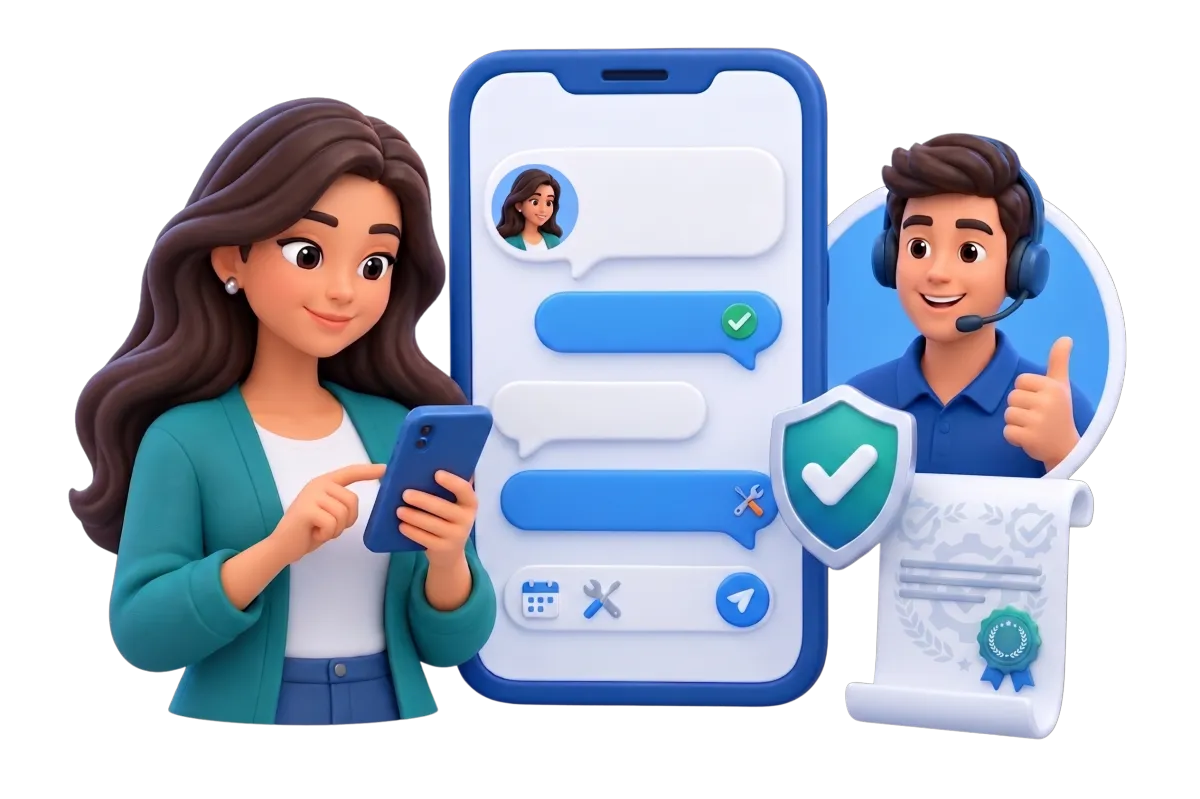

Make Scheduling and Follow-Up Easier to Manage
WinChilla works as lawn care scheduling software for estimate visits. It also helps with follow-up, reminders, and service messages. The office can stay on track without a patchwork of notes and apps.

Calendars & Appointments
Create calendars for estimate visits, design consultations, inspections, and other customer appointments.
Set availability for estimators, salespeople, arborists, irrigation specialists, or design consultants
Use individual, round-robin, collective, service, recurring, or other supported calendar types where they fit
Manage conflicts and link each visit to the client's record, notes, and workflows
Send confirmations and reminders through supported email, SMS, in-app, or WhatsApp channels
SMS, MMS & WhatsApp Messaging
Send practical updates through supported messaging channels while keeping the history connected to the customer.
Confirm an estimate window or ask a customer to secure pets and unlock a gate
Send a weather-delay update or a new arrival time from a saved template
Share a tracked link, file, photo, or next-step message after a site visit
Use automated messages for quote follow-up, appointment reminders, or unpaid invoice notices while honoring opt-outs


Workflows & Automation
Build repeatable follow-up for common sales and service events. Keep human review where it matters.
Start a reply and task sequence when a lawn care or landscaping inquiry enters WinChilla
Remind staff to follow up after an estimate appointment or when a quote remains open
Update a sales stage after a booking, reply, payment, or other supported CRM event
Describe a process in plain language to create a workflow with AI assistance

Keep Every Lead, Property, and Quote in View
A useful landscaping CRM should show who asked for what, where the work is, and what comes next. WinChilla gives owners, office staff, and sales teams the same context from first contact through the open quote.
Contacts & CRM
Keep client details, notes, files, tags, custom fields, and history in one place.
Store a customer's contact details with a service address, gate note, property type, and service interests in suitable fields
Attach site photos, documents, and notes to reduce searching across phones and inboxes
Tag customers by residential, commercial, recurring maintenance, design-build, irrigation, tree care, or another useful segment


Opportunities & Pipelines
Track open work through custom stages with its value, status, notes, owner, and next step.
Build stages such as New Inquiry, Estimate Booked, Site Visit Complete, Quote Sent, Won, and Lost
Separate recurring maintenance opportunities from larger installation or hardscape projects
Assign each opportunity to the owner, estimator, or salesperson responsible for the next step
Search, filter, and bulk-edit open deals when you plan weekly sales follow-up
Mobile App
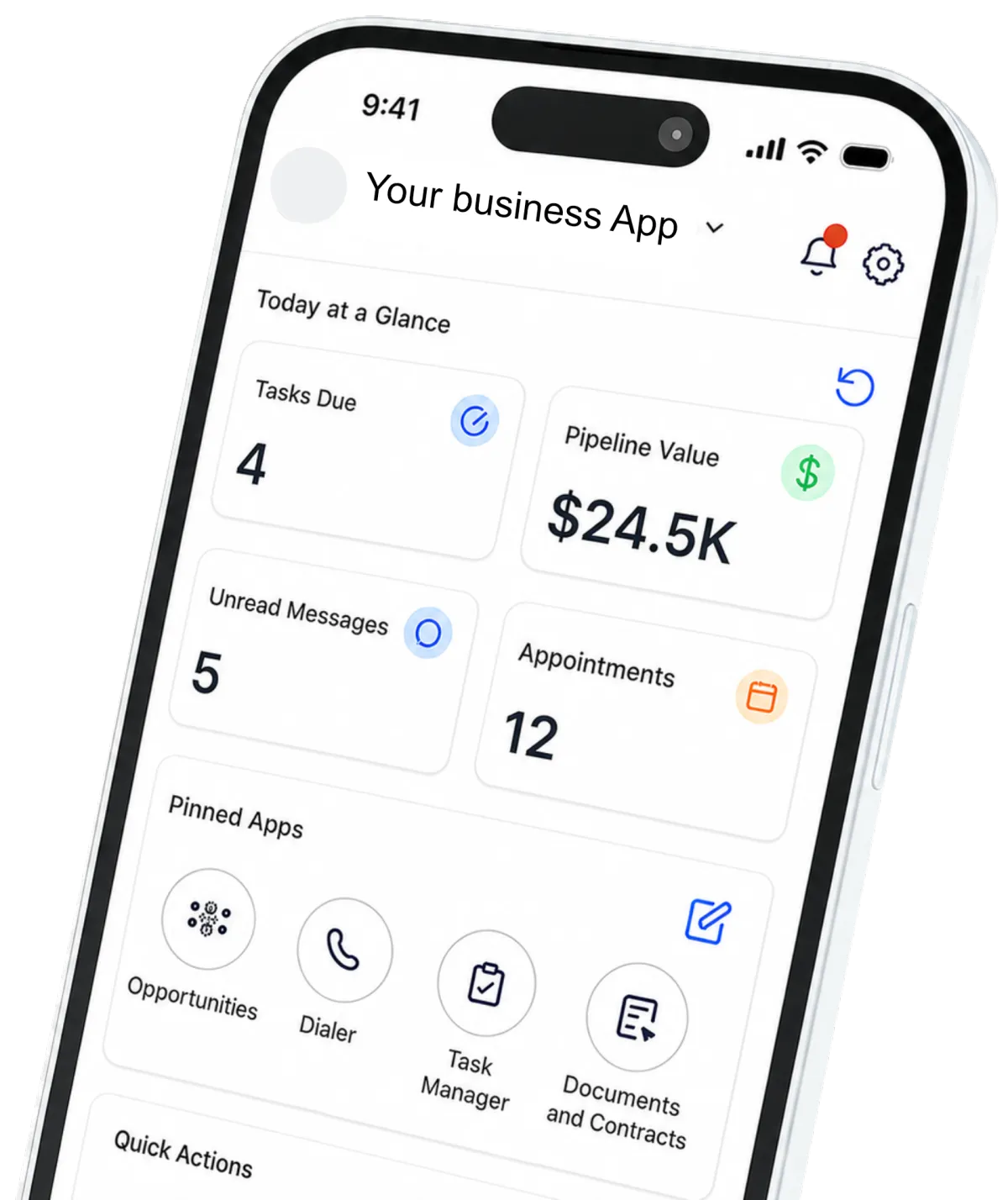
Give approved staff access to contacts, chats, calendars, deals, estimates, invoices, and payment details on the go.
Review client details before an estimate or return call
Record call outcomes, take notes, and schedule follow-up away from the office
Create and send estimates or invoices from the field
Manage conversations and appointment activity from supported mobile experiences

Move From Approved Estimate to Payment and Review
The work is not done when the crew leaves. WinChilla landscaping business software helps you send clear documents, remind clients about balances, record payments, and ask for feedback while the result is fresh in mind.
Invoices & Estimates
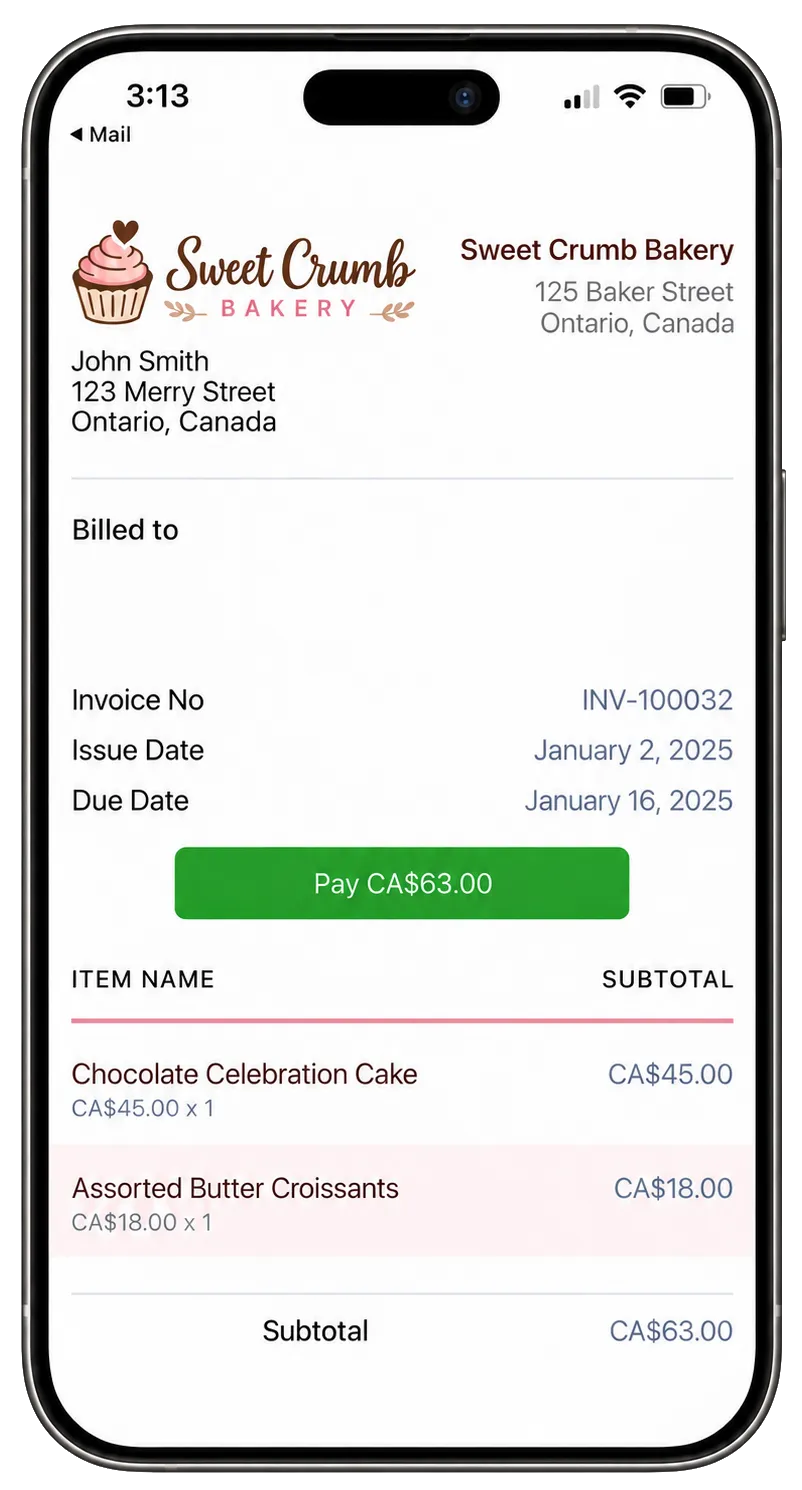
Create and send branded estimates and invoices from the web or mobile app. Then track payment.
Send an estimate for seasonal cleanup, planting, sod, irrigation work, tree care, or a hardscape project
Add supported deposits, payment schedules, due dates, taxes, discounts, attachments, and receipts where needed
Send email or SMS notices and automate reminders for unpaid or overdue balances
Connect accounting tools such as QuickBooks or Xero when that fits your setup
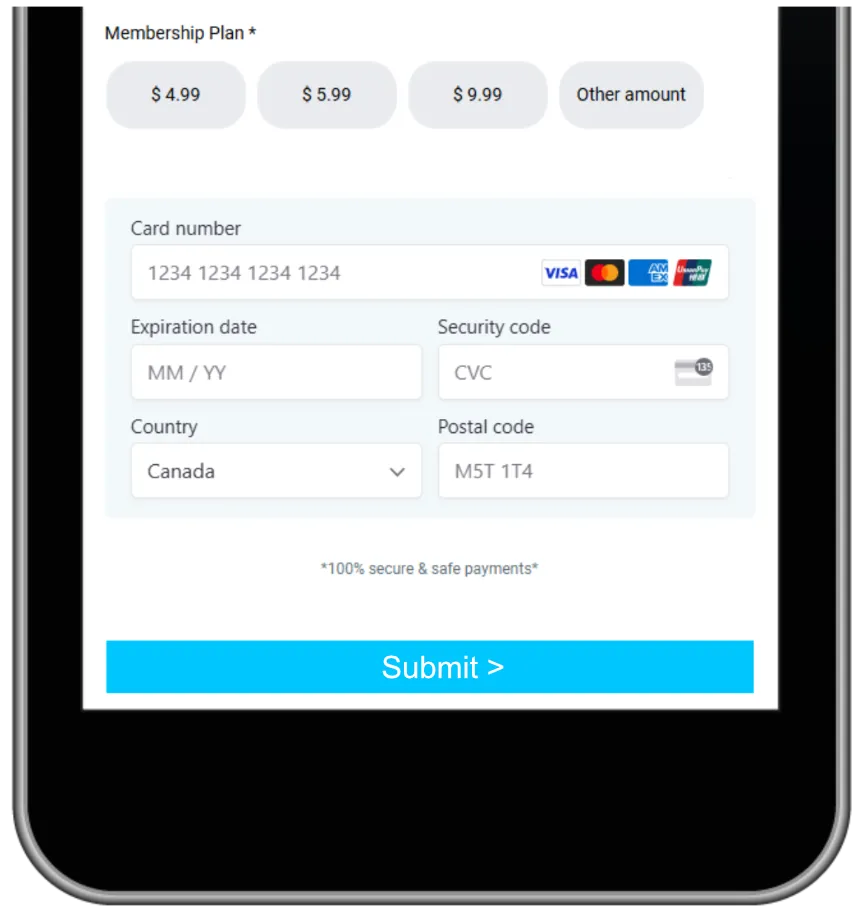
Payments
Collect one-time or repeat payments through supported online and in-person methods.
Send a branded payment link or text-to-pay link after work is complete
Collect a supported recurring payment for an ongoing maintenance plan
Accept Apple Pay, Google Pay, ACH or SEPA, PayPal, or Tap to Pay where supported
Manage transactions, refunds, taxes, coupons, subscriptions, and stored products from one system
Reputation Management
Ask for reviews, watch supported profiles, and keep client feedback in view.
Send a review request after a successful installation, cleanup, repair, or maintenance milestone
Monitor ratings, review volume, recent feedback, sentiment, and recurring themes
Use AI to suggest or automatically publish responses to supported Google and Facebook reviews, based on your chosen setup
Display selected reviews through a customizable website widget

More Tools for a Better-Run Landscaping Business
Use the landscaping business software tools that fit today. Add more as your process grows.
Integrations
Connect supported accounting, payment, calendar, automation, and specialized business tools while keeping customer activity tied to the CRM.
Surveys
Collect customer feedback, qualify project needs, or gather details before a landscape consultation.
Mobile POS
Collect deposits, invoice balances, and other supported payments from a phone or tablet while meeting customers on-site.
Websites
Build a professional site with quote forms, calendars, chat, reviews, service pages, and other lead-capture tools.
Documents & Contracts
Send landscaping proposals, service agreements, quotes, and contracts for electronic signature, then automate reminders and next steps.
Social Planner
Schedule seasonal promotions, before-and-after photos, maintenance tips, and project updates across supported social channels.
Landscaping Business Software Questions, Answered
Can WinChilla replace specialized route planning or crew dispatch software?
WinChilla supports client records, chats, estimate visits, sales pipelines, follow-up, invoices, payments, and office workflows. It is not a dedicated route-planning, GPS fleet, job-costing, takeoff, or landscape-design platform. You may still need a special tool or supported link for those field tasks.
Can customers book landscaping work online?
You can offer online booking for estimates, site checks, and other visits that fit a calendar. WinChilla can manage staff hours, conflicts, confirmations, and reminders in supported setups. Project scope, final price, crew routes, and install dates may still need review before you confirm the job.
Is WinChilla useful for recurring lawn care as well as larger landscape projects?
Yes. A lawn care CRM software setup can group repeat clients, keep chats and payment history together, and send supported reminders. For larger design or hardscape work, custom deal stages can track the sale from first inquiry to a choice. Your team can shape both flows around the work it sells.
How can WinChilla help when nobody is free to answer the phone?
You can set up work-hours routing, team ringing, call forwarding, voicemail, and follow-up. A supported Voice AI receptionist can answer calls, handle approved common questions, collect details, qualify the request, book a suitable visit, or transfer the caller. Staff can then review the saved call history and client details.
Does the CRM for landscaping companies keep multiple job sites organized?
WinChilla can store contact details, notes, files, tags, custom fields, and history. This lets a firm set up useful records for clients and work sites. The exact setup depends on how you track properties, contacts, and deals. Complex asset, site, or work-order needs may call for a custom setup or another supported system.
Will AI send replies or publish review responses without our control?
WinChilla supports suggested, assisted, and automated modes in relevant AI tools. This lets the setup match your process. Chat handoff, workflow review, knowledge sources, routing rules, and review settings still matter. Your team should check business details, service claims, timing, and price rules before it turns on automated client actions.
What others are saying:
"Love everything so far"
"I've never set up a website before but I love managing my new site and leads. The WinChilla team has been really helpful whenever I got stuck."
- Laura P

"Simplifies my sales"
"I've been able to help my son promote his candy business which has been great because I am not good with computers at all."
- Robert T
"Highly recommend"
"It's exciting to see my visions come to life and WinChilla helps me manage everything in one place so I can be anywhere in the world and my business just runs."
- Jaret H
WinChilla works with platforms you already use such as


















Real Support for Your Next Step
30-Day Money-Back Guarantee
New customers can get started with a 30-day money-back guarantee on eligible subscription fees. Review the refund terms for coverage, exclusions, and how to request a refund.
Onboarding and 24/7 Support
Start with a technical setup call and a training call, then get help through 24/7 chat support. Use our tutorials and knowledge base as you build and refine the tools your business needs.
Helping Businesses Since 2010
Our founders bring more than 30 years of combined experience in business software and customer incentive programs, helping small businesses build stronger customer relationships.

Spend Less Time Chasing the Next Step

© 2024-2026 Loyalty Gator Inc. All rights reserved.
WinChilla CRM | A Loyalty Gator Company | Trusted Since 2010
The information provided by Loyalty Gator Inc. (DBA: WinChilla) ('we', 'us', or 'our') on WinChilla’s website (the 'Site') and our mobile application is for general informational purposes only. All information on the Site and our mobile application is provided in good faith, however we make no representation or warranty of any kind, express or implied, regarding the accuracy, adequacy, validity, reliability, availability, or completeness of any information on the Site or our mobile application. UNDER NO CIRCUMSTANCE SHALL WE HAVE ANY LIABILITY TO YOU FOR ANY LOSS OR DAMAGE OF ANY KIND INCURRED AS A RESULT OF THE USE OF THE SITE OR OUR MOBILE APPLICATION OR RELIANCE ON ANY INFORMATION PROVIDED ON THE SITE AND OUR MOBILE APPLICATION. YOUR USE OF THE SITE AND OUR MOBILE APPLICATION AND YOUR RELIANCE ON ANY INFORMATION ON THE SITE AND OUR MOBILE APPLICATION IS SOLELY AT YOUR OWN RISK.