
Painting Contractor Software That Helps You Win More Jobs
WinChilla helps painting companies answer new leads, book estimates, track open quotes, stay in touch, and grow with less office work.




Run Painting Sales and Follow-Up in One Place
WinChilla puts calls, messages, estimate bookings, contact records, open deals, follow-up, invoices, reviews, and marketing in one place. It is painting contractor software built to help small teams stay on track.
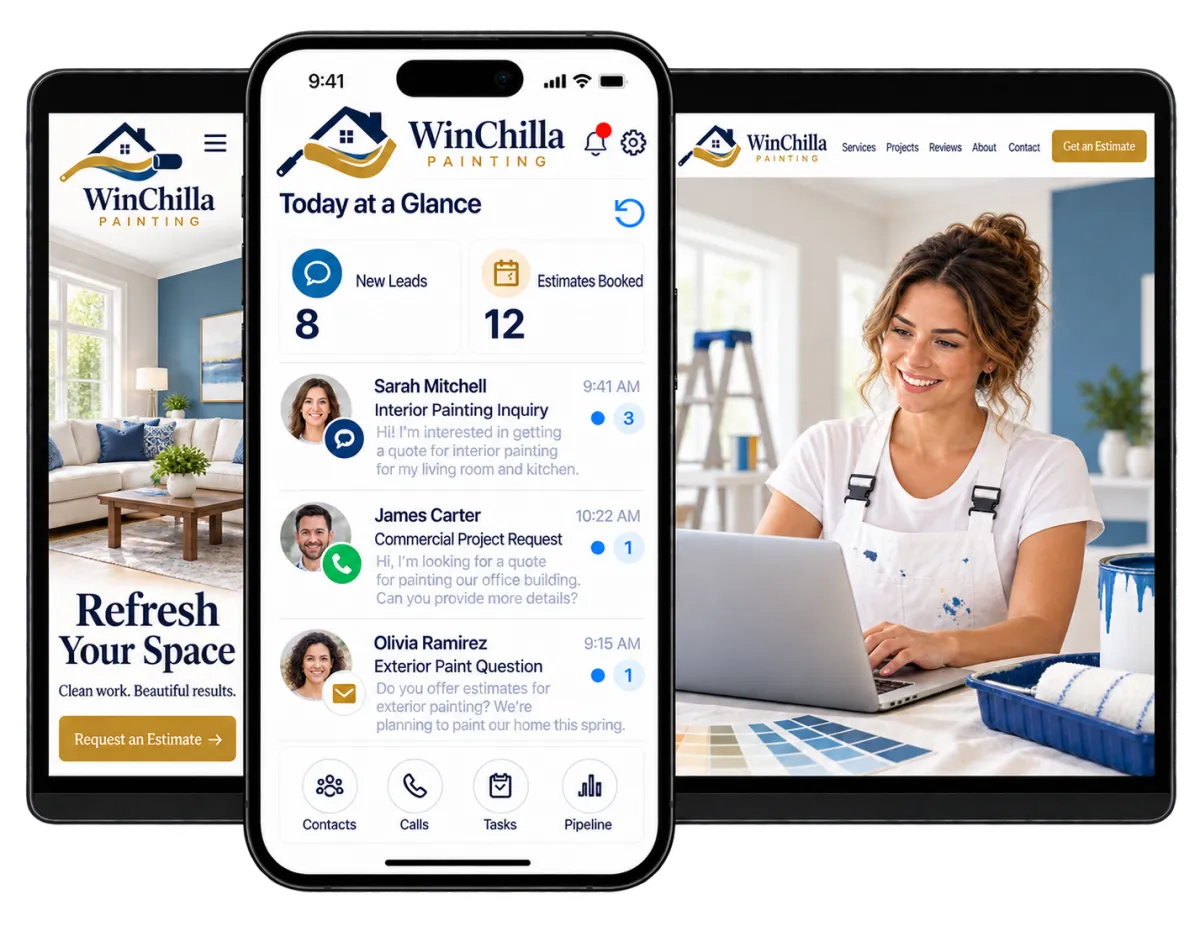
You Paint, Estimate, Sell, Schedule, and Keep Customers Informed
Painting company owners move between job sites, estimate visits, crew questions, supply runs, and customer updates. WinChilla keeps sales and office work on track. You can spend more time on the job and with your customers.
of home-service professionals said they respond to leads the same day, but only 20% respond within one hour.
Source: Jobber, 2026 Home Service Trends Report
of surveyed homeowners said online booking affects which home-service professional they choose, while 96% expect a user-friendly, professional website.
Source: Housecall Pro
of U.S. consumers in BrightLocal’s 2026 survey said they seek reviews written within the previous three months.
Source: BrightLocal, Local Consumer Review Survey 2026
Does this sound familiar?
A new lead calls while you are on a ladder, with a customer, or driving between jobs. No one answers. The estimate request sits too long, or the quote gets no follow-up. Good leads are lost because no one has time to track each step by hand.
Don't worry, we can help!
Business Phone System
Keep calls, voicemail, notes, recordings, and next steps tied to the right customer record.
Automated Lead and Estimate Follow-Up
Use workflows to send messages, assign tasks, update deal stages, and keep open estimates from being lost.
AI Receptionists
Let an AI voice agent answer calls, handle common questions, collect job details, book estimates, or transfer key leads.

Respond Before the Next Painter Does
A fast reply can turn a new lead into an estimate visit. WinChilla helps you answer, collect key details, and keep the lead moving. It can help even when your team is busy on site.
Phone System & Calling
Manage calls and next steps while keeping each one tied to the customer record.
Use a supported local or toll-free number for home and commercial painting calls
Route calls by business hours, user, team, or department
Review call logs, recordings, notes, transcripts, and past activity before you call back
Trigger a task, message, pipeline update, or workflow from a recorded call outcome

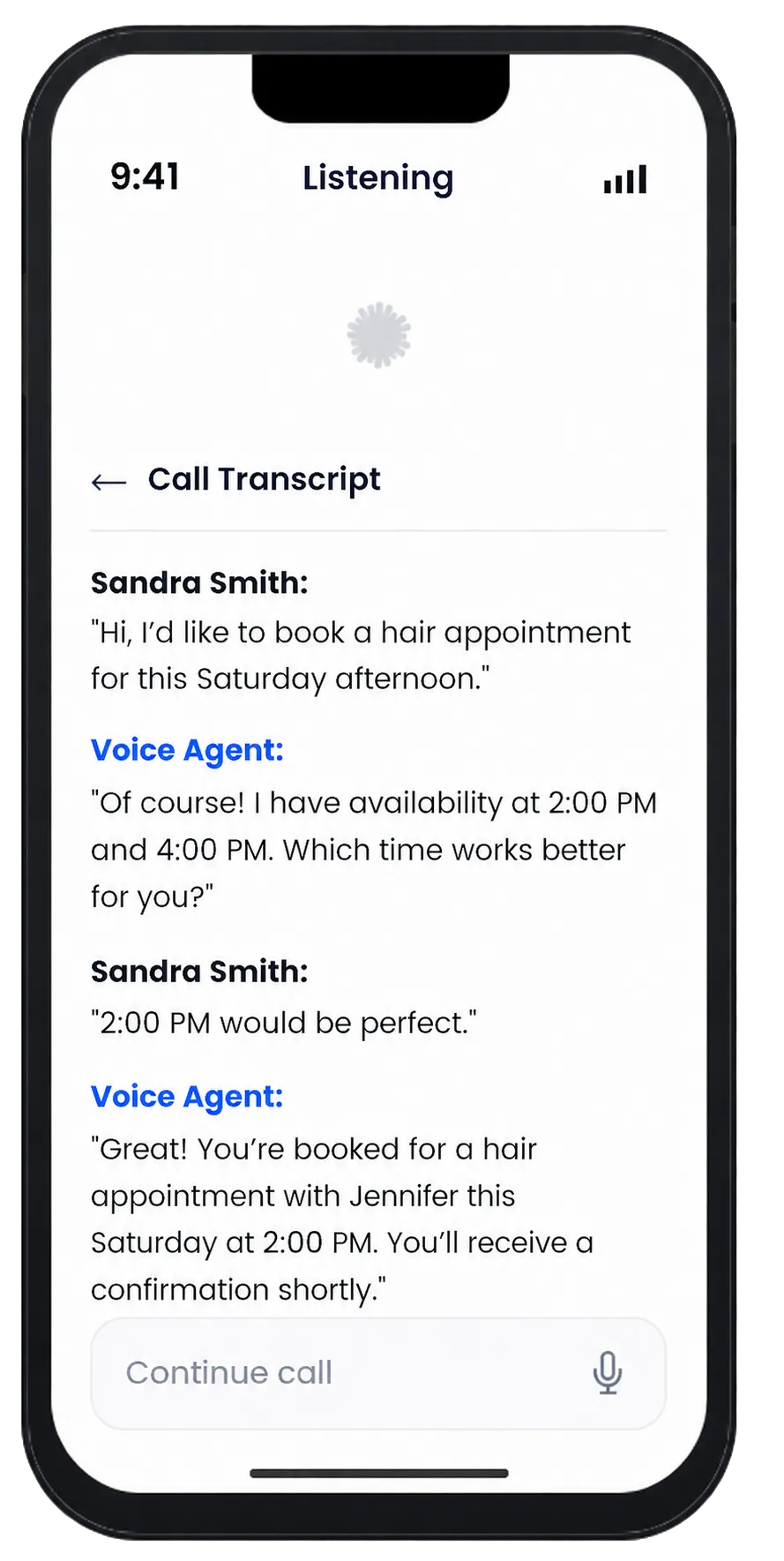
Voice AI Receptionists
Give callers a helpful first reply when your team cannot answer live.
Answer common questions about service areas, job types, and open estimate times
Collect the caller’s name, details, job type, address, and reason for the call
Qualify inquiries and book estimate appointments on connected calendars
Transfer urgent or qualified callers to the right staff member when needed
Review call transcripts, summaries, and results after the call
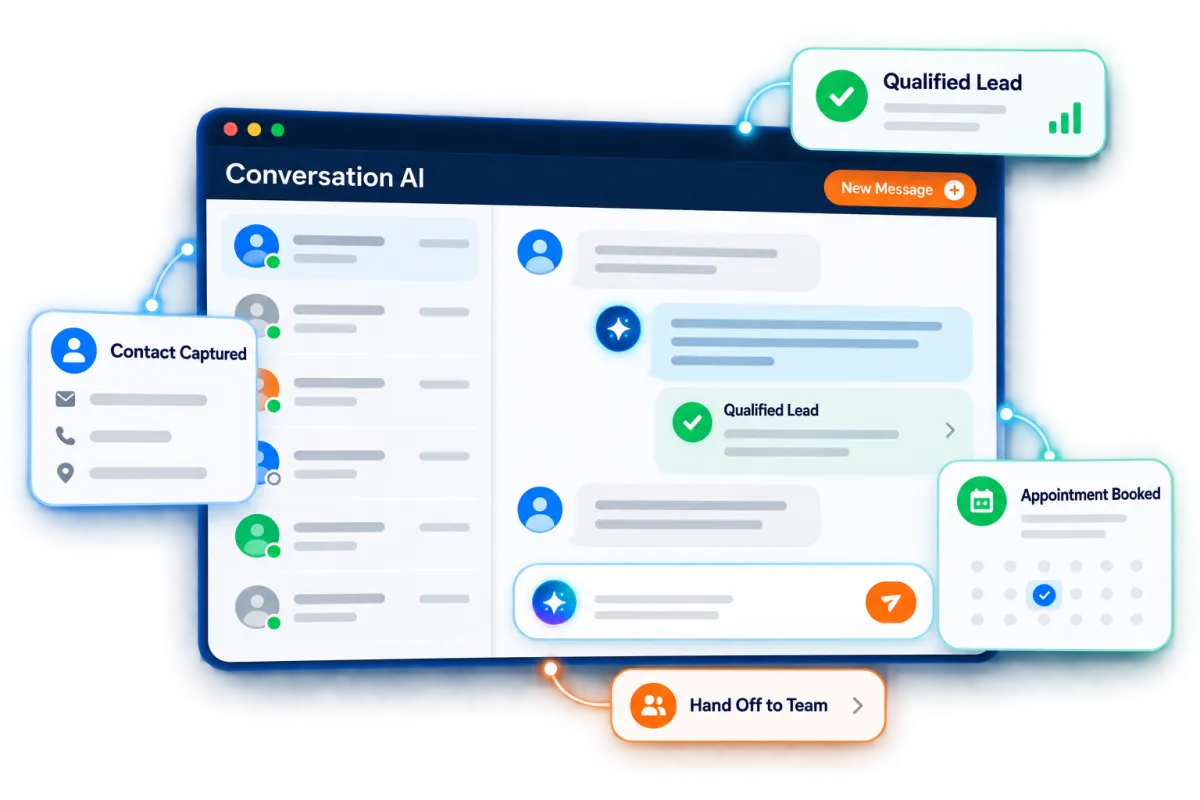
Web Chat and Conversation AI
Turn website visits into chats through live help and supported AI replies.
Capture leads who visit the website after normal business hours
Answer common questions with approved facts about your business
Ask if the lead needs interior, exterior, home, or commercial painting
Collect contact details and help qualified visitors request an estimate appointment
Pause or transfer the conversation when a staff member takes over
See how WinChilla helps your painting business save time, reduce admin, and book more appointments!

Painting Contractor Software That Keeps Estimates Moving
Sending an estimate is only one step. Painting contractor software should show what is open and what needs action. It should also help you follow up without relying on memory.

Opportunities & Pipelines
Track each lead and estimate from the first call to won or lost work.
Use stages such as New Lead, Estimate Booked, Estimate Sent, Follow-Up, Won, and Lost
Store the expected project value, assigned estimator, notes, and current status
Separate home repaint jobs from commercial painting leads when useful
Filter the pipeline by owner, stage, value, or status to find stalled opportunities
Workflows & Automation
Automate repeat sales steps while your team stays in control.
Send a quick reply after a form, chat, call, or supported message
Remind prospects about scheduled estimate visits
Follow up after an estimate is sent when the opportunity remains open
Create tasks or move deal stages when a customer replies, books, or pays
Tell the AI workflow builder your goal in plain words to create an automation for you

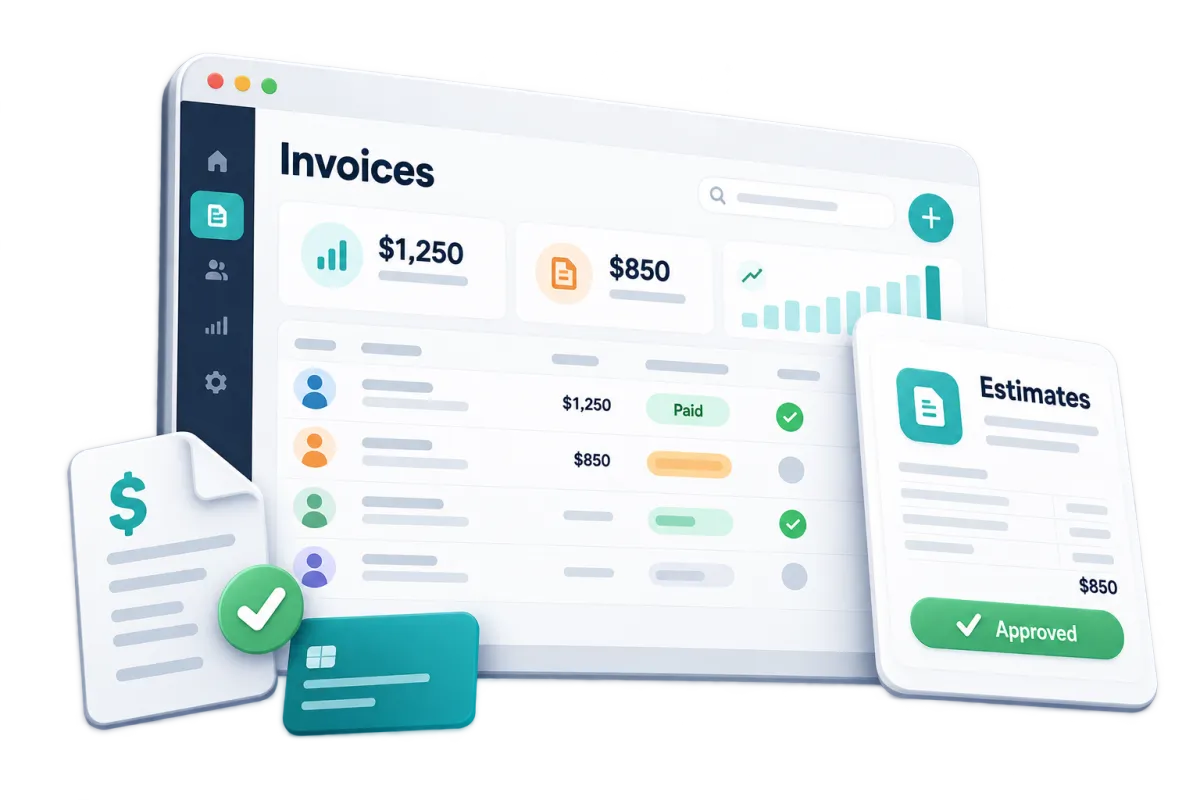
Invoices & Estimates
Create and send branded estimates and invoices from the web or supported mobile app.
Send a clear estimate after an on-site painting consultation
Add supported taxes, discounts, payment plans, files, and due dates
Ask for a deposit or take payment through available online or in-person methods
Send email or SMS notices and automate reminders for unpaid or overdue balances
Keep payment activity connected to the customer record
Calendars & Appointments
Let leads book estimate visits within the times you set.
Create calendars for home estimates, commercial walk-throughs, or colour consultations
Set each estimator’s hours and avoid clashes with linked calendars
Send confirmations and reminders through supported channels
Connect appointment activity with contacts, notes, workflows, and reporting


Keep Every Customer Detail Within Reach
Scattered notes make it hard to give good service. WinChilla links lead details, chats, calls, bookings, estimates, and next steps. Your team can pick up where the last person left off.
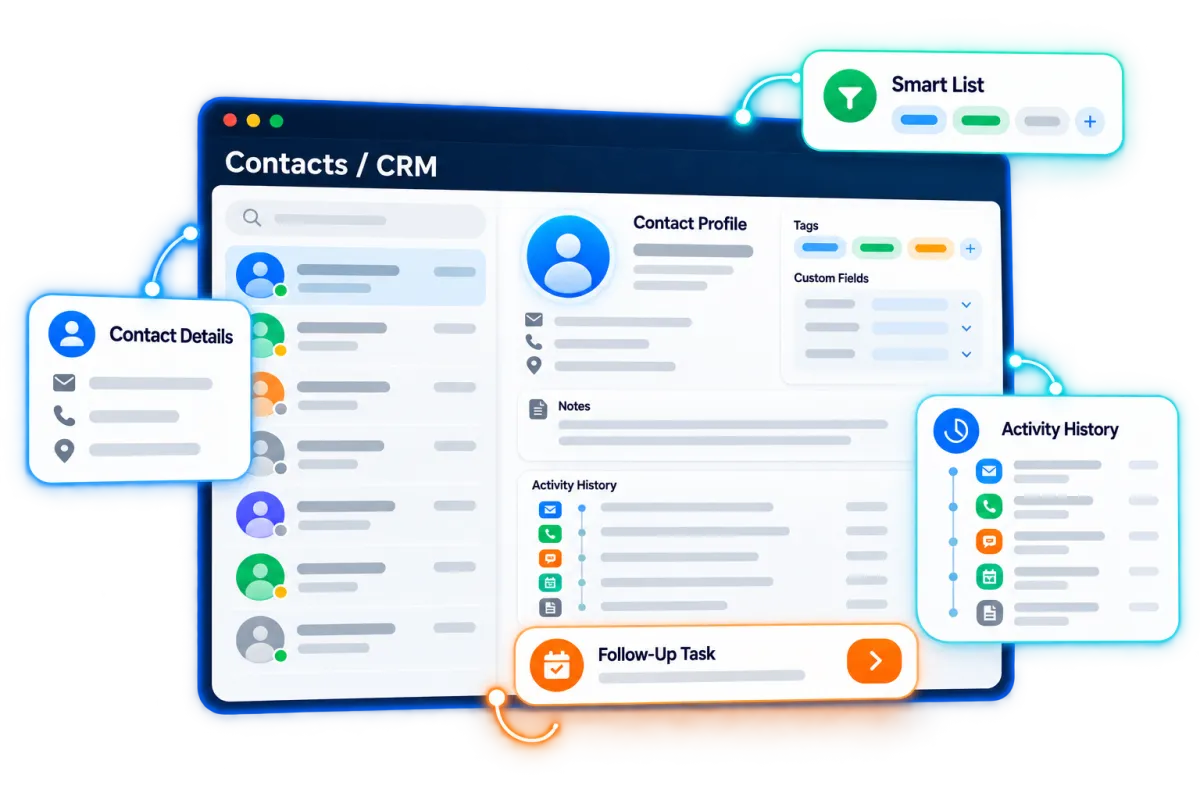
Contacts / CRM
Keep one clear record for each homeowner, property manager, builder, or business contact.
Store contact details, notes, files, tags, custom fields, and activity history
Tag contacts by residential, commercial, interior, exterior, repaint, or other useful segments
Create smart lists for unclosed estimates, past customers, property managers, or seasonal follow-up
Use AI help to sum up contact details or find CRM facts before a call

Conversations
Bring supported email, text, phone, chat, and social messages into one inbox.
Read the full message history before you reply
Help office staff, estimators, and managers give the same answer
Use AI to draft a reply, then check it before you send it
Filter and assign conversations so the right team member can act
Discover how WinChilla simplifies your day, saves time, and helps your painting business grow.
Forms
Get the details your team needs before an estimate visit.
Ask for the job address, paint service, best time, and contact details
Show different fields for home and commercial jobs when needed
Send completed forms into the correct contact record and follow-up workflow
Embed the form on a website or share it as a standalone link


Turn Finished Projects Into Reviews and Future Work
The final walk-through should not end the relationship. WinChilla helps you ask for feedback and stay in touch. You can also share timely offers with past customers and local leads.
Reputation Management
Make review requests and replies part of each job closeout.
Send review requests through supported channels after a completed project
Track ratings, review volume, new feedback, sentiment, and trends
Use AI to suggest or auto-post replies to supported Google and Facebook reviews
Sum up common themes to see what customers value and what needs work
Display selected reviews through customizable website widgets


Email Marketing
Send useful campaigns to past customers, open leads, and key groups.
Remind past customers about exterior paint, rental turns, or open dates
Send one offer to homeowners and another to property managers, builders, or business contacts
Use AI help to improve subject lines, copy, calls to action, and images
Track sends, opens, clicks, failures, and unsubscribes
Social Planner
Plan and post painter marketing content to supported social channels from one place.
Schedule before-and-after project posts, color tips, team updates, and seasonal offers
Tailor posts for Facebook, Instagram, Google Business Profile, and other supported channels
Use AI help to draft or improve captions, ideas, hashtags, and images
Share posts through approval links when an owner or manager needs to review them first


AI Content, Assistance & Knowledge Bases
Use AI to draft content and support fact-based customer chats.
Draft email, social, website, funnel, and ad content
Create or edit images for supported marketing assets
Set a brand voice to keep painter marketing more consistent
Give chat or voice agents approved facts from web pages, FAQs, public Google Docs, or other available sources
More Tools for a Better-Run Painting Business
This painting contractor software supports sales, customer service, reports, and digital marketing for painters. Teams across the painting industry can use the software for painting operations, whether they are small or mid sized.
Payments
Create branded payment or text-to-pay links. Take one-time or repeat payments through supported methods and regions.
Websites
Build a painting company website with forms, calendars, chat, reviews, tracking, and follow-up.
Mobile App
Check contacts, messages, open deals, calendars, tasks, estimates, invoices, and payments while you are away from the office.
Ad Manager
Create and track supported Google, Facebook, Instagram, and LinkedIn campaigns for residential or commercial painting leads.
Documents & Contracts
Send painting proposals, service agreements, and contracts for electronic signature, then trigger reminders or follow-up based on document activity.
Integrations
Connect supported accounting, payment, calendar, marketing, and specialized painting tools while keeping customer activity tied to the CRM.
affordable pricing plans built for small businesses
How much does this cost?
We're glad you asked! WinChilla is pleased to offer affordable pricing plans to suit your growing business.
Painting Contractor Software FAQs
Can WinChilla automatically follow up after I send a painting estimate?
Yes. Workflows can send email or SMS follow-up based on supported triggers, timing, and deal activity. They can also create team tasks or update deal stages. Your team should set the right timing and tone, then check the workflow before it goes live.
Does WinChilla calculate paint quantities, track job costs, or replace painting estimation software?
WinChilla can create and send branded estimates and invoices. It can request deposits, take supported payments, and send reminders. It does not calculate paint quantities or production rates. It is not a dedicated job-cost, crew-dispatch, field service, or project management platform built specifically for painting. If you need those tools, connect painting estimation software or other painting business software through a supported integration or workflow.
Can WinChilla answer painting leads when no one is in the office?
Yes. A supported Voice AI receptionist can answer calls, handle common questions, collect job details, book an estimate, or transfer the call. Web Chat and Conversation AI can give similar help through approved message channels. Staff can take over when needed.
Will this work for both residential and commercial painting companies?
Yes. Home painters can track leads, estimate visits, repaint reminders, and reviews. Commercial painters can track key contacts, long sales cycles, walk-throughs, open quotes, and commercial painting leads. You can adapt deal stages, fields, tags, calendars, and workflows to each sales process.
Is WinChilla the best CRM for painting contractors that use a small office team?
The best CRM for painting contractors depends on the work you need it to do. WinChilla is a strong fit for leads, calls, messages, estimate bookings, sales stages, follow-up, invoices, payments, reviews, and marketing. Compare that list with any special takeoff, job-cost, dispatch, or crew tools you need.
Can I use WinChilla for marketing for painting contractors without replacing my website?
Yes. In supported setups, you can add WinChilla forms, calendars, chat, CRM, campaigns, and follow-up to your current site. You can also build a new site in WinChilla. This supports painter marketing whether you need a new site or better lead follow-up behind the one you have.
What others are saying:
"Love everything so far"
"I've never set up a website before but I love managing my new site and leads. The WinChilla team has been really helpful whenever I got stuck."
- Laura P

"Simplifies my sales"
"I've been able to help my son promote his candy business which has been great because I am not good with computers at all."
- Robert T
"Highly recommend"
"It's exciting to see my visions come to life and WinChilla helps me manage everything in one place so I can be anywhere in the world and my business just runs."
- Jaret H
WinChilla works with platforms you already use such as


















What you can expect from us
Money Back Guarantee
We're confident you'll love saving money by switching from existing software providers with your business tools to one place.
Plus, we believe you'll save a ton of time with marketing automation.
Within 30 days, if we're not the right fit, we'll give you your money back.
View Terms of Service
24/7 Support
We're here to help. You'll get a one-on-one onboarding call with our team.
Then, you'll get another tech call with us to make sure your account is configured exactly as you want it.
Plus, you can expect 24/7 chat support from our team with any questions you have along the way.
30+ Years of Experience
We've been helping small businesses since 2010!
The WinChilla brand is new, but our experience is not. The founders of WinChilla have over 30 years of experience combined in digital software and customer incentive programs - helping businesses like yours - worldwide since 2010. Now, we're excited to bring our expertise to launch these new super tools to help all of our clients grow.

Stop Letting Good Painting Leads Fade Away

© 2024-2026 Loyalty Gator Inc. All rights reserved.
WinChilla CRM | A Loyalty Gator Company | Trusted Since 2010
The information provided by Loyalty Gator Inc. (DBA: WinChilla) ('we', 'us', or 'our') on https://www.winchilla.com (the 'Site') and our mobile application is for general informational purposes only. All information on the Site and our mobile application is provided in good faith, however we make no representation or warranty of any kind, express or implied, regarding the accuracy, adequacy, validity, reliability, availability, or completeness of any information on the Site or our mobile application. UNDER NO CIRCUMSTANCE SHALL WE HAVE ANY LIABILITY TO YOU FOR ANY LOSS OR DAMAGE OF ANY KIND INCURRED AS A RESULT OF THE USE OF THE SITE OR OUR MOBILE APPLICATION OR RELIANCE ON ANY INFORMATION PROVIDED ON THE SITE AND OUR MOBILE APPLICATION. YOUR USE OF THE SITE AND OUR MOBILE APPLICATION AND YOUR RELIANCE ON ANY INFORMATION ON THE SITE AND OUR MOBILE APPLICATION IS SOLELY AT YOUR OWN RISK.