
Pest Control CRM That Turns More Inquiries Into Booked Jobs
WinChilla helps pest control teams respond faster and book inspections. Follow up with leads, send estimates and invoices, request reviews, and keep customer details in one place.





One Place for Leads, Customers, Bookings and Follow-Up
WinChilla brings the pest control CRM tools your office needs into one clear system. Manage calls, chat, bookings and sales follow-up. Send estimates and invoices, take payments, request reviews and run marketing without piecing together separate apps.
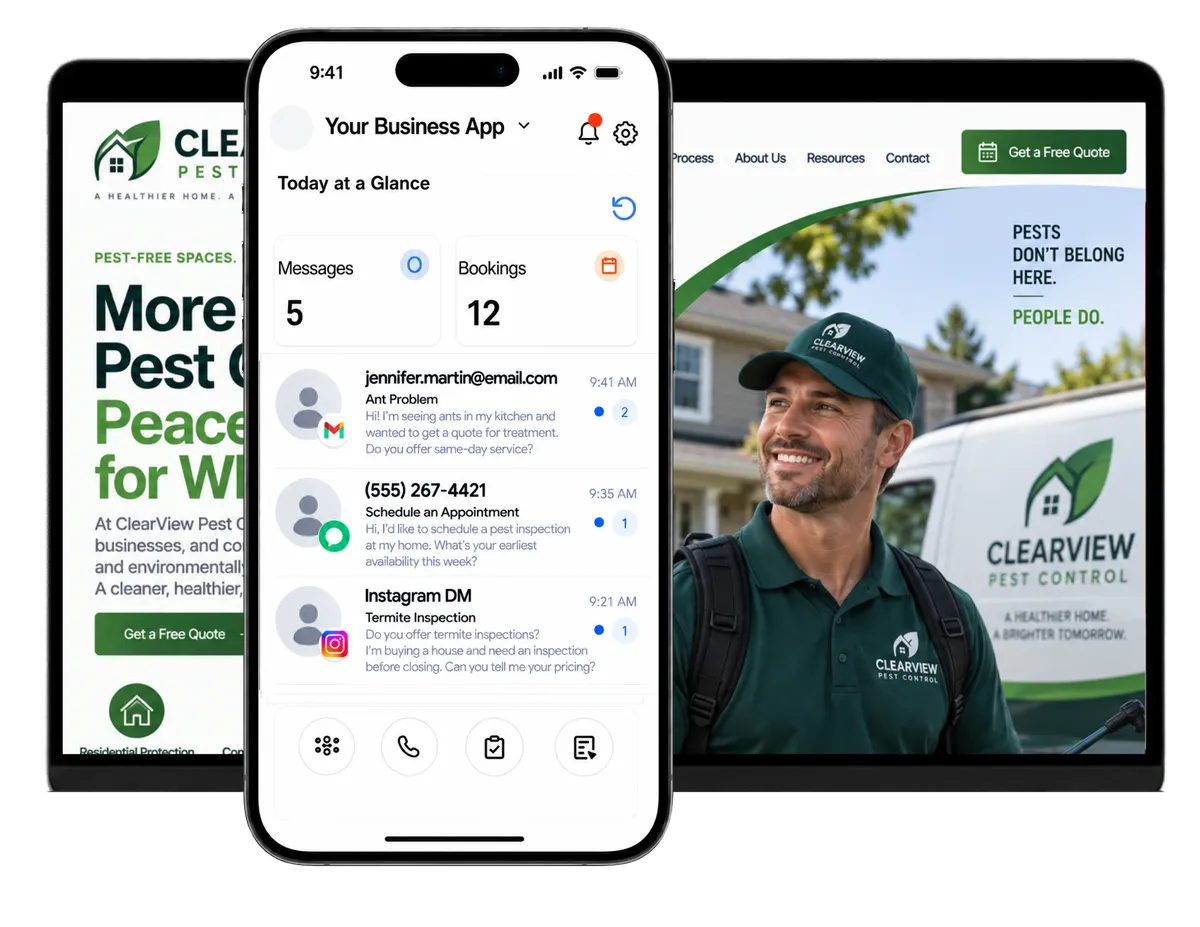
Run the Office While Your Team Handles the Pests
Pest control operators and managers handle urgent calls, quote requests and repeat customers. They also track estimates, team follow-up and local marketing. WinChilla helps pest control businesses stay quick and organized as demand grows.
of U.S. homeowners said online booking factors into their choice of a home service professional.
Source: Housecall Pro
of homeowners call for preventive rodent control. Most wait until they hear scratching or find droppings.
Source: Professional Pest Management Alliance and University of Florida
of Americans did not know how to inspect for bed bugs.
Source: Professional Pest Management Alliance / The Harris Poll
Does this sound familiar?
A homeowner calls about rodents after hours. A termite quote waits too long for follow-up. A commercial prospect sends a website message while the office is busy. Each lead may be valuable, but scattered calls, inboxes and notes make fast service hard.
Don't worry, we can help!
Voice AI Receptionists
Answer supported inbound calls and collect the caller’s details. Help qualified callers book or transfer them to the right person.
Chat and Conversation AI
Let website visitors type or use a supported Voice AI widget. They can ask common questions, share details and move toward booking after hours.
Unified Conversations
Keep calls, email, supported messages and chat history in one inbox. Office staff can reply with the right context.

Use Pest Control CRM to Respond Before Leads Move On
Pest problems can feel urgent. WinChilla helps your team capture leads and reply through the right channel. Each next step stays clear.
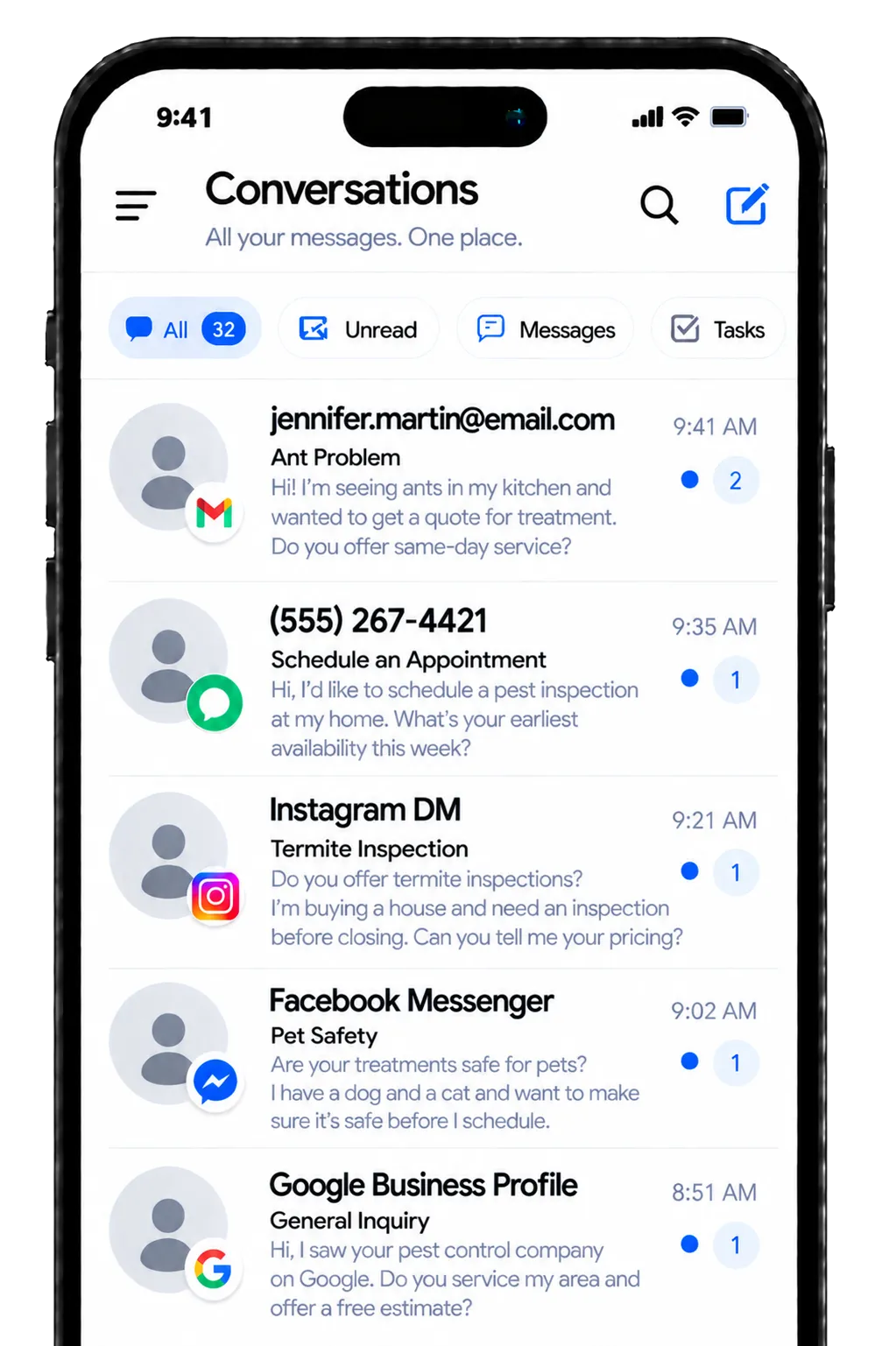
Conversations
Manage customer communication and call activity in one inbox. Keep the full contact history close by.
See a homeowner’s prior chat before returning a phone call
Keep email, SMS, WhatsApp, calls and supported social messages connected
Use AI-assisted reply suggestions to prepare a clear response faster
Filter conversations and assign follow-up to the right team member
Step into an AI-handled conversation whenever a person should take over
Web Chat and Conversation AI
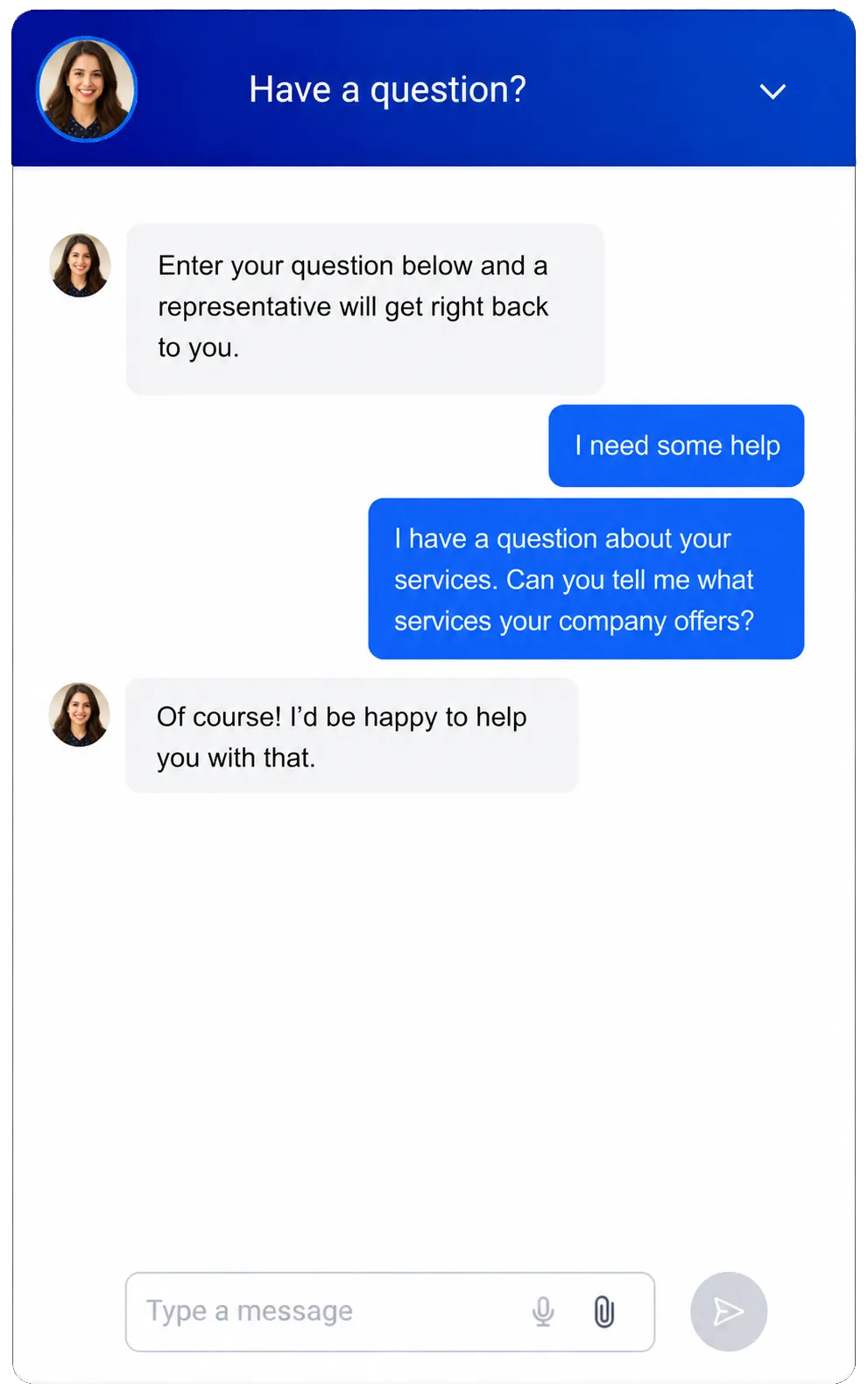
Turn website visits into useful chats. Use live, assisted or automated replies in supported setups.
Answer common questions about service areas, hours and appointment options
Capture the visitor’s name and contact details. Add the location and general pest concern
Let visitors choose chat or a supported Voice AI widget when they prefer speaking
Help qualified visitors book an inspection. Hand the chat to staff when needed
Ground responses in approved website content, FAQs and business information
Phone System and Voice AI Receptionist
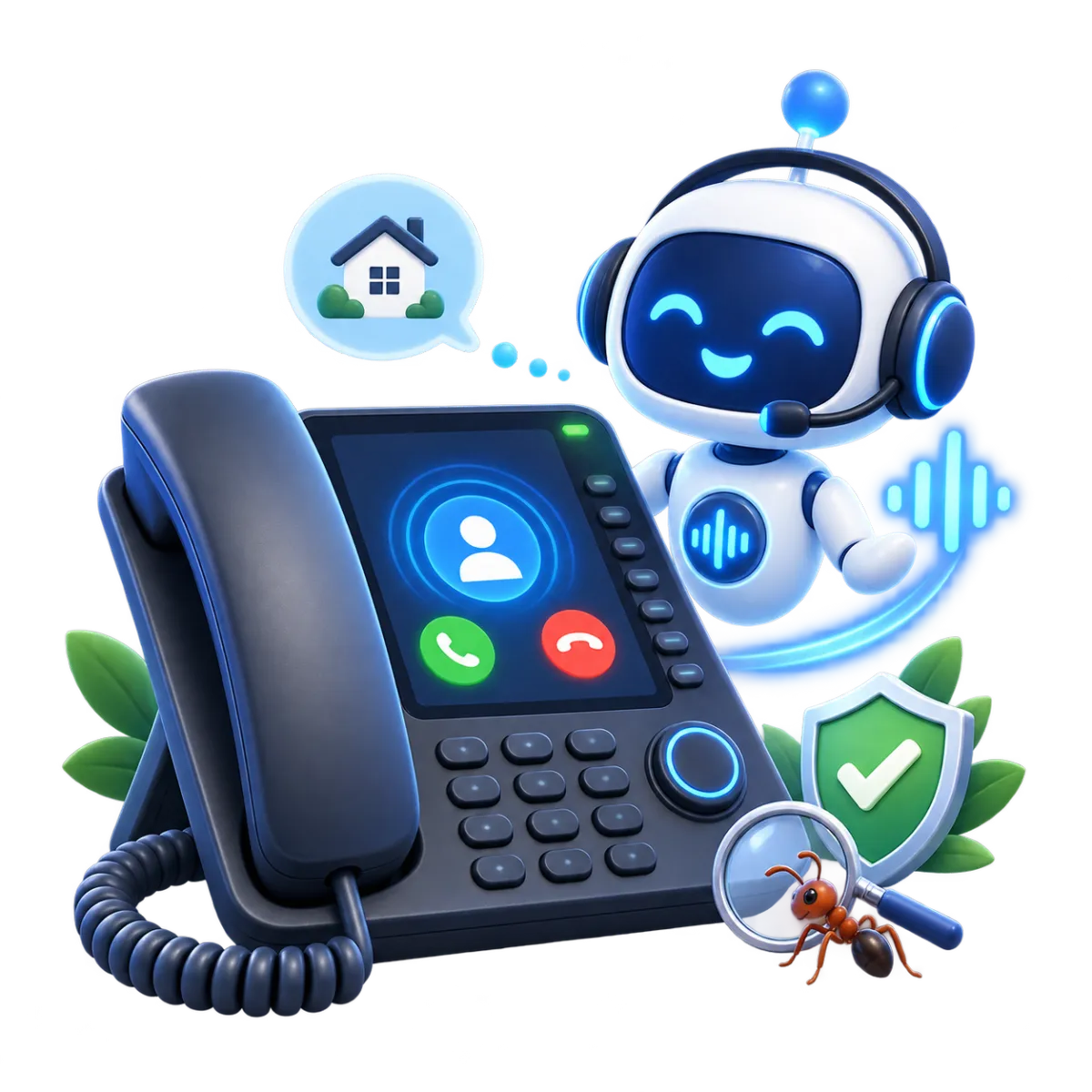
Connect supported business numbers and call flows with an AI receptionist. It can handle common inbound needs.
Answer calls when office staff are helping other customers or the business is closed
Ask what type of service the caller needs. This may include home, business, termite, wildlife or mosquito work
Collect contact details and the service address. Note the reason for the call
Help qualified callers book an inspection or transfer urgent calls to staff
Review call logs, recordings, transcripts, summaries and outcomes later

Move Every Inspection Request Toward a Clear Next Step
Good lead management goes beyond the first reply. Give each lead a stage, booking and follow-up plan. Estimates are less likely to sit forgotten.

Calendars and Appointments
Create booking calendars for inspections and sales calls. Set up repeat visits and linked reminders.
Offer booking times for inspections, estimates or follow-up visits
Set staff hours and use round-robin or team booking where it fits
Manage recurring appointments for ongoing pest control plans
Send confirmations and reminders through supported channels
Let AI assistants help qualified leads book during a chat or call
Opportunities and Pipelines
Track each lead or estimate through custom sales stages. Add a value, status and owner.
Separate new inquiries, inspections booked, estimates sent, won work and lost leads
Track home, business, termite or wildlife leads in the right process
Give each opportunity an owner and keep notes beside the deal
Filter open estimates that still need a decision
Use workflows to move stages or start follow-up after key events


Workflows & Automation
Automate routine follow-up and booking actions. Update pipelines and team tasks.
Follow up after a quote request or inspection form is submitted
Remind staff when an estimate has not received a response
Send appointment confirmations and post-service messages through supported channels
Start a review request or recurring-service follow-up at the right time
Describe a goal to the AI workflow builder. Review its first draft, then refine the steps and timing before it goes live

Keep Residential Customers and Commercial Accounts Organized
Give office staff a clear view of each contact, service address, company and payment chat. Customer context stays close as the team grows.
Contacts and CRM
Store contact details, notes, files, tags and custom fields in one record. Keep the activity history with it.
Sort leads and customers by service type, area, status or renewal need
Keep notes, files and service history details connected with the right homeowner or buyer
Review past calls, messages, appointments and follow-up activity
Import contacts by CSV and update records in bulk when needed

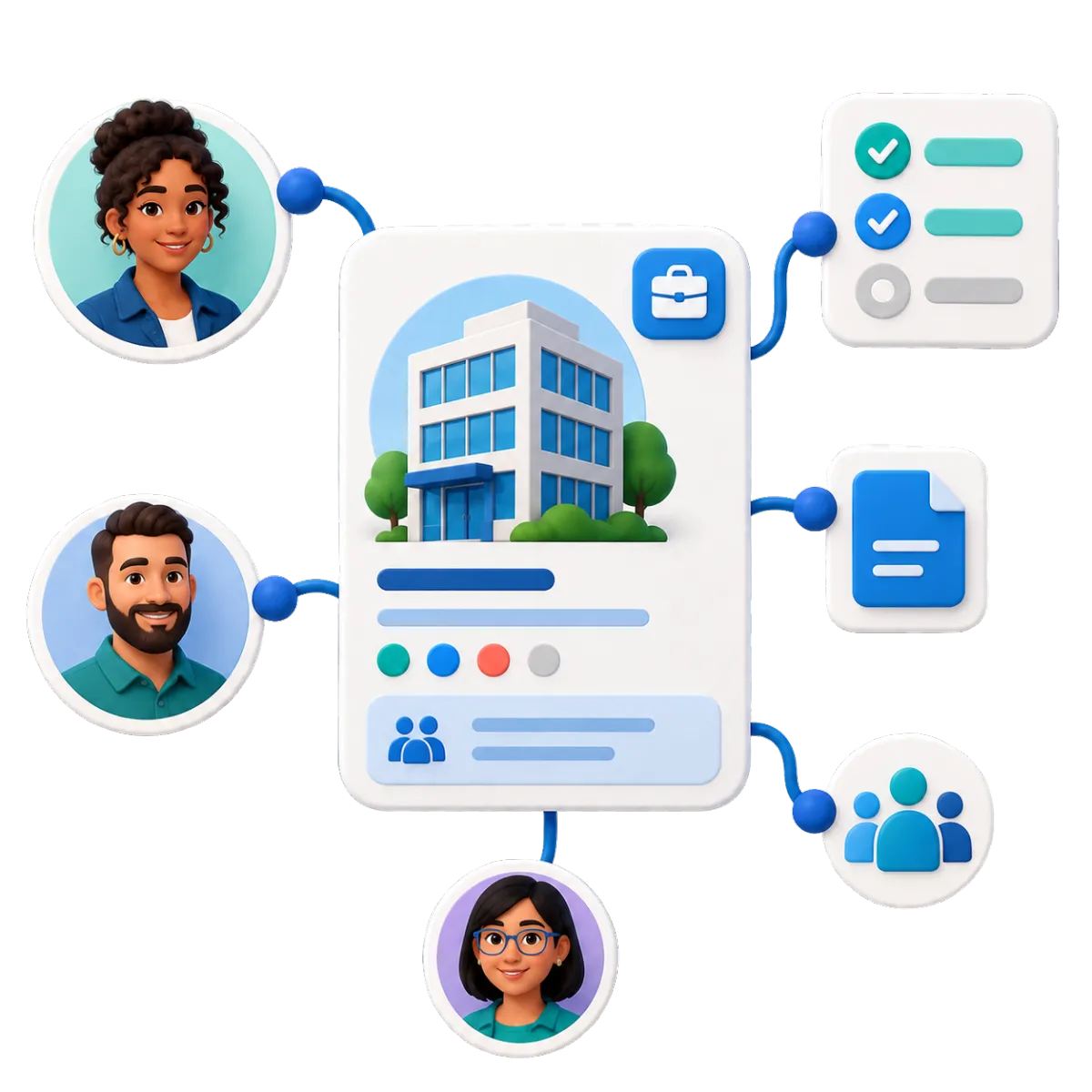
Companies and B2B CRM
Organize business clients with company records. Link their contacts, deals, tasks and notes.
Keep property managers, restaurants, warehouses and office clients separate from residential contacts
Link several site contacts or decision-makers to one company
Track opportunities and tasks against the correct commercial account
Add standard or custom fields for useful account details
Invoices and Estimates
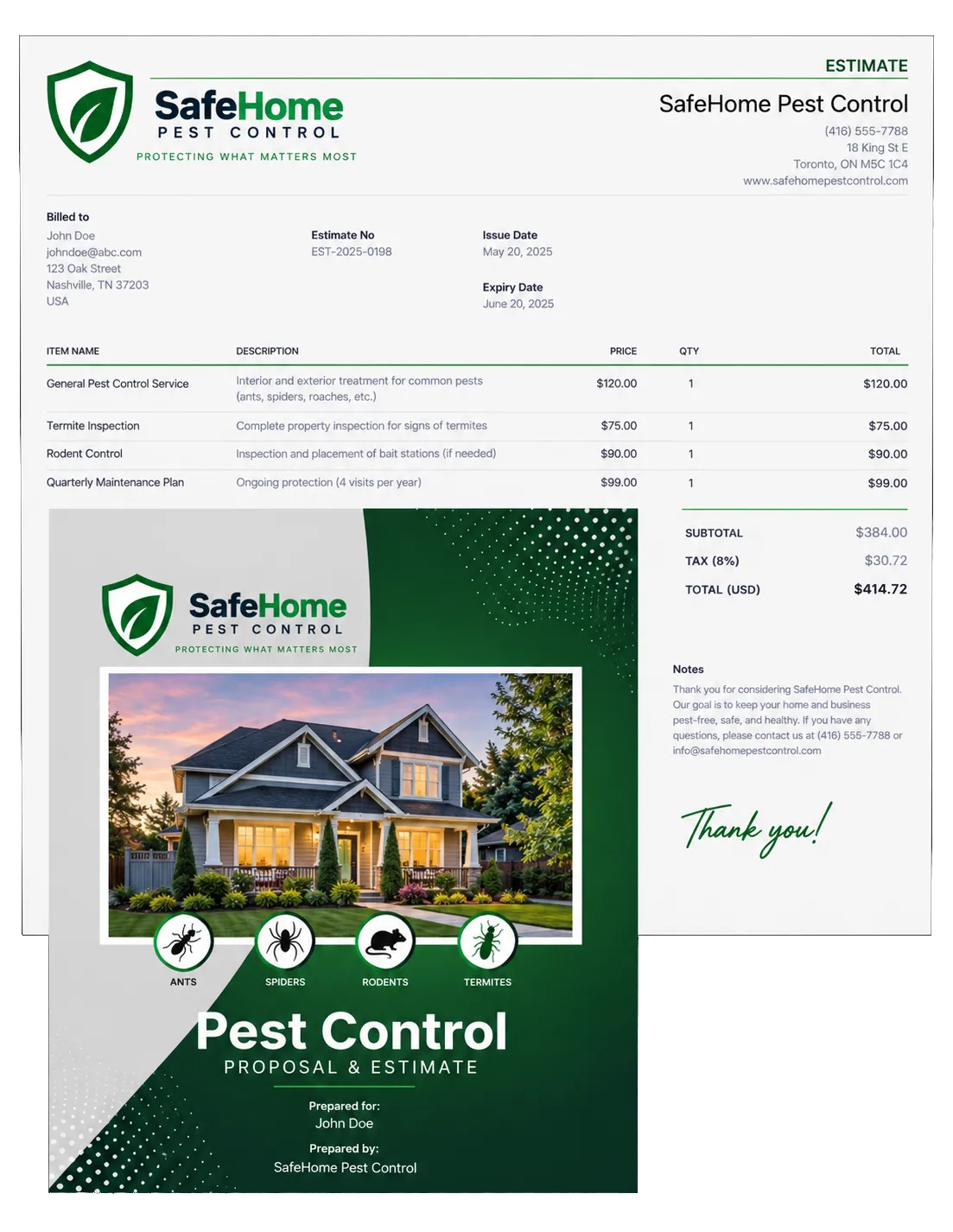
Create and send branded estimates and invoices. Work from the web or mobile app.
Send an estimate after an inspection and keep it tied to the customer
Collect deposits or set pay plans for supported jobs
Create one-time or recurring invoices for service plans
Automate reminders for unpaid or overdue balances
Track payments and connect supported tools such as QuickBooks or Xero
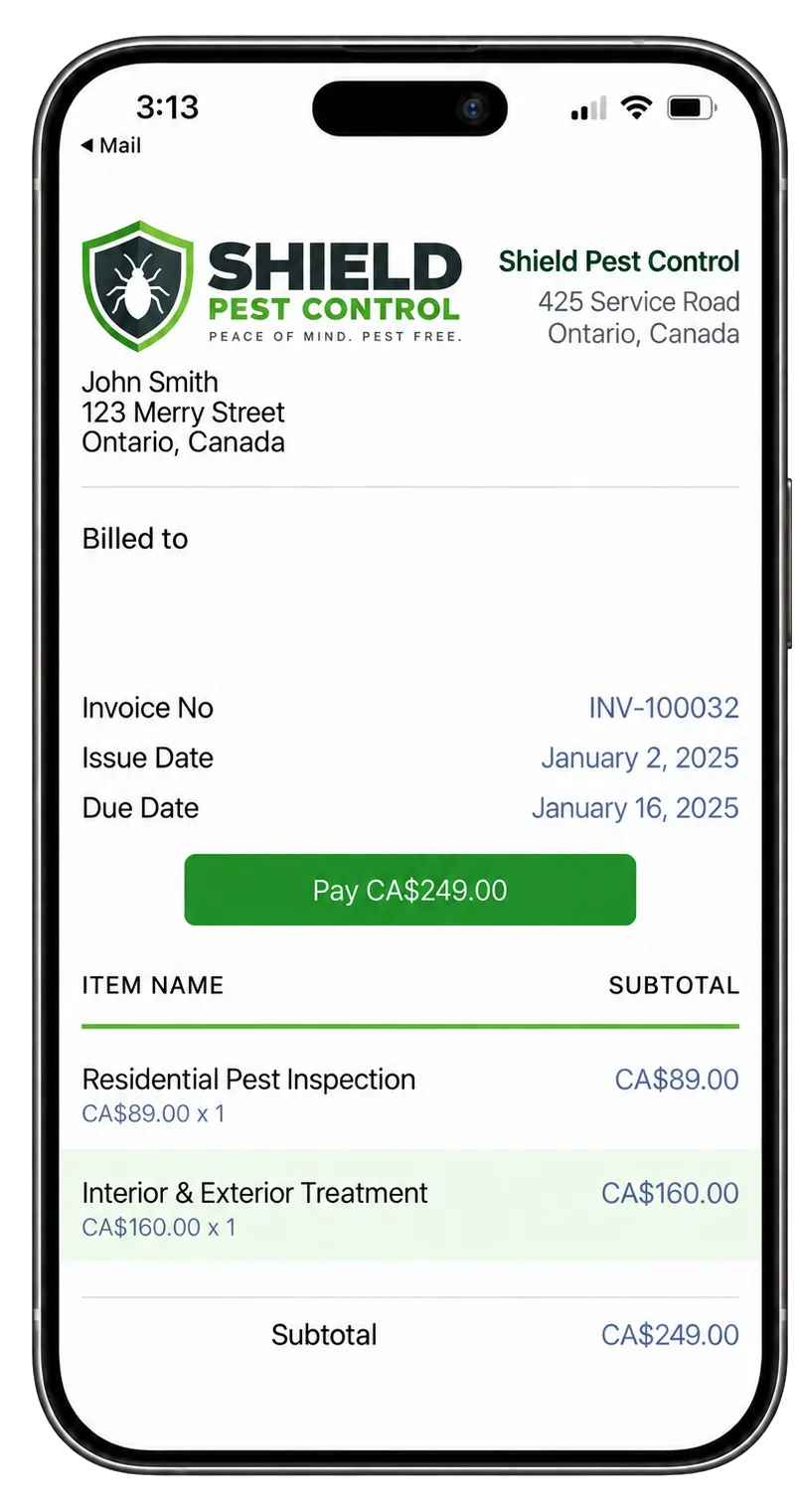
Payments
Collect one-time or repeat payments online or in person through available methods.
Add a payment link to an invoice or follow-up message
Use text-to-pay for a quick mobile payment option
Take supported mobile or in-person payments when useful
Manage products, taxes, plans, payments and refunds
Offer Apple Pay, Google Pay, ACH or other available methods in supported setups

Build Trust and Keep Seasonal Demand Moving
Strong pest control digital marketing should make it easy to find and trust your team. It should also make service easy to request. WinChilla helps you manage the path from first click to review.
Reputation Management
Request, watch and reply to reviews. Track ratings, volume, trends and common themes.
Send a review request after a completed service or resolved follow-up
Monitor recent feedback and sentiment from one place
Use AI to suggest a tailored response to a supported Google or Facebook review
Publish review replies automatically in supported setups when that fits your policy
Summarize recurring themes, such as praise for response time or concerns about communication


Social Planner
Create, approve and plan social posts across supported channels. Then measure the results.
Plan seasonal posts about ants, mosquitoes, rodents or wildlife activity
Use AI to draft captions, ideas, hashtags or images
Tailor content for Facebook, Instagram, Google Business Profile and other supported channels
Share approval links with an owner or manager before posts go live
Track results and compare campaigns over time
Websites and Funnels
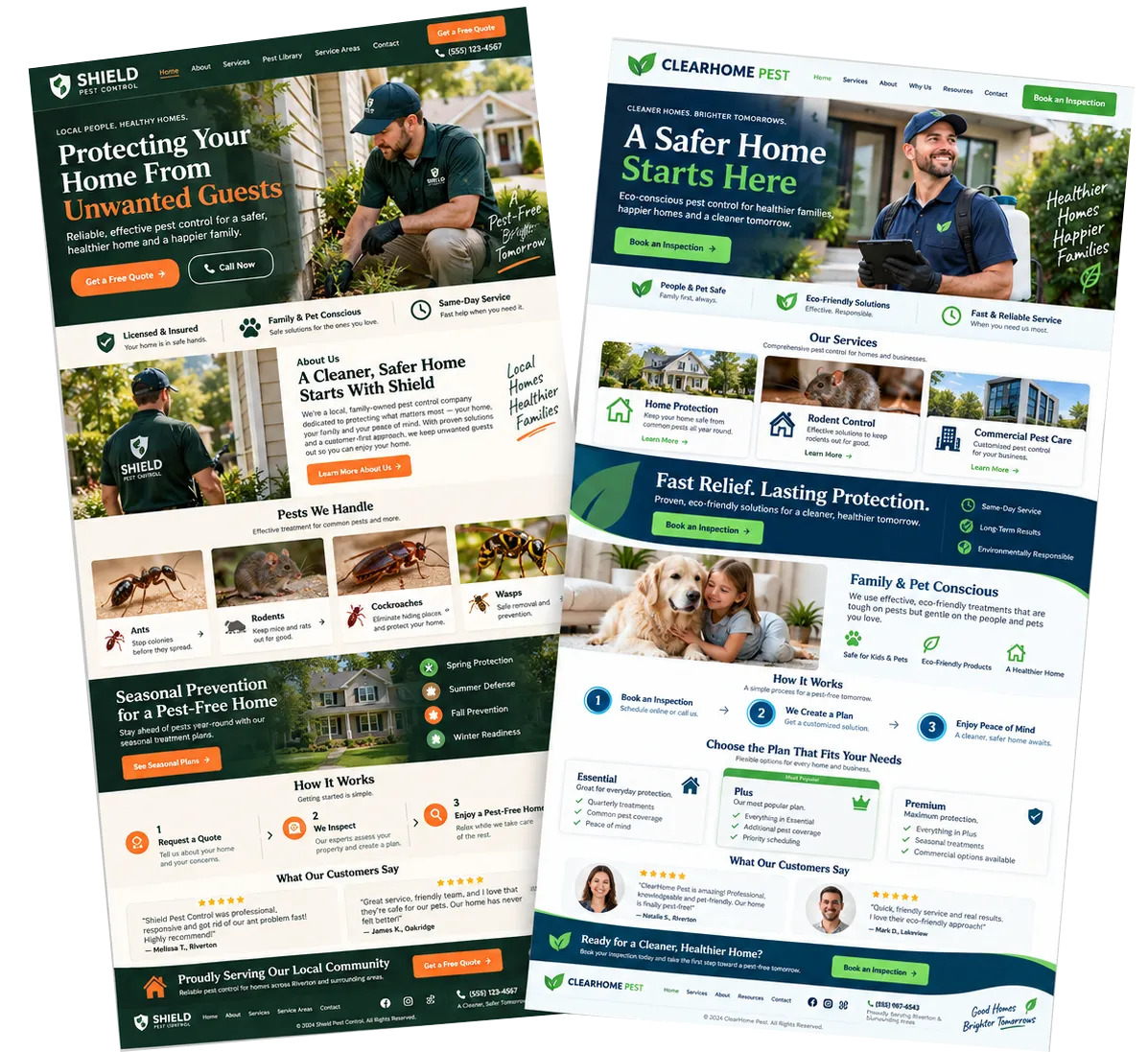
Build websites and landing pages using a drag and drop editor that capture leads. Start follow-up from each page.
Create service pages for residential, commercial, termite or mosquito control
Add forms, calendars and chat widgets to help visitors take the next step
Build a landing page for a seasonal inspection or local service offer
Use AI to draft a first-pass page structure, copy and images from your prompts
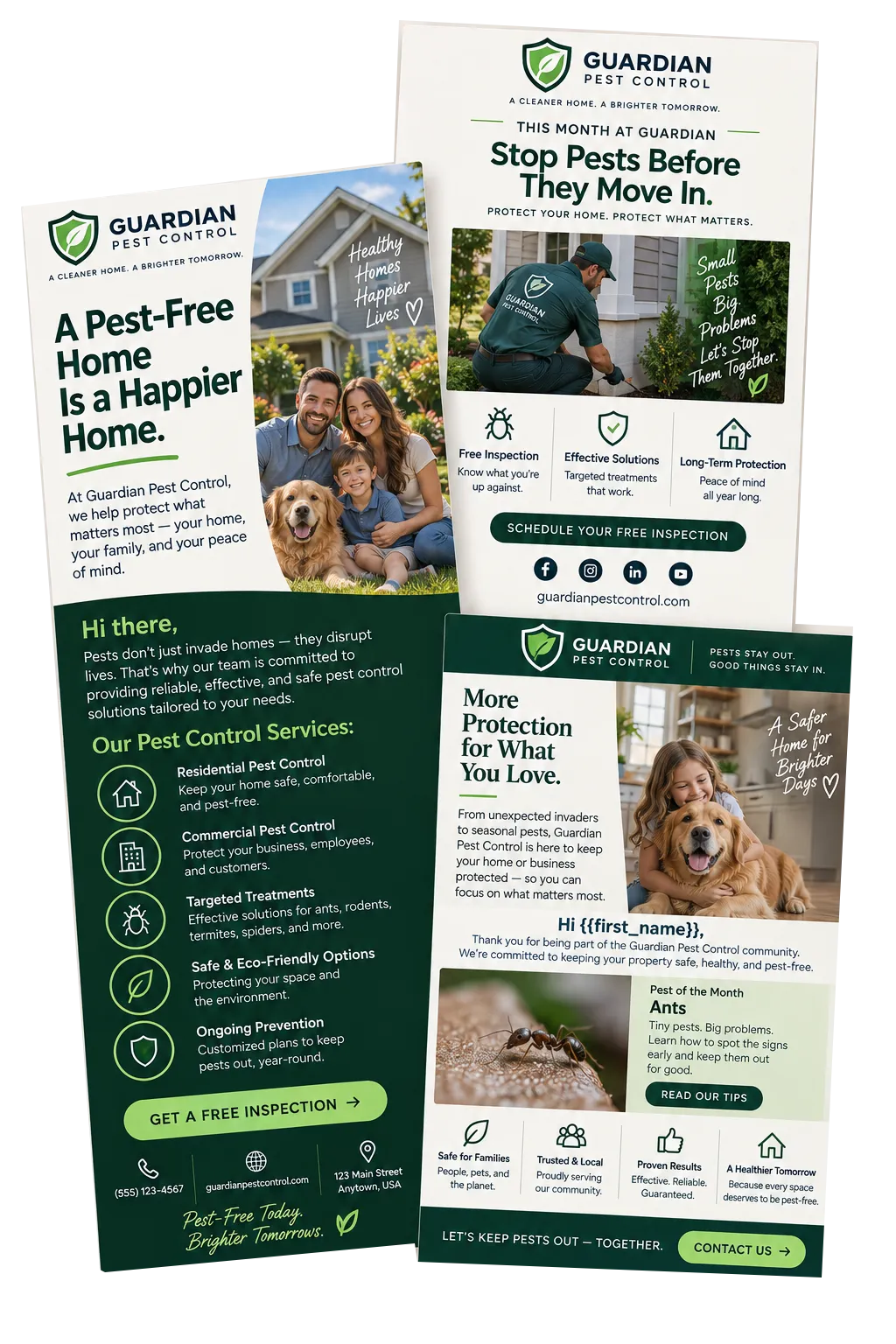
Email Marketing & Newsletters
Email marketing newsletters help pest control companies stay top-of-mind, educate customers and generate more repeat and seasonal bookings.
Send timely reminders for seasonal pest treatments and inspections
Share prevention tips that build trust and demonstrate expertise
Promote special offers, maintenance plans and bundled services
More Tools for a Busy Pest Control Office
More practical tools to support your pest control sales, service and marketing.
Forms
Capture quote requests, service locations and general pest concerns, then send responses into contacts and workflows.
Surveys
Gather post-service feedback, qualify new inquiries and trigger follow-up automatically after a customer submits a response.
Mobile App
Review contacts, conversations, opportunities, appointments, invoices and customer context while away from the office.
Email Marketing
Send seasonal education, service reminders or reactivation campaigns, with AI help for subject lines, copy, calls to action and images.
Integrations
Connect supported accounting, calendar, payment and other systems through native tools, APIs, webhooks or marketplace apps.
Documents and Contracts
Send service proposals or commercial pest management agreements for electronic signature, track their status and automate reminders.
Pest Control CRM Questions, Answered
Is WinChilla dedicated pest control field service software?
WinChilla gives pest control companies a flexible pest control CRM for sales, marketing and follow-up. It can capture leads, book visits, send estimates and invoices, take payments, request reviews and hold customer records. Route optimization and detailed field records may still require dedicated pest control software. Choose a field-service platform built for pest control when chemical-use logs, treatment records, stock control or legal records are essential. Connect it to WinChilla through a supported integration.
Can WinChilla manage both residential customers and commercial pest control accounts?
Yes. Contact records work well for homeowners and single buyers. Company records can group people, deals, tasks and notes for business clients. Custom fields and tags can sort accounts by service type, location, status or other useful details.
Can customers book recurring pest control visits?
WinChilla supports repeat booking setups where they apply. You can link bookings with customer records and send reminders through supported channels. Your team still sets staff hours, visit length and booking rules for each type of service.
How can AI help a pest control company without replacing its staff?
Some WinChilla tools are AI powered. They can answer common calls or messages and collect lead details. They can help qualified leads book, draft replies and prepare a first workflow. They can also help create marketing content and review replies. Your team controls the setup, source facts, handoffs and final review. This is key when a question needs an inspection or expert judgment.
Can WinChilla follow up on estimates, unpaid invoices and review requests?
Yes. Workflows can start from supported CRM, booking, form and payment events. They can send reminders, create tasks, update pipelines or ask for reviews based on your rules. The AI workflow builder can draft a flow from a plain goal. Your team checks it before it goes live.
What should I compare when looking for the best pest control software?
Start with the work you most need to improve. Compare lead response, booking, customer history, repeat-service messages, estimates, invoices, payments, reviews, reports and integrations. If routes, field dispatch, pesticide records or stock are vital, check those special tools on their own. Then decide how they should link with your pest control CRM.
What others are saying:
"Love everything so far"
"I've never set up a website before but I love managing my new site and leads. The WinChilla team has been really helpful whenever I got stuck."
- Laura P

"Simplifies my sales"
"I've been able to help my son promote his candy business which has been great because I am not good with computers at all."
- Robert T
"Highly recommend"
"It's exciting to see my visions come to life and WinChilla helps me manage everything in one place so I can be anywhere in the world and my business just runs."
- Jaret H
WinChilla works with platforms you already use such as


















Real Support for Your Next Step
30-Day Money-Back Guarantee
New customers can get started with a 30-day money-back guarantee on eligible subscription fees. Review the refund terms for coverage, exclusions, and how to request a refund.
Onboarding and 24/7 Support
Start with a technical setup call and a training call, then get help through 24/7 chat support. Use our tutorials and knowledge base as you build and refine the tools your business needs.
Helping Businesses Since 2010
Our founders bring more than 30 years of combined experience in business software and customer incentive programs, helping small businesses build stronger customer relationships.

Make Every Pest Control Inquiry Easier to Win

© 2024-2026 Loyalty Gator Inc. All rights reserved.
WinChilla CRM | A Loyalty Gator Company | Trusted Since 2010
The information provided by Loyalty Gator Inc. (DBA: WinChilla) ('we', 'us', or 'our') on WinChilla’s website (the 'Site') and our mobile application is for general informational purposes only. All information on the Site and our mobile application is provided in good faith, however we make no representation or warranty of any kind, express or implied, regarding the accuracy, adequacy, validity, reliability, availability, or completeness of any information on the Site or our mobile application. UNDER NO CIRCUMSTANCE SHALL WE HAVE ANY LIABILITY TO YOU FOR ANY LOSS OR DAMAGE OF ANY KIND INCURRED AS A RESULT OF THE USE OF THE SITE OR OUR MOBILE APPLICATION OR RELIANCE ON ANY INFORMATION PROVIDED ON THE SITE AND OUR MOBILE APPLICATION. YOUR USE OF THE SITE AND OUR MOBILE APPLICATION AND YOUR RELIANCE ON ANY INFORMATION ON THE SITE AND OUR MOBILE APPLICATION IS SOLELY AT YOUR OWN RISK.