
RV park marketing that keeps guest interest moving
Bring guest questions, messages, follow-up, seasonal campaigns, and review requests into one workspace. WinChilla helps your team stay in touch before and after each stay. Keep your booking system for site space and confirmed stays.




One Place for Guest Marketing and Follow-Up
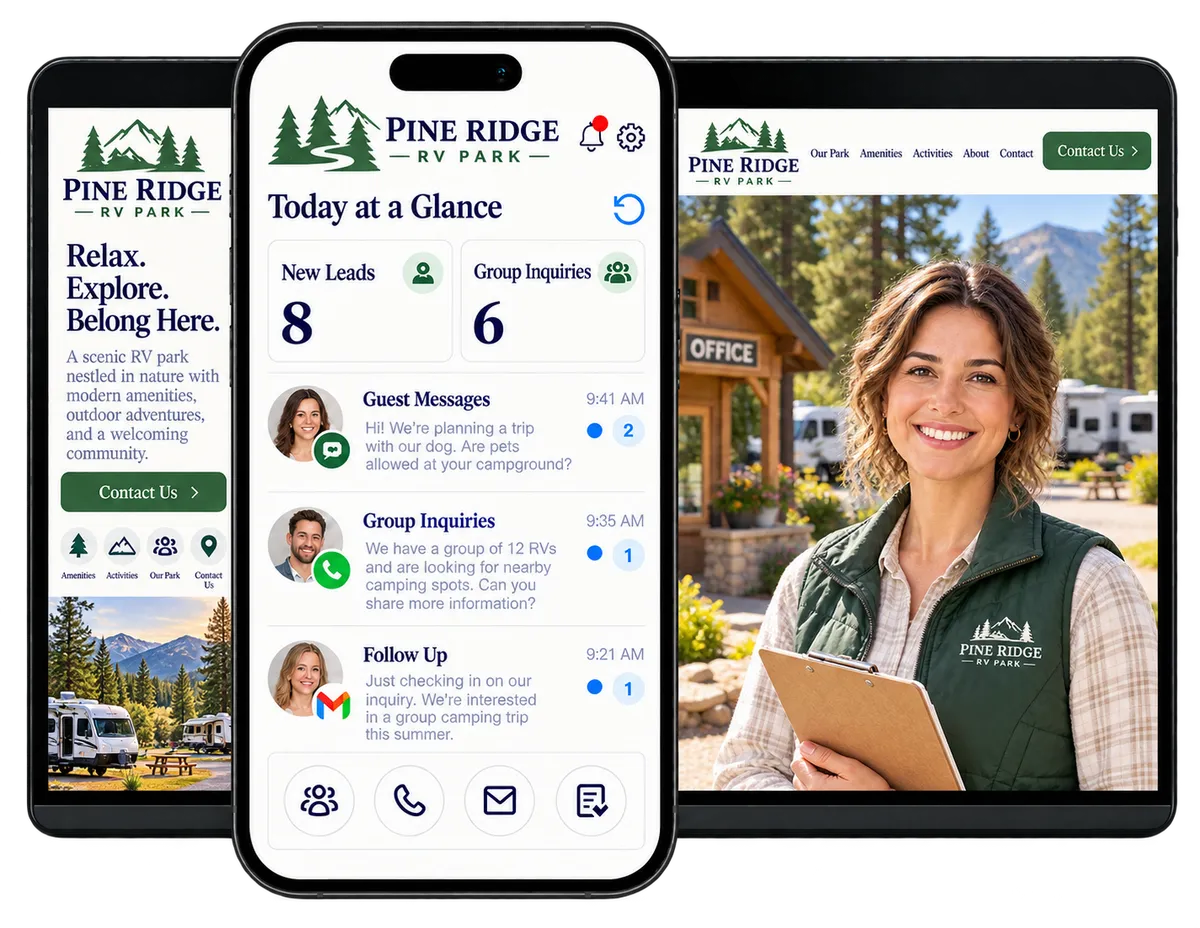
Travelers may find your park through search, social posts, referrals, or travel sites. They may ask questions before they book. WinChilla links forms, guest details, messages, tasks, email, text, and review requests in one place. Keep your booking system for site space, rates, and confirmed stays.
Keep Guest Outreach Moving Through Every Season
Campground teams handle guest questions, bookings, events, reviews, and seasonal demand. WinChilla helps track marketing and follow-up, so staff spend less time searching inboxes and more time welcoming guests.
North American households camped in 2025, generating a reported $66 billion economic footprint.
Source: Kampgrounds of America
of all camping nights in 2024 belonged to privately owned campgrounds and glamping resorts.
Source: Kampgrounds of America
of campers considered camping a cost-effective travel option.
Source: Kampgrounds of America
Does this sound familiar?
A traveler asks about pet rules, amenities, group stays, or seasonal availability, but the inquiry gets buried in email or social messages. Staff are busy with guests on site, so follow-up and repeat-visit marketing can slip.
Don't worry, we can help!
Contacts / CRM
Keep each new or repeat guest’s details, questions, tags, and message history together for more informed follow-up.
Conversations
Manage supported email, text, calls, chat, and social messages in a shared inbox linked to guest records.
Workflows & Automation
Create timely staff tasks and approved messages after a form entry, guest question, booking link, or other event.

Turn More Park Website Visits Into Guest Conversations
Travelers often compare locations before choosing a place to stay. Make it easy to ask a question or request details, then give your staff a clear path to respond.
Websites, Funnels & Landing Pages
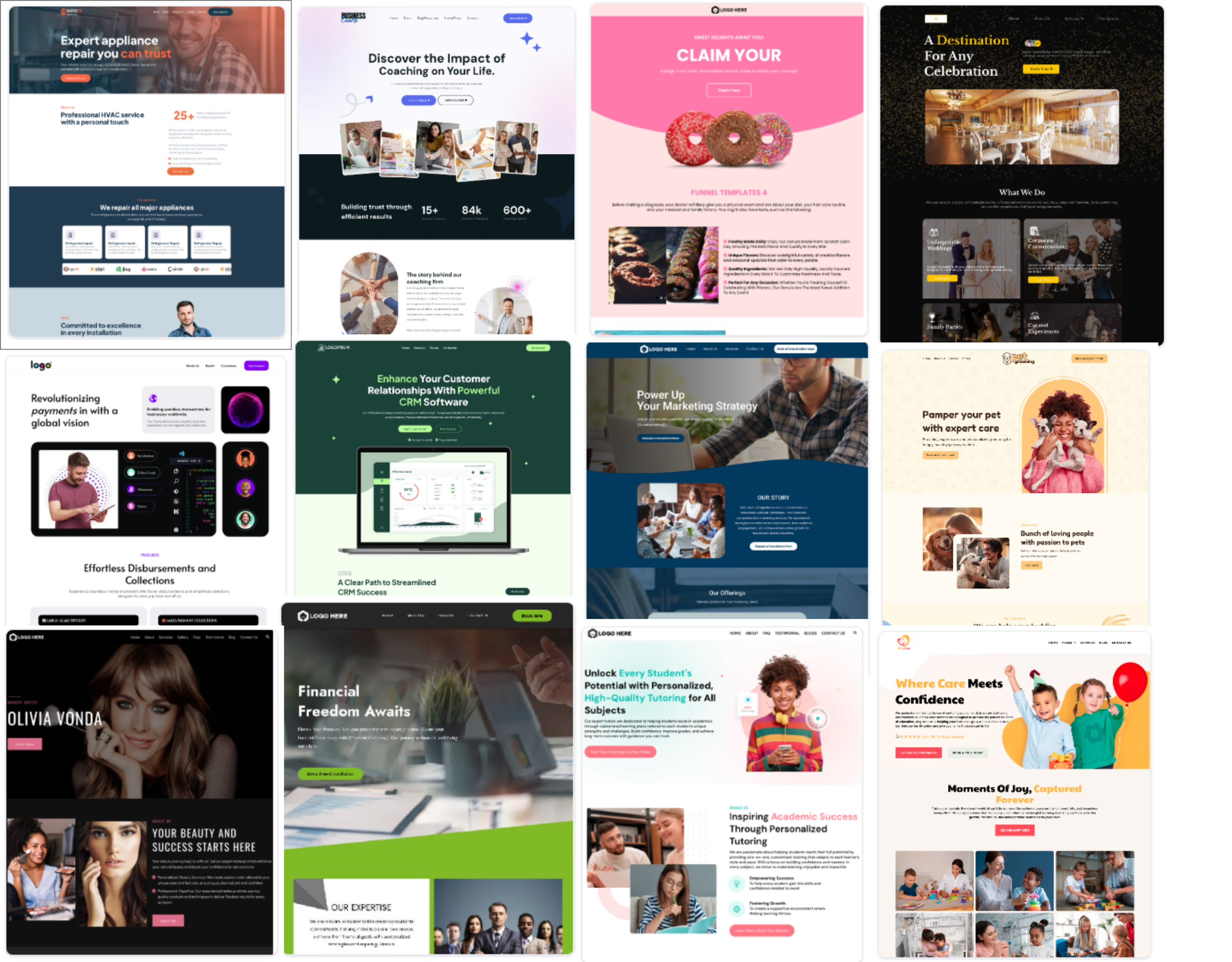
Create focused pages for your campground, RV park, seasonal offer, or special event.
Give travelers clear details about site types, features, fun things to do, rules, and directions
Build a page for a seasonal event, extended-stay offer, group visit, or nearby attraction package
Add a request-details form or contact option for guests who have questions before booking
Direct visitors to the park’s booking system when they are ready to check open sites or reserve a site

Forms and Web Chat
Capture guest questions and contact details through a website form or supported chat experience.
Ask whether an inquiry is about RV sites, tent camping, cabins, groups, or an upcoming event
Collect preferred travel dates as a question detail, not as a confirmed site booking
Route questions about accessibility, pets, amenities, or long stays to the right staff member
Keep form responses attached to the contact record for follow-up
Conversation AI
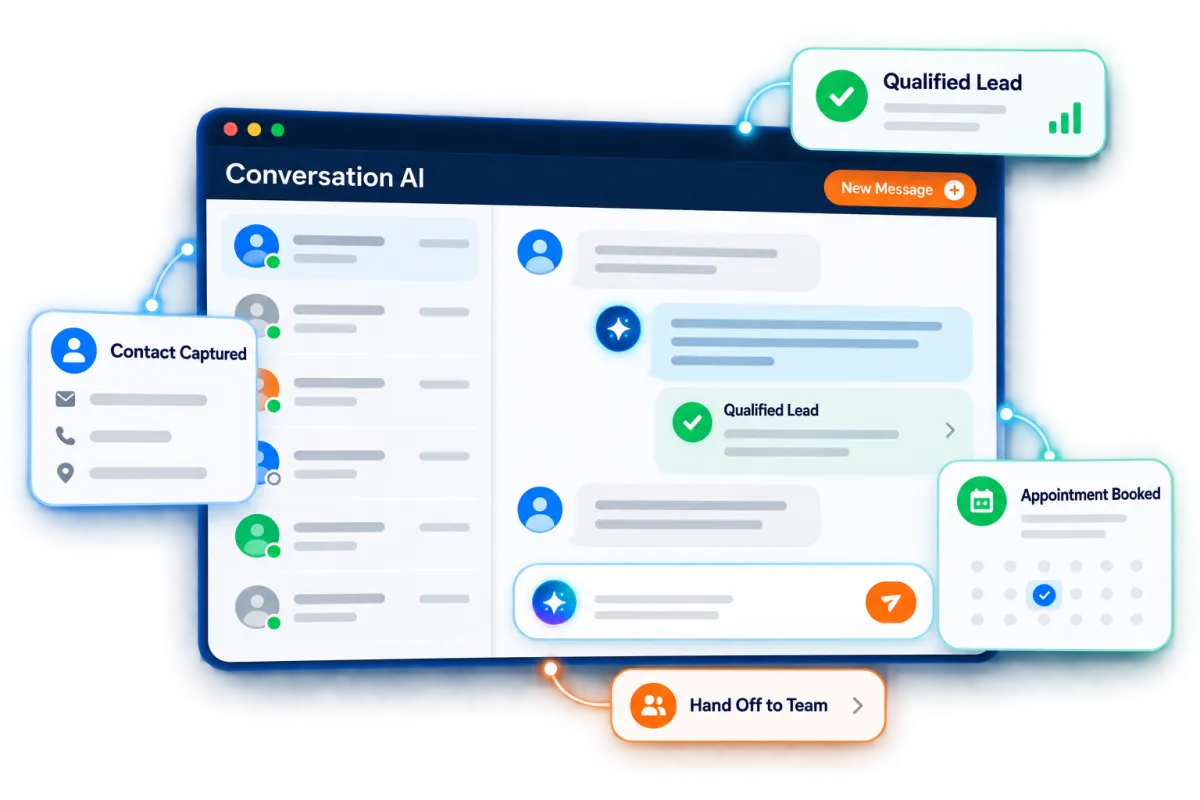
Use an AI agent in supported messaging channels to answer approved questions, collect details, and hand off to staff.
Answer common questions from approved park details, such as check-in times, pet policies, or amenities
Gather a name, contact method, and reason for travel when a staff member is unavailable
Direct guests to the booking system for current prices and site availability
Hand off unusual requests, group inquiries, or policy questions to a team member
See how WinChilla helps your campground business save time, reduce admin, and book more appointments!

Give Every Guest Inquiry a Clear Next Step
A quick reply can keep your park in the running while travelers compare places to stay. WinChilla gives staff one view of messages and follow-up tasks. Your team controls the timing and reviews what gets sent.

Conversations
Bring supported customer messages into one inbox and keep the thread connected to the guest’s CRM record.
Review the history before answering a repeat guest’s question
Keep web chat, email, text, calls, and supported social messages easier to track
Assign a question about group stays or longer stays to the right staff member
Record the outcome of a call and create a follow-up task when more details are needed
Workflows & Automation
Automate routine follow-up tasks and messages using supported triggers and rules chosen by your team.
Notify staff when a traveler submits a request for details
Send an approved acknowledgment and set a reminder for a personal response
Create a task when a guest asks about a group event, long-term stay, or special stay options
Pause or stop promotional follow-up when a guest opts out or no longer needs messages


Opportunities & Pipelines
Track higher-value inquiries through clear stages so staff can see what needs attention.
Set stages for group inquiries, event bookings, corporate retreats, or extended-stay requests
Assign an inquiry to the staff member responsible for the next step
Keep notes about the request and follow-up date in view
Review open opportunities during a weekly marketing or sales check-in

Make RV Park Marketing More Consistent All Year
Seasonal offers work best when they reach the right people with a clear reason to visit. Use WinChilla to plan outreach around local events, shoulder-season stays, repeat guests, or new amenities. Send offers only to contacts who can be contacted under your consent and message rules.
Email Marketing
Send targeted emails to contacts grouped by interest, location, or past stays.
Share opening dates, event plans, new features, and trip tips
Promote shoulder-season or weekday stays to a relevant audience
Send repeat guests updates about improvements or experiences they may enjoy
Review campaign engagement to learn which messages prompt more interest


SMS, MMS & WhatsApp Messaging
Send supported text messages for fast guest updates and approved offers.
Share an event reminder or important update with guests who have agreed to receive texts
Send a link to a seasonal offer or trip-planning page
Use supported workflows for inquiry follow-up while respecting opt-outs and quiet hours
Keep text history connected to the guest record for staff context
Discover how WinChilla simplifies your day, saves time, and helps your campground business grow.
Social Planner
Plan, schedule, and review social posts on supported channels in one place.
Share photos of seasonal scenery, site improvements, events, and local attractions
Plan a steady schedule of posts before busy weekends or holiday periods
Fit each caption to its social channel and review posts before they go live
Check engagement trends to see what guests respond to

Ad Manager
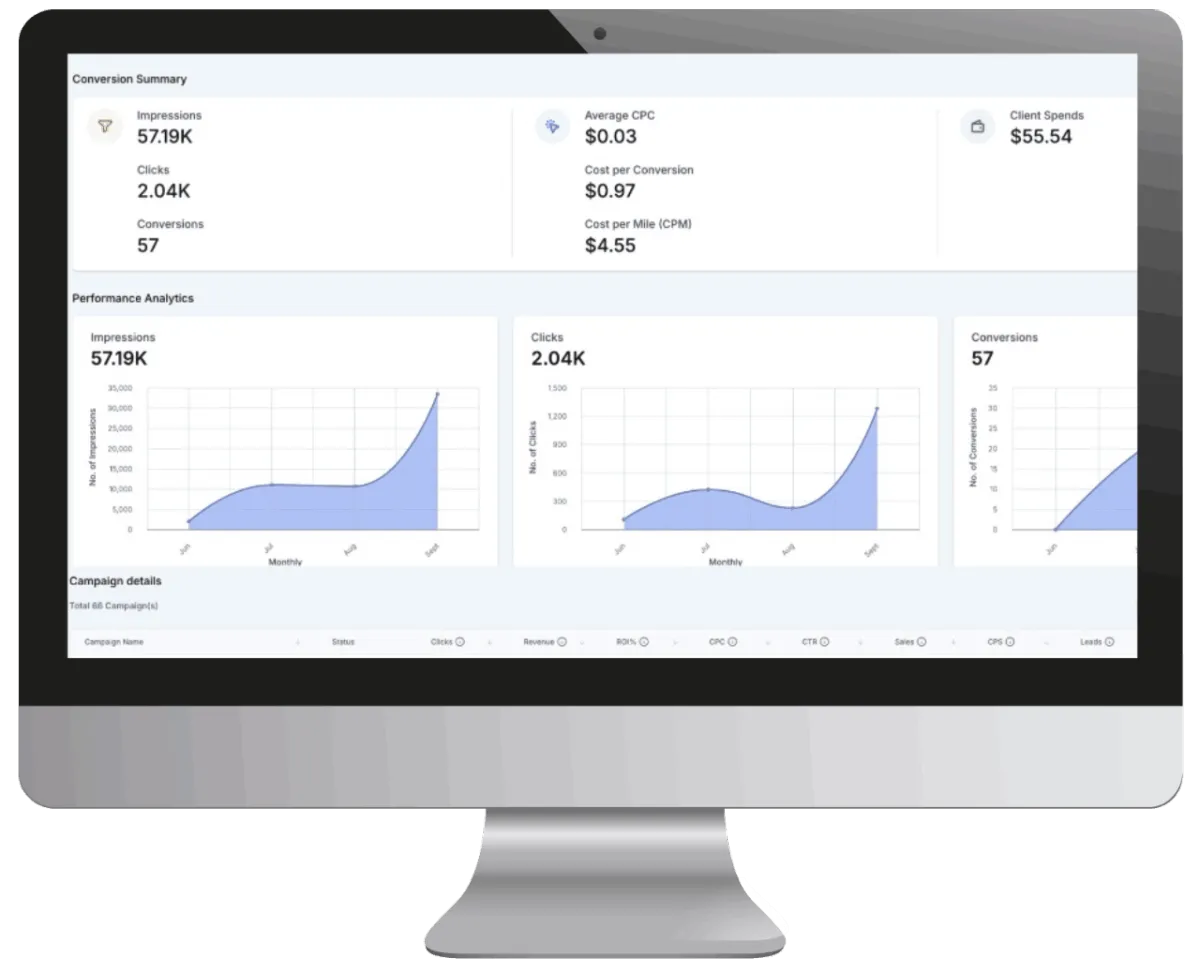
Manage supported digital ad campaigns and connect results with your lead follow-up plan.
Promote a park event, new stay options, or seasonal offer to the right audience
Use supported lead forms to capture interest from potential guests
Review campaign results such as clicks, leads, and spend in one place
Route new inquiries into CRM follow-up so interested travelers receive a timely response

Give Happy Guests a Reason to Return and Recommend Your Park
A good stay can lead to another trip, a family referral, or a helpful review. Keep post-stay communication useful and well timed, and make it simple for guests to share feedback. WinChilla can support these touchpoints while your team continues to deliver the on-site experience.
Reputation Management
Request reviews, track supported review sites, and keep guest feedback in view.
Send a review request after a guest’s stay, using your chosen timing and message rules
Monitor new reviews and recurring comments about amenities, service, or facilities
Use AI to suggest or publish responses to eligible Google and Facebook reviews, based on your settings
Display selected reviews on your website through a supported widget

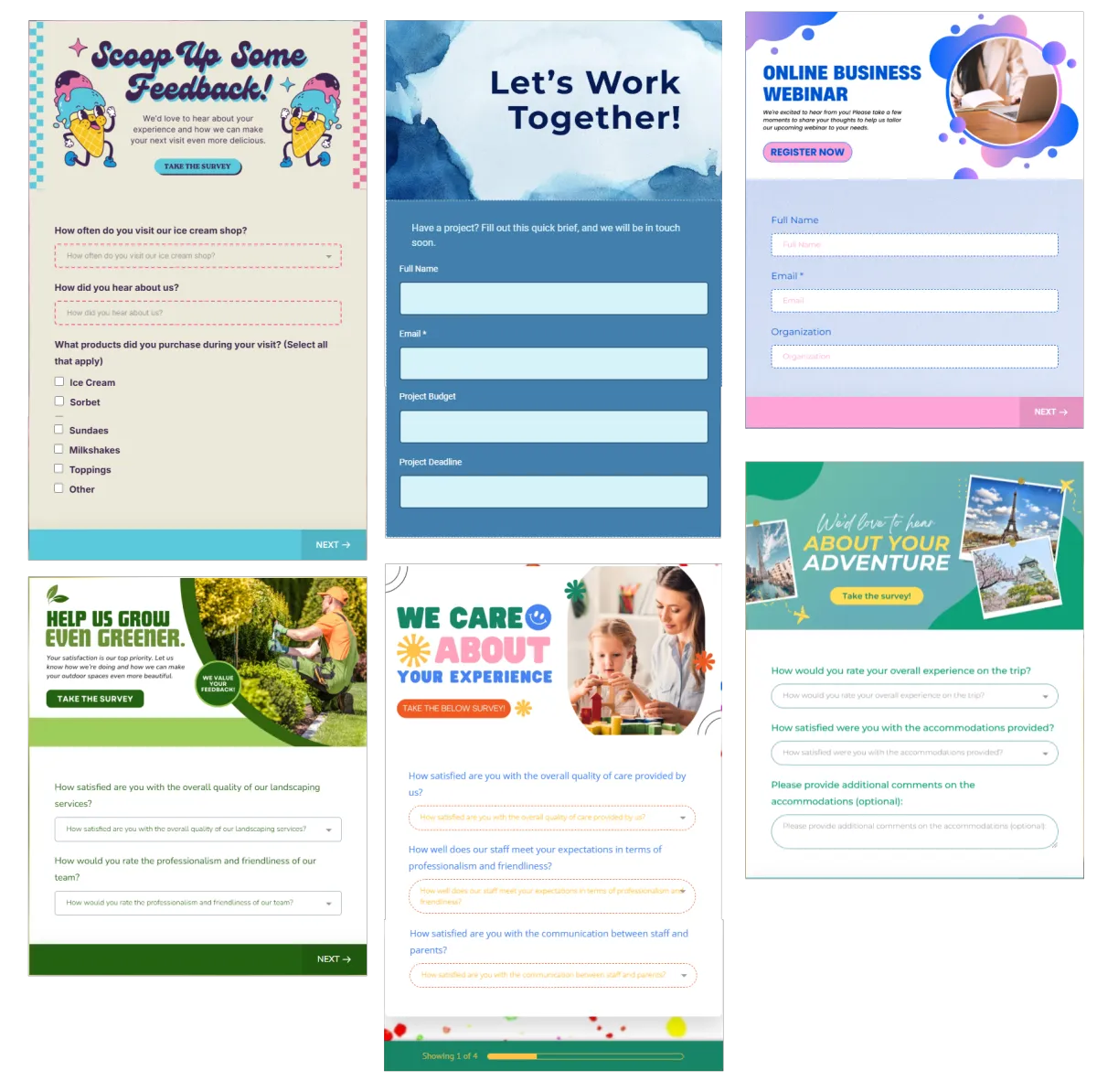
Surveys
Ask about each stay and send answers into follow-up steps.
Ask guests about check-in, cleanliness, amenities, activities, or staff helpfulness
Invite a team member to follow up on a concern that needs personal attention
Identify feedback themes to share with park management
Use post-stay feedback to guide future service and marketing improvements
Contacts / CRM
Keep guest details and interests in one record to make return-visit outreach more relevant.
Tag contacts by interest in RV sites, tent camping, cabins, or group stays
Build smart lists for repeat guests, nearby travelers, or seasonal events
Review guest notes and message history before following up
Keep consent and contact preferences attached to each record

More Tools for a Well-Connected Campground Team
Start with the guest marketing tools that fit your park, then add other supported workflows as your needs grow.
Payments
Collect deposits, event fees, and other guest payments through supported payment links and checkout flows.
Gift Cards
Create branded digital gift cards with personal messages and scheduled delivery.
Mobile App
Let approved staff view contacts, messages, tasks, and follow-up on the go.
Rentals
Offer bookings for bikes, kayaks, equipment, or rentable spaces with availability and payment options.
Integrations
Link tools and pass lead details into WinChilla workflows where available.
Documents and Contracts
Send group-stay or event agreements for electronic signature.
affordable pricing plans built for small businesses
How much does this cost?
We're glad you asked! WinChilla is pleased to offer affordable pricing plans to suit your growing business.
RV Park Marketing Questions
What can campground CRM software do for an RV park?
A campground CRM can organize guest details, messages, follow-up, and marketing activity. WinChilla helps with those customer relationships and outreach. Keep a dedicated campground booking system for live site inventory, rates, and confirmed bookings unless a verified link supports those tasks.
Can WinChilla manage campsite availability and reservations?
WinChilla supports lead capture, guest messages, appointments, marketing, and follow-up. It does not manage campground site inventory or bookings in this setup. Keep your booking system as the source for open sites, rates, and confirmed stays. Link to it from your WinChilla pages.
How can RV park marketing reach guests outside the busy season?
Group contacts by interest, then share news about events, weekday stays, features, or nearby places. WinChilla can help plan posts, send email or approved texts, and follow up with people who ask about a stay. Results depend on your offer, timing, and audience.
Can AI answer common campground questions?
In supported setups, Conversation AI can answer approved questions through eligible messaging channels, collect question details, and route a message to staff. Voice AI Receptionists can handle supported inbound calls. Keep the agent’s details current and send guests to your booking system for current site availability, rates, or confirmed bookings.
Can WinChilla replace campground reservation software?
WinChilla supports marketing, leads, messages, workflows, reviews, and guest follow-up. Campground booking software often manages open sites, rates, check-in, and park operations. Keep a dedicated system for those tasks unless a verified link supports what you need.
What others are saying:
"Love everything so far"
"I've never set up a website before but I love managing my new site and leads. The WinChilla team has been really helpful whenever I got stuck."
- Laura P

"Simplifies my sales"
"I've been able to help my son promote his candy business which has been great because I am not good with computers at all."
- Robert T
"Highly recommend"
"It's exciting to see my visions come to life and WinChilla helps me manage everything in one place so I can be anywhere in the world and my business just runs."
- Jaret H
WinChilla works with platforms you already use such as


















What you can expect from us
Money Back Guarantee
We're confident you'll love saving money by switching from existing software providers with your business tools to one place.
Plus, we believe you'll save a ton of time with marketing automation.
Within 30 days, if we're not the right fit, we'll give you your money back.
View Terms of Service
24/7 Support
We're here to help. You'll get a one-on-one onboarding call with our team.
Then, you'll get another tech call with us to make sure your account is configured exactly as you want it.
Plus, you can expect 24/7 chat support from our team with any questions you have along the way.
30+ Years of Experience
We've been helping small businesses since 2010!
The WinChilla brand is new, but our experience is not. The founders of WinChilla have over 30 years of experience combined in digital software and customer incentive programs - helping businesses like yours - worldwide since 2010. Now, we're excited to bring our expertise to launch these new super tools to help all of our clients grow.

Keep Every Campground Inquiry Moving

© 2024-2026 Loyalty Gator Inc. All rights reserved.
WinChilla CRM | A Loyalty Gator Company | Trusted Since 2010
The information provided by Loyalty Gator Inc. (DBA: WinChilla) ('we', 'us', or 'our') on https://www.winchilla.com (the 'Site') and our mobile application is for general informational purposes only. All information on the Site and our mobile application is provided in good faith, however we make no representation or warranty of any kind, express or implied, regarding the accuracy, adequacy, validity, reliability, availability, or completeness of any information on the Site or our mobile application. UNDER NO CIRCUMSTANCE SHALL WE HAVE ANY LIABILITY TO YOU FOR ANY LOSS OR DAMAGE OF ANY KIND INCURRED AS A RESULT OF THE USE OF THE SITE OR OUR MOBILE APPLICATION OR RELIANCE ON ANY INFORMATION PROVIDED ON THE SITE AND OUR MOBILE APPLICATION. YOUR USE OF THE SITE AND OUR MOBILE APPLICATION AND YOUR RELIANCE ON ANY INFORMATION ON THE SITE AND OUR MOBILE APPLICATION IS SOLELY AT YOUR OWN RISK.