
Solar CRM That Turns More Leads Into Sales
WinChilla helps solar teams capture leads, respond faster, book consultations, and guide each opportunity through a clear pipeline.




One Solar CRM for Leads, Follow-Up, and Growth
Bring contacts, conversations, calls, appointments, opportunities, email, reviews, and follow-up into one place. WinChilla helps your team manage each buyer from first inquiry to sale. Your solar tools can still handle system design, finance, permits, and field work.
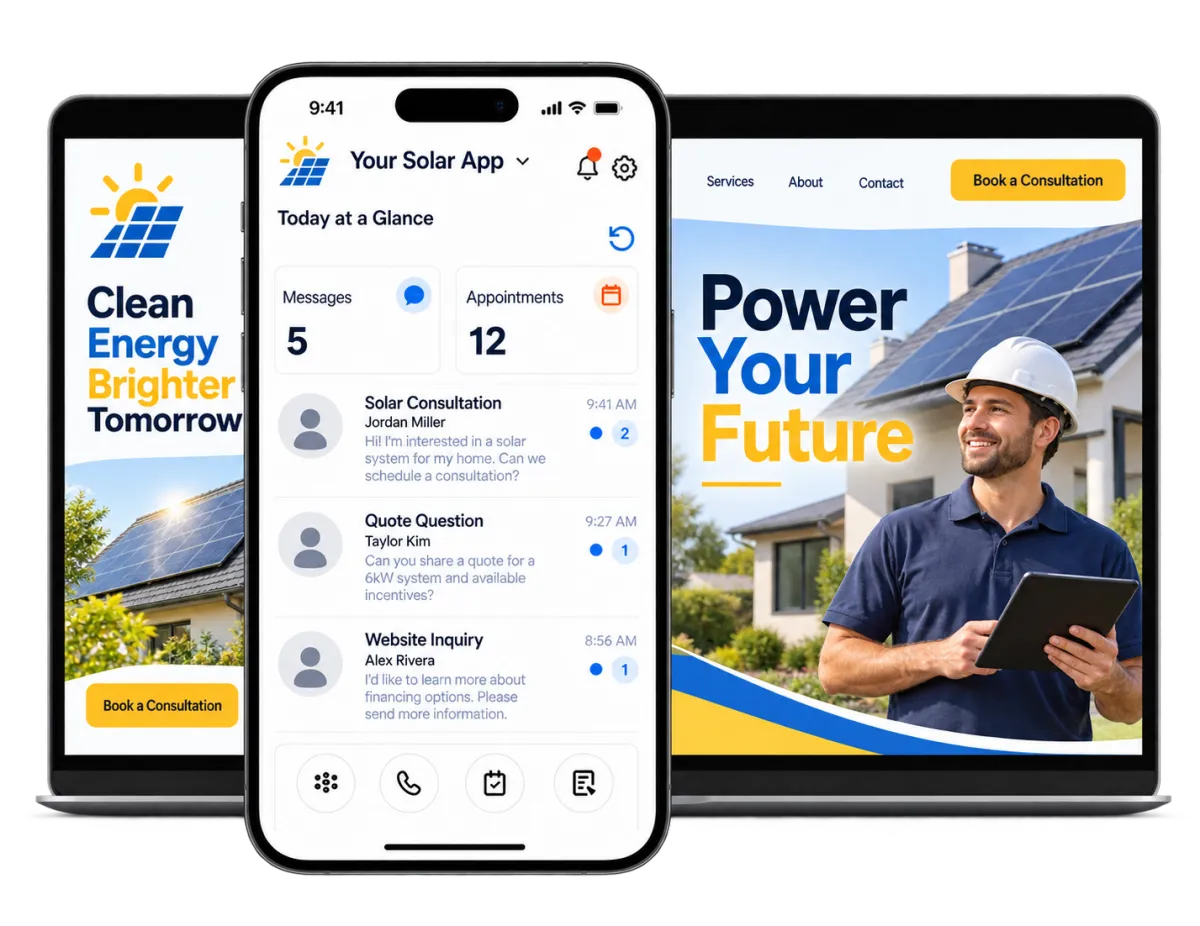
Keep Up With Every Lead Without Adding More Admin Work
Solar owners and managers wear many hats. They handle campaigns, sales, calls, appointments, questions, and staff. WinChilla keeps each detail in one place. Your team spends less time hunting for facts and more time helping good leads take the next step.
of homeowners said it was hard to determine which solar companies were trustworthy, up from 22% in 2023.
Source: Aurora Solar
of U.S. solar professionals said their main problem was homeowners being reluctant to commit to quotes.
Source: Aurora Solar
of homeowners said positive customer reviews were critical when choosing a solar installer.
Source: Aurora Solar
Does this sound familiar?
New solar leads come from campaigns, referrals, web forms, calls, and conversation. Yet too many go cold before the first consultation. Slow responses, missed appointments, and weak follow-up make a hard sale even harder.
Don't worry, we can help!
Solar Sales Pipelines
Track new leads, qualified buyers, consultations, quotes, and signed opportunities through stages that match your process.
Automated Lead Follow-Up
Build workflows that send responses, reminders, helpful tips, and team tasks based on each lead’s actions and opportunity stage.
Unified Conversations
Keep supported email, SMS, calls, web conversation, and social messages tied to each lead. Sales staff can see the full history before they respond.

Capture Solar Leads and Book More Consultations
Make it easy for homeowners and companies to reach your team. WinChilla links solar lead generation tools with fast responses and clear ways to book.
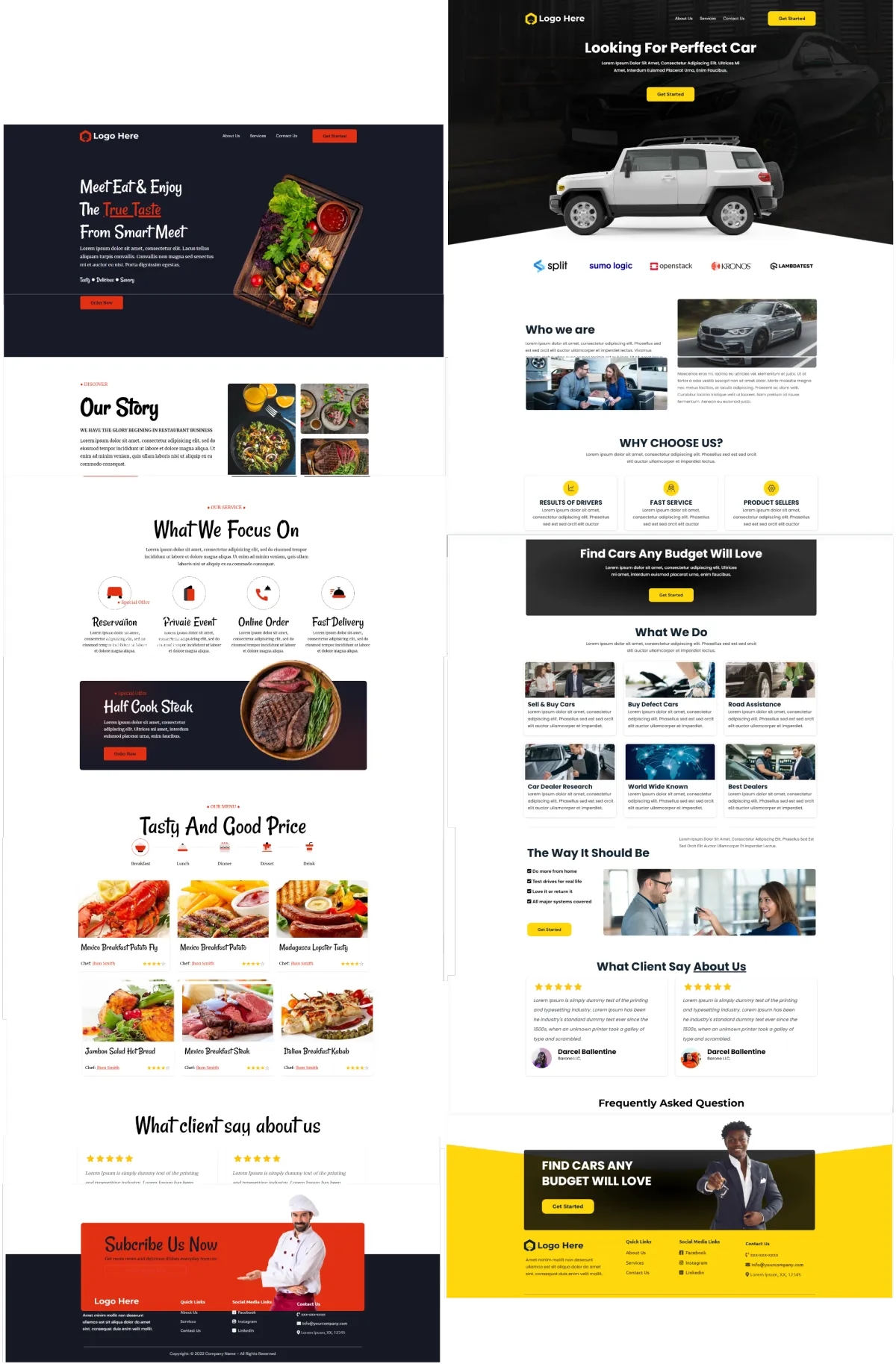
Funnels & Landing Pages
Create focused pages for home solar, business projects, batteries, local offers, or sales campaigns.
Build a landing page for a solar sales campaign without changing your main site
Match the page to a set ad, service area, property type, or offer
Use AI to make a first layout, draft copy, and images
Track visits and link each new lead with the next step in your solar CRM
Web Chat and Conversation AI
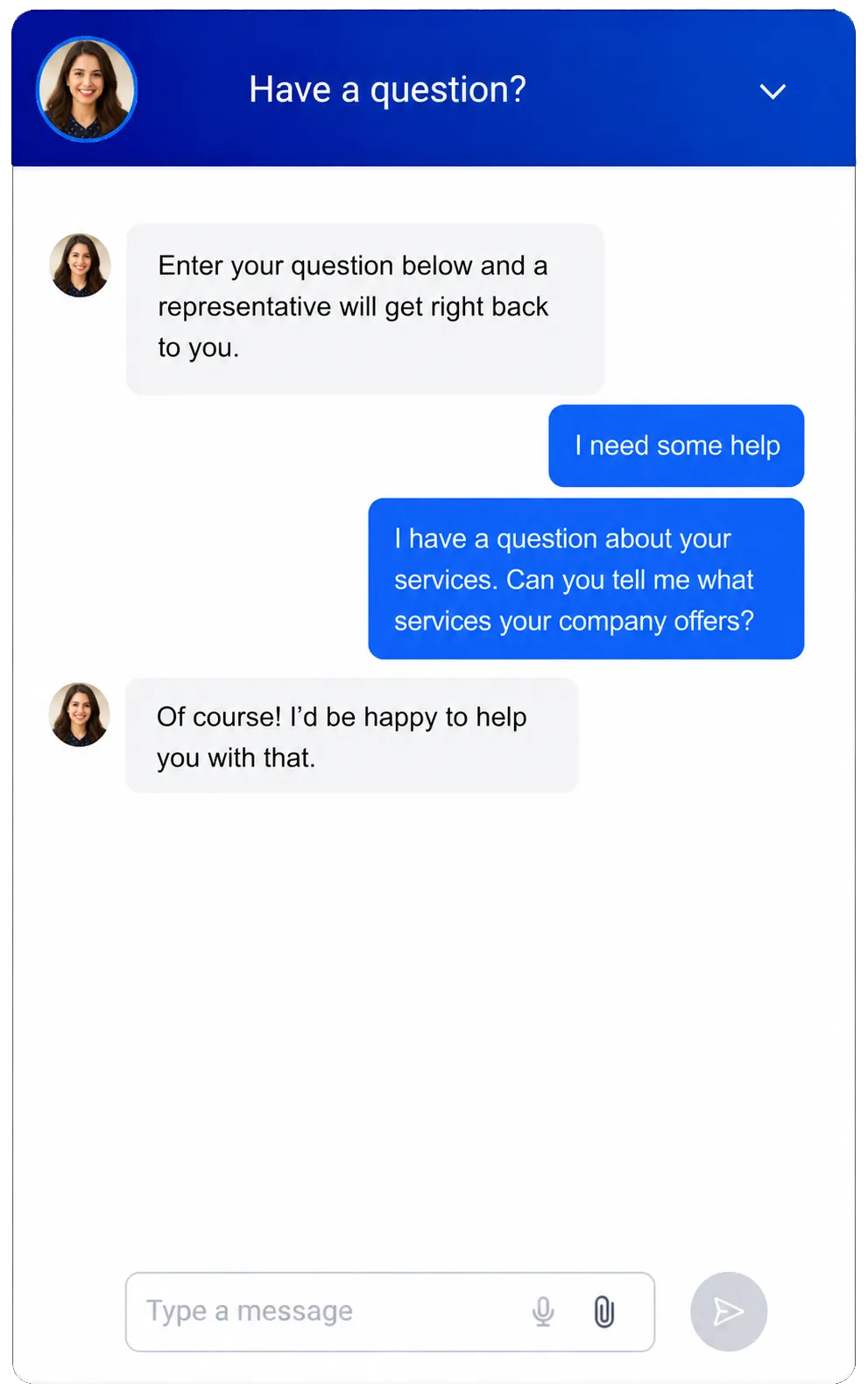
Turn more site visits into useful conversations during and after work hours.
Let visitors ask common questions about consultations, service areas, time frames, and next steps
Capture contact details when a prospect is not ready to call
Use AI to answer approved questions, screen a lead, and help book a call
Send the conversation to staff when the lead needs a person or a more in-depth answer
Calendars & Appointments
Give good leads a clear way to book a call, video meeting, or site visit.
Create one-person or round-robin calendars for solar advisors and sales reps
Set staff availability and reduce double-scheduling through supported calendar connections
Send scheduling notes and reminders to cut missed consultations
Keep each scheduling tied to the contact, conversations, workflows, and sales pipeline


Keep Every Solar CRM Opportunity Moving
Solar sales can involve questions, calls, quotes, finance talks, and long waits. Give each rep a clear view of what took place, what comes next, and who owns the follow-up.

Contacts & CRM
Keep lead details, notes, files, tags, custom fields, and past activity in one record.
Store property type, service area, energy goals, project needs, and other key sales facts
Review calls, email, conversations, appointments, and notes before you contact a lead
Build smart lists for new leads, cold leads, quote follow-up, or past clients
Use AI help to sum up contact history or find CRM facts when a rep needs a quick update
Opportunities / Pipelines
Sort opportunities through custom stages that match how your solar company sells.
Track each lead through screening, consultation, quote, choice, and signed opportunity
Assign each opportunity to the right rep or branch
Keep opportunity value, notes, status, and next steps in one view
Filter the pipeline to find stalled opportunities that need care


Workflows & Automation
Run routine sales and message tasks with less work while your team stays in control.
Reply when a new solar lead fills out a form or starts a conversation
Create tasks when a prospect reaches a key pipeline stage
Send scheduling notes, reminders, and follow-up after a consultation
Use the AI workflow builder to turn a plain goal into a first draft

Respond Faster Across Calls, Messages, and Email
Leads may call from a job site, respond to an email days later, or send a text at night. Keep each conversation tied to the same record so your team can respond with context.
Conversations
Manage supported email, SMS, WhatsApp, calls, web conversation, and social messages in one inbox.
See the contact’s past messages before you answer a price or scheduling question
Use filters and rules to send new conversations to the right rep or branch
Help office staff and sales reps avoid mixed responses
Use AI-assisted responses where supported


Phone System & AI Receptionists
Link inbound and outbound calls with contact records, call routes, and follow-up.
Make and take supported work calls from the web or mobile app
Route calls by work hours, users, teams, or groups
Add a trained AI agent to answer common questions and collect details
Review call logs, recordings, text records, short recaps, results, and follow-up
Solar Email Marketing
Teach, nurture, and win back leads with focused email campaigns.
Send helpful tips to leads who have interest but are not ready to book
Group campaigns by service area, lead source, property type, or opportunity stage
Follow up with leads who opened or clicked a supported email
Use AI help to draft or refine subject lines, copy, calls to action, and images


Build Trust and Create More Referral Opportunities
Solar buyers often weigh a few companies before they choose. Build trust at each step, then stay in touch after the sale.
Reputation Management
Ask for, track, and respond to reviews from one place across supported profiles.
Ask happy clients for a review after the right project step
Track ratings, new feedback, tone, and themes that come up often
Show select reviews on your site with custom widgets
Use AI to suggest or post responses to supported Google and Facebook reviews, based on your chosen setup


Affiliate Manager
Create and run an affiliate campaign for approved solar referral partners.
Add referral partners such as trade companies or local business contacts
Track affiliate work and fees through a set campaign
Give approved partners a clear way to share and track referral links
Show affiliate details through the supported client portal
Dashboards & Reporting
See the sales and ad data that matters to owners, managers, and reps.
Review leads, appointments, calls, pipeline value, and campaign work
Filter results by date, lead source, salesperson, pipeline, location, or campaign
Build set dashboards for owners, sales managers, and reps
Plan, export, or share supported reports for sales reviews

More Tools for a Connected Solar Sales Process
Use the tools that fit your work, and link solar systems where needed.
Invoices & Estimates
Create and send estimates or invoices, track their status, and automate supported reminders and follow-up.
Documents & Contracts
Create and send supported bids, opportunities, quotes, and contracts for e-signature. Solar design and contract needs may still call for a dedicated tool.
Mobile App
Manage contacts, conversations, opportunities, appointments, tasks, and calls while sales staff are out of the office.
Social Planner
Schedule educational solar content, project highlights, seasonal campaigns, and customer success stories across supported social channels.
Integrations
Link supported calendars, payment tools, books, APIs, webhooks, and marketplace apps to cut double work.
Ad Manager
Create and manage supported advertising campaigns while keeping new leads connected to your sales process.
Solar CRM Questions From Installers and Sales Teams
What is a solar CRM?
A solar CRM helps an installer or sales company sort leads, conversations, appointments, opportunities, and follow-up. WinChilla is a flexible CRM and ad platform that can fit a solar sales process. It helps manage the buyer journey. It is not a solar design or engineering system.
Can WinChilla automate long-term follow-up with solar leads?
Yes. You can build workflows from forms, appointments, messages, contact updates, opportunity activity, and other supported triggers. They can send messages, create tasks, update opportunities, and keep leads warm. Before launch, check the timing, content, consent rules, and stop steps for each campaign.
Can the platform support both residential and commercial solar sales?
Yes. Home solar teams can manage each homeowner. Business solar teams can use company records to group accounts with contacts, tasks, notes, and opportunities. You can set up pipelines, fields, calendars, and workflows for each sales model. The setup should match your services, team, and sales stages.
Can WinChilla help us run a solar referral program?
WinChilla can create affiliate campaigns, add approved partners, and track their work and fees. This can support a solar referral program for trade companies, business partners, or other fans. Before launch, check your offer, rules, terms, and local laws.
Does WinChilla replace solar design, financing, permitting, and installation software?
No. WinChilla is best used as a solar CRM for sales, calls, email, scheduling, follow-up, and opportunity tracking. Panel design, power models, finance checks, permits, and field work may need solar software made for those jobs. Supported links, APIs, or webhooks can help your tools share data when available.
What others are saying:
"Love everything so far"
"I've never set up a website before but I love managing my new site and leads. The WinChilla team has been really helpful whenever I got stuck."
- Laura P

"Simplifies my sales"
"I've been able to help my son promote his candy business which has been great because I am not good with computers at all."
- Robert T
"Highly recommend"
"It's exciting to see my visions come to life and WinChilla helps me manage everything in one place so I can be anywhere in the world and my business just runs."
- Jaret H
WinChilla works with platforms you already use such as


















Real Support for Your Next Step
30-Day Money-Back Guarantee
New customers can get started with a 30-day money-back guarantee on eligible subscription fees. Review the refund terms for coverage, exclusions, and how to request a refund.
Onboarding and 24/7 Support
Start with a technical setup call and a training call, then get help through 24/7 chat support. Use our tutorials and knowledge base as you build and refine the tools your business needs.
Helping Businesses Since 2010
Our founders bring more than 30 years of combined experience in business software and customer incentive programs, helping small businesses build stronger customer relationships.

Turn More Solar Leads Into Real Sales Conversations

© 2024-2026 Loyalty Gator Inc. All rights reserved.
WinChilla CRM | A Loyalty Gator Company | Trusted Since 2010
The information provided by Loyalty Gator Inc. (DBA: WinChilla) ('we', 'us', or 'our') on WinChilla’s website (the 'Site') and our mobile application is for general informational purposes only. All information on the Site and our mobile application is provided in good faith, however we make no representation or warranty of any kind, express or implied, regarding the accuracy, adequacy, validity, reliability, availability, or completeness of any information on the Site or our mobile application. UNDER NO CIRCUMSTANCE SHALL WE HAVE ANY LIABILITY TO YOU FOR ANY LOSS OR DAMAGE OF ANY KIND INCURRED AS A RESULT OF THE USE OF THE SITE OR OUR MOBILE APPLICATION OR RELIANCE ON ANY INFORMATION PROVIDED ON THE SITE AND OUR MOBILE APPLICATION. YOUR USE OF THE SITE AND OUR MOBILE APPLICATION AND YOUR RELIANCE ON ANY INFORMATION ON THE SITE AND OUR MOBILE APPLICATION IS SOLELY AT YOUR OWN RISK.