
Tire Shop Marketing That Keeps Your Bays Busy
Capture more calls and online inquiries, make appointment booking easy, and bring drivers back for tire changes, rotations, and other services with WinChilla.




Your Customer Growth Tools in One Place
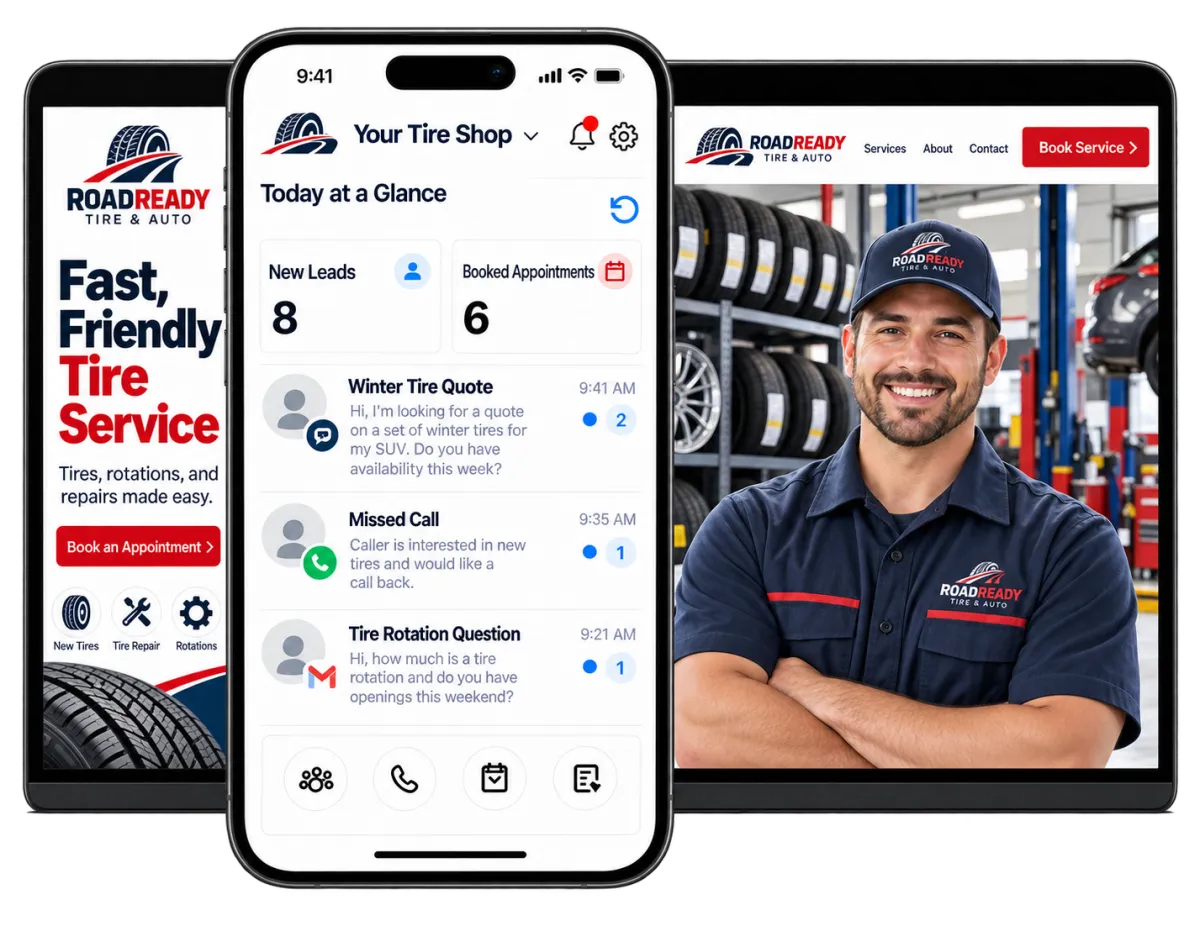
WinChilla puts key tools in one place: contacts, calls, messages, appointments, campaigns, reviews, and tire shop marketing. Your team can see each driver’s work history without switching between tools.
Run the Front Office Without Losing Sight of the Shop
Tire shop owners and managers wear many hats. They handle ringing phones, online inquiries, packed changeover schedules, driver updates, local advertising, and review requests. WinChilla helps a small team organize that work and follow up on time, so you can focus on delivering the best customer experience.
of Canadian drivers in 2025 used winter tires.
Source: Tire and Rubber Association of Canada
of comparable aftermarket service visits took less than one hour.
Source: JD Power, 2026 U.S. Customer Service Index Study
said contact information and opening hours were important when researching a local business.
Source: BrightLocal, Consumer Search Behavior 2025
Does this sound familiar?
The phone rings while your team helps drivers, and online inquiries arrive after hours. Seasonal appointment requests pile up at once. Without a clear system, qualified leads wait too long and drivers call another shop.
Don't worry, we can help!
Unified Conversations
Keep email, text, calls, web chat, and select social messages in one inbox. Your team can see the full chat history and give a relevant reply.
Automated Follow-Up
Start messages, tasks, appointment steps, and other workflows after an inquiry, call, form, or booking. Fewer qualified leads go cold.
Business Phone System
Manage select phone numbers, call routing, voicemail, recordings, and transcripts. Keep each call tied to the right contact record and next step.

Turn Local Searches Into Tire-Service Inquiries
Good tire shop marketing gives local drivers a clear path from search to contact. Help them learn about your business and ask about tires, installations, repairs, rotations, or changeovers.
Tire Shop Websites
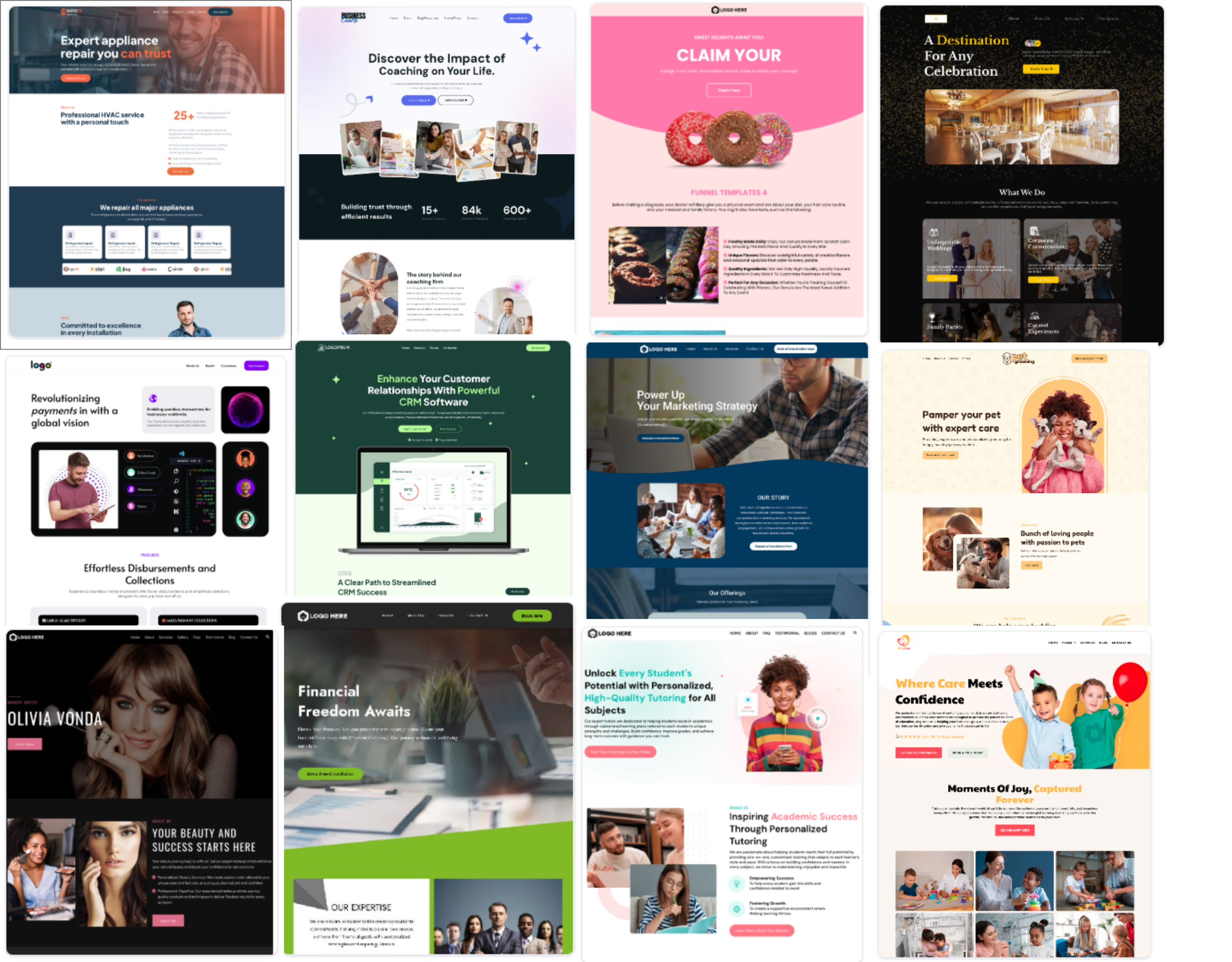
Build a responsive website that links your local advertising with lead forms, chats, and appointment requests.
Create pages for tire installs, flat repair, rotations, wheel services, and seasonal changes
Add contact details, opening hours, service areas, testimonials, and clear calls to action
Add forms, calendars, chat widgets, and tracking tools to your website
Use AI builder help to draft a site plan, copy, and images
Review traffic, referral sources, page engagement, and conversion activity
Web Chat
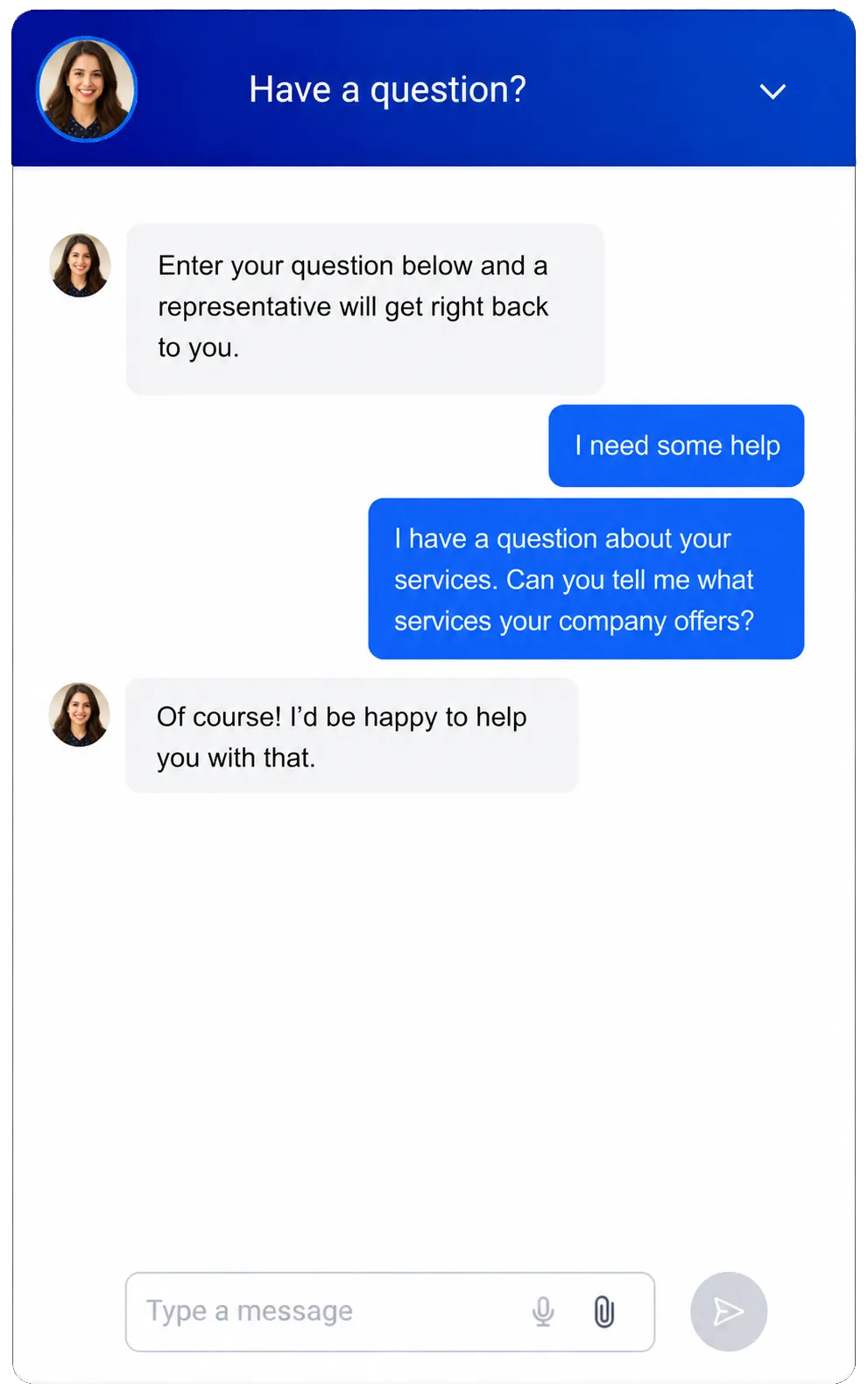
Let website visitors start a chat through the select channel they prefer. They do not need to hunt for another way to reach you.
Capture questions about tire stock, installs, repairs, storage, or appointment times
Show live, offline, and after-hours notes based on shop hours
Collect contact details and link the chat to the right CRM record
Send new chats to the shared inbox, a team member, a workflow, or Conversation AI
Offer a Voice AI widget in select setups for people who would rather speak than type
Lead-Capture Forms
Collect the key details your team needs before it follows up with a potential customer.
Ask for the driver’s name, contact details, vehicle details, tire size, and requested service
Let drivers share a preferred date or location before your team confirms an open time
Use rules and checks to get better form data
Send form responses to contact records and follow-up workflows on their own
See how WinChilla helps your tire shop save time, reduce admin, and book more appointments!


Answer Faster and Make Booking Easier
Drivers may call several shops when they need tires or urgent service. WinChilla helps your team reply, collect useful details, and move qualified leads toward an appointment.

Phone System & Calling
Link select phone numbers, calls, routing, and driver history with the rest of your front-office workflow.
Route calls by shop hours, department, user, or team
Forward or transfer calls when a customer needs a salesperson or service advisor
Review call logs, notes, outcomes, recordings, and transcripts where enabled
Trigger follow-up messages or tasks from call dispositions
Keep mobile and web calls linked to each contact record
AI Receptionists
Use a trained AI voice agent to handle select inbound calls when staff are busy or the shop is closed.
Answer common questions with approved business details and knowledge sources
Collect the caller’s name, contact details, vehicle details, and reason for the call
Help qualified leads book appointments on linked calendars
Transfer urgent or qualified calls to the right staff member or department
Review recordings, transcripts, summaries, and results after each call


Calendars and Appointments
Give drivers an easy way to book while keeping open times and follow-up tied to their records.
Create calendars for tire consultations, installs, repairs, rotations, or changeovers
Manage staff, rooms, gear, limits, and time clashes where they apply
Send booking notes and reminders by select email, text, in-app, or WhatsApp channels
Link appointment activity with contacts, notes, workflows, and reports
Conversation AI
Help drivers get answers and take the next step through select messaging channels.
Answer common questions about hours, shops, services, and booking
Ask for the details your team needs to assess an inquiry
Help a good lead book a time
Pause or pass the chat when a team member steps in
Start supported follow-up or CRM actions based on the conversation


Build Repeat Business Beyond Tire Season
The best tire shop marketing does not stop after the first visit. Keep customer details organized. Send reminders and reconnect before the next rotation or seasonal changeover.
Contacts / CRM
Keep customer details, notes, files, tags, custom fields, and activity history in one place.
Store vehicle and service information in notes or custom fields
Tag customers by location, service type, tire season, or follow-up status
Build smart lists for upcoming campaigns and team follow-up
View past messages, calls, appointments, and activity before you reply


Workflows & Automation
Automate routine follow-up while keeping control of each trigger, delay, branch, and action.
Follow up after a missed call, website form, or unanswered inquiry
Send appointment confirmations, reminders, and post-visit messages
Create seasonal changeover, rotation, or customer reactivation workflows
Add tasks or notes when a staff member needs to step in
Tell the AI workflow builder your goal to create an automation for you
Discover how WinChilla simplifies your day, saves time, and helps your tire shop business grow.
Email Marketing
Send targeted campaigns based on customer details, tags, smart lists, and past activity.
Tell customers that seasonal appointment booking is open before the busiest weeks
Share tire-care tips, service reminders, and relevant shop updates
Send offers to selected customer groups instead of the full list
Track deliveries, opens, clicks, failures, and unsubscribes
Use AI help to refine subject lines, copy, calls to action, and images


SMS, MMS & WhatsApp Messaging
Reach customers through supported messaging channels for timely updates and follow-up.
Send appointment confirmations, reminders, and rescheduling links
Follow up with people who asked about a tire or service
Share supported attachments, tracked links, and personalized details
Keep messages connected with email, call, and chat history
Track failed sends, opt-outs, and do-not-disturb settings

Strengthen Your Local Reputation
Drivers compare reviews, websites, and social profiles before choosing a shop. Ask for feedback, respond with care, and keep your tire shop marketing active across local channels.
Reputation Management
Request, monitor, display, and answer customer reviews from one place across supported profiles.
Send review requests after an installation, repair, or other completed service
Monitor ratings, review volume, sentiment, and recent feedback
Let AI suggest or automatically publish responses to supported Google and Facebook reviews
Summarize recurring themes to spot praise or service concerns
Show select reviews and quotes through widgets you can style


Social Planner
Plan and publish useful shop content across supported social and business profiles.
Schedule seasonal tire reminders before demand peaks
Share tire-care tips, team updates, promotions, and weather-related messages
Tailor posts for Facebook, Instagram, Google Business Profile, and other supported channels
Use AI assistance to draft captions, campaign ideas, hashtags, or images
Track engagement and compare post performance over time
AI Content, Assistance & Knowledge Bases
Create stronger first drafts and give supported AI agents approved business information to use.
Draft email, social, website, funnel, and advertising content for review
Generate or edit images for supported marketing assets
Set a brand voice to keep first drafts closer to your shop’s style
Build knowledge sources from approved site pages, FAQs, public Google Docs, or table data

More Tools for a Better-Run Front Office
These practical tools help your team stay organized as inquiries, appointments, and campaigns move forward.
Invoices and Estimates
Prepare and send professional estimates or invoices for tires and services, then track their status.
Opportunities and Pipelines
Track each new inquiry from first contact through quote, appointment, follow-up, and completed service.
Mobile App
Manage calls, messages, contacts, appointments, and follow-up while moving between the counter and service bays.
Ad Manager
Create and manage supported Google and Meta advertising campaigns designed to generate local tire inquiries.
Mobile POS
Accept supported in-person payments from a phone or connected card reader at the counter or during mobile tire service.
Online Payments
Collect supported deposits or payments through forms, invoices, calendars, and secure payment links.
affordable pricing plans built for small businesses
How much does this cost?
We're glad you asked! WinChilla is pleased to offer affordable pricing plans to suit your growing business.
Tire Shop Marketing and Software FAQs
Does WinChilla replace tire inventory, fitment, work-order, or point-of-sale software?
No. WinChilla manages customer records, conversations, appointments, marketing, reviews, and follow-up. Tire inventory, fitment, work orders, accounting, auto repair systems, and point-of-sale tasks may need tire store software or a supported integration. WinChilla can work beside those shop systems.
Can customers book tire appointments online?
Yes. You can create calendars for tire consultations, installations, rotations, repairs, or changeovers. Availability can account for staff, rooms, equipment, capacity, and conflicts where applicable. WinChilla can also send confirmations and reminders through supported channels.
How can WinChilla help when our staff cannot answer every call?
The phone system can route, forward, transfer, and log supported calls. It also links them to customer records. A Voice AI agent can answer inbound calls, handle common questions, collect information, help qualified leads book appointments, and transfer calls based on your setup. Your team can then review the call record, transcript, summary, and outcome.
Can we remind past customers before seasonal tire-change periods?
Yes. Use tags, custom fields, filters, and smart lists to find relevant customer groups. Email, text, and automated workflows can send appointment notices, reminders, or follow-up at planned times. Your shop remains in charge of the message, customer consent, service availability, and campaign schedule.
Can WinChilla help with SEO for tire shops?
WinChilla can help you build responsive tire shop websites. Add editable SEO metadata, your domain, service pages, forms, chat, calendars, tracking scripts, and analytics. Reputation tools can also support feedback, listings, and Google Business Profile work. Search visibility is not guaranteed. It still depends on your content, competition, website quality, location, and wider SEO strategy.
How does WinChilla help a tire shop collect and manage reviews?
You can send review requests through supported channels, monitor ratings and feedback, and display reviews on your website. AI can suggest or automatically publish responses for supported Google and Facebook reviews. It can also summarize recurring themes. Your team should review its settings and make sure each reply fits the shop’s tone and customer-service standards.
What others are saying:
"Love everything so far"
"I've never set up a website before but I love managing my new site and leads. The WinChilla team has been really helpful whenever I got stuck."
- Laura P

"Simplifies my sales"
"I've been able to help my son promote his candy business which has been great because I am not good with computers at all."
- Robert T
"Highly recommend"
"It's exciting to see my visions come to life and WinChilla helps me manage everything in one place so I can be anywhere in the world and my business just runs."
- Jaret H
WinChilla works with platforms you already use such as


















What you can expect from us
Money Back Guarantee
We're confident you'll love saving money by switching from existing software providers with your business tools to one place.
Plus, we believe you'll save a ton of time with marketing automation.
Within 30 days, if we're not the right fit, we'll give you your money back.
View Terms of Service
24/7 Support
We're here to help. You'll get a one-on-one onboarding call with our team.
Then, you'll get another tech call with us to make sure your account is configured exactly as you want it.
Plus, you can expect 24/7 chat support from our team with any questions you have along the way.
30+ Years of Experience
We've been helping small businesses since 2010!
The WinChilla brand is new, but our experience is not. The founders of WinChilla have over 30 years of experience combined in digital software and customer incentive programs - helping businesses like yours - worldwide since 2010. Now, we're excited to bring our expertise to launch these new super tools to help all of our clients grow.

Turn More Tire Inquiries Into Loyal Customers

© 2024-2026 Loyalty Gator Inc. All rights reserved.
WinChilla CRM | A Loyalty Gator Company | Trusted Since 2010
The information provided by Loyalty Gator Inc. (DBA: WinChilla) ('we', 'us', or 'our') on https://www.winchilla.com (the 'Site') and our mobile application is for general informational purposes only. All information on the Site and our mobile application is provided in good faith, however we make no representation or warranty of any kind, express or implied, regarding the accuracy, adequacy, validity, reliability, availability, or completeness of any information on the Site or our mobile application. UNDER NO CIRCUMSTANCE SHALL WE HAVE ANY LIABILITY TO YOU FOR ANY LOSS OR DAMAGE OF ANY KIND INCURRED AS A RESULT OF THE USE OF THE SITE OR OUR MOBILE APPLICATION OR RELIANCE ON ANY INFORMATION PROVIDED ON THE SITE AND OUR MOBILE APPLICATION. YOUR USE OF THE SITE AND OUR MOBILE APPLICATION AND YOUR RELIANCE ON ANY INFORMATION ON THE SITE AND OUR MOBILE APPLICATION IS SOLELY AT YOUR OWN RISK.